
Répondu
How do I delete a document in my EchoSign library?
I have seen some of the other tutorials on line, but it seems like they show additional menu items I do not have. Under 'Manage' I don't see any options to go delete existing documents.
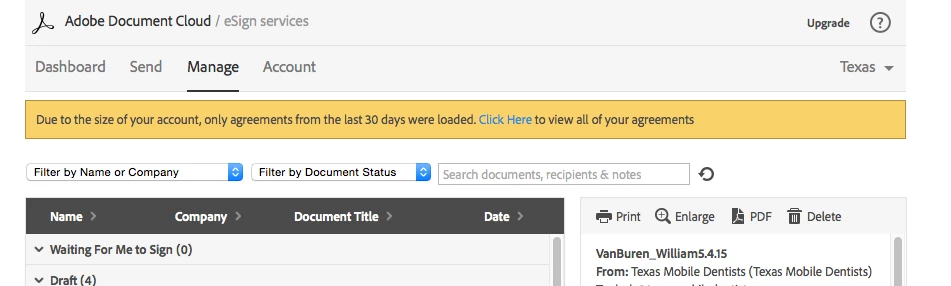

I have seen some of the other tutorials on line, but it seems like they show additional menu items I do not have. Under 'Manage' I don't see any options to go delete existing documents.
Hello,
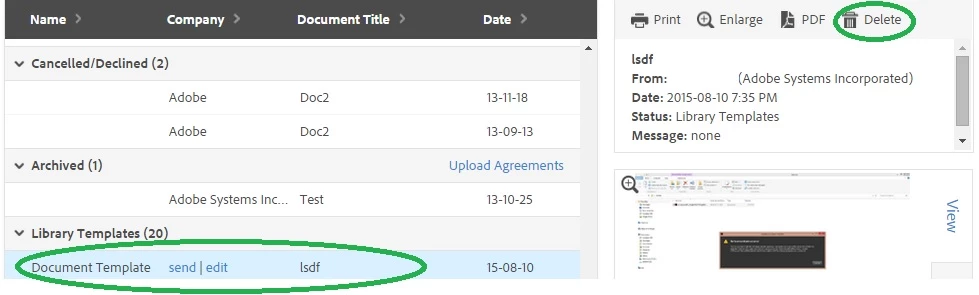
In order to delete the existing documents, you need to select the document in the manage page and click delete on the right side window.
Regards,
Nakul
Enter your E-mail address. We'll send you an e-mail with instructions to reset your password.


 AdChoices