


Participant
August 3, 2016
Answered

How do I delete a second signature block?

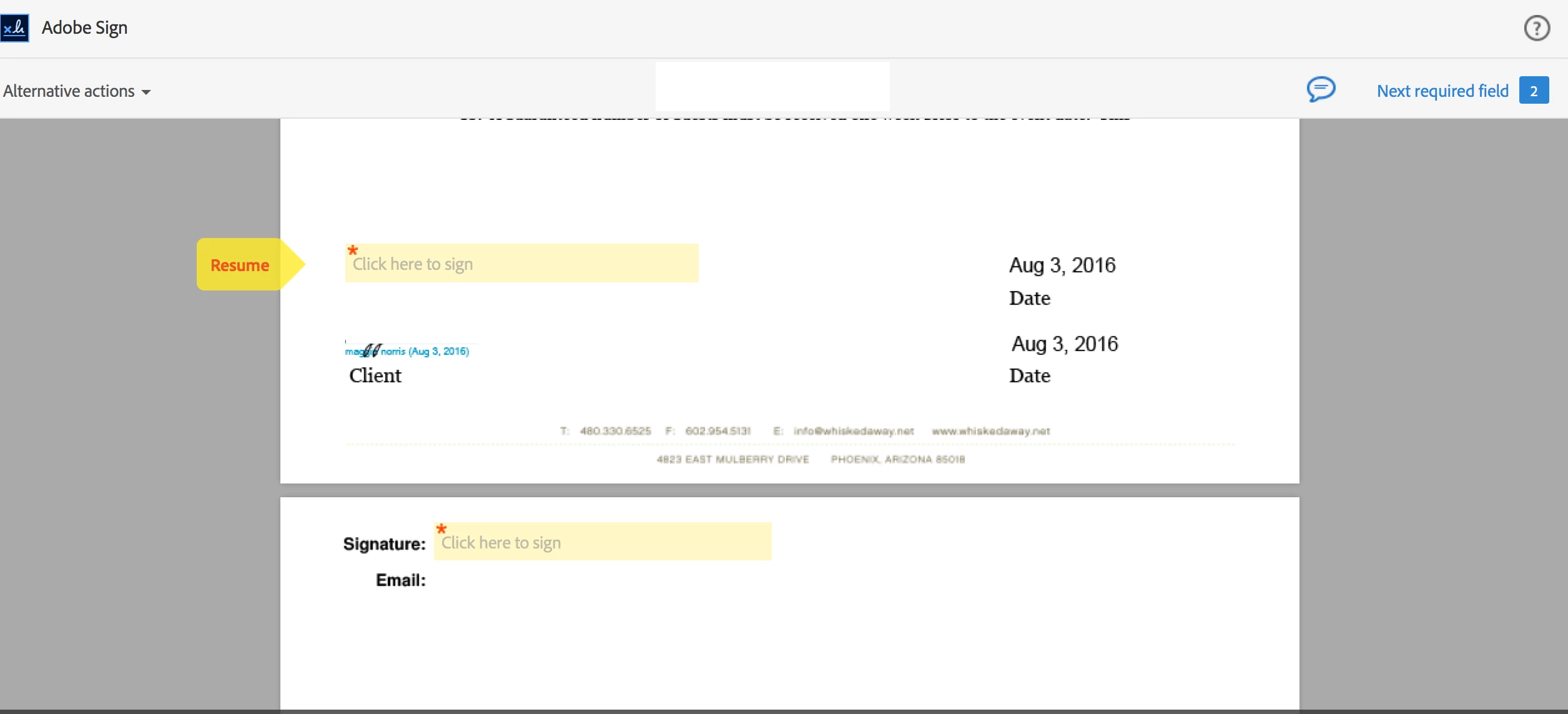
I am using Adobe Sign with Mac.  I recently edited a document in my library and now it is adding a signature block at the very bottom of my document (I have attached the picture).  I have always had two signature fields in the document.  One for my client to sign first and one for me to countersign.  I have seen other threads with this issue but I am not seeing a real resolution as I do not want to add my email under my signature line.  This is a document I have been using for a few years and it has never done this.  Is there a setting that is in Adobe Sign that was not in Echo Sign that I am missing?  Any help would be greatly appreciated. 

Thank you!

Maggie
Save

This topic is closed to new replies. Start a new post to keep the conversation going.
MichaelKazlow
MichaelKazlowCorrect answer
Legend
August 6, 2016

Try deleting the signature field and recreating it.

4 replies

MichaelKazlow
Legend
August 4, 2016

I am using an Enterprise Sign account. When I create a form to be signed, I have a choice on the format of the signature. I can choose Signature only, signature with email, initials only, etc. is it possible when you edited the document you chose signature with email by accident?

Translate
Participant
August 4, 2016

No, I chose just the signature.  As I mentioned, it had been working for several years until I modified other portions of the form.  Where it says RESUME in the picture I attached is where I have signed in the past.  It still has that signature field, but it created another one on the very bottom.  I want to get rid of the one on the bottom. 

Thank you!

Maggie

Translate
MichaelKazlow
MichaelKazlowCorrect answer
Legend
August 6, 2016

Try deleting the signature field and recreating it.

Translate