

Question
How do I hide a field that's calculated
I'm new to creating web forms in Adobe Sign. Lots of experience in Adobe PDFs!
I've created a form that includes entering your schedule for a two week time period (Date 1-Date14). I've figured out how to calculate the dates (Date2-Date14) based on the first date entered (Date1).
However, when you first look at the form, you can see lots of dates with a Jan 1970 date as default (Date2-Date14).
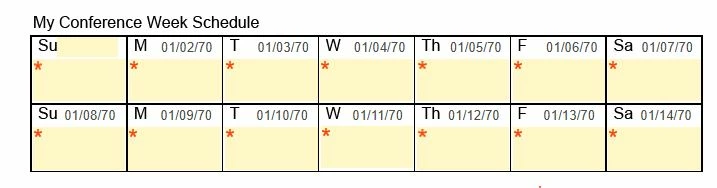
Once you enter the Sunday date, it calculates perfectly.
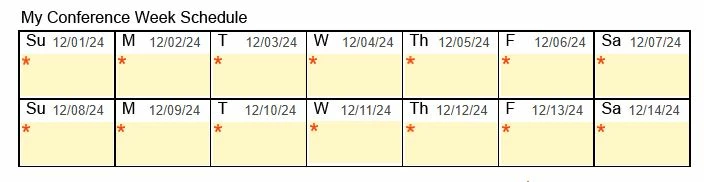
Knowing our staff, they will be greatly confused.
Question: How can I get the calculated field to not show anything until something is entered into Date1? I've tried setting conditions to hide those fields until something was entered but nothing worked. It would show nothing at all.


 AdChoices