



Answered
How do I make form fields required using Adobe Acrobat Sign in the browser?
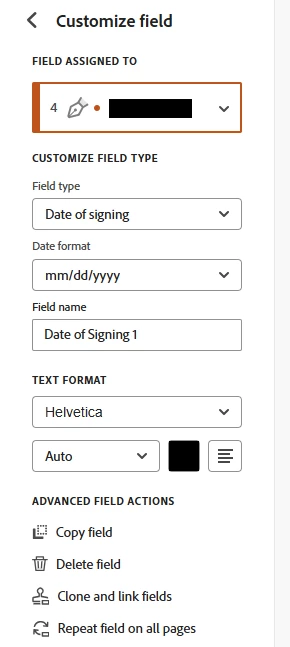
I am using Adobe Acrobat Sign in the Microsoft Edge browser, and I cannot locate the field properties setting that can be used to make each form field required. I previously sent out an agreement for signature using Adobe Sign in the Edge browser, and the signatory completed only one of three necessary form fields. I am trying to prevent this from happening again. How can I make each form field required?
EDIT: This issue is only true for the “Date of Signing” form field. Is this field automatically required, or does it auto-populate when the assigned signer signs?

 AdChoices