
Participant
December 4, 2019
Pregunta

How to clear local cache in Adobe Acrobat Reader DC

  • December 4, 2019
  • 1 respuesta
  • 17885 visualizaciones

Hi guys, 


How do I clear local cache in Adobe Acrobat Reader DC.


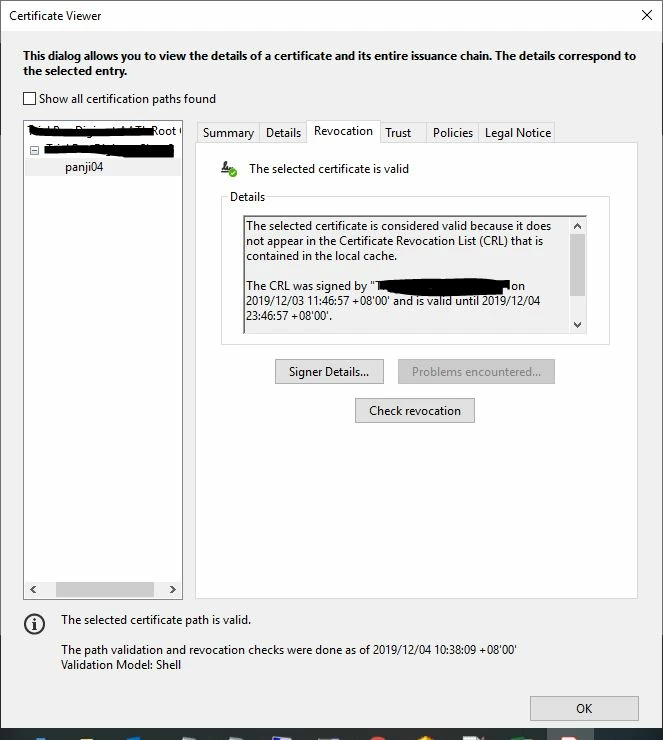
I've signed a document with a valid certificate, immediately after that I revoked the certificate. When I tried to sign a document again, Acrobat is reading the cache version of CRL. So this allowed the signing to happen. I would like to clear the cache, so that the new CRL will prevent the signing from happening as the certificate was revoked and updated in latest CRL. Thanks!
 

Este tema ha sido cerrado para respuestas.

1 respuesta

Meenakshi_Negi
Legend
December 6, 2019

Hi Nzuhdi,


As you have mentioned above, you are able to add signature even after you have revoked the certificate.

Please try once the steps provided in the following link to remove the ID or certifiate from the application.

https://helpx.adobe.com/in/acrobat/using/digital-ids.html#delete_your_digital_id

Please check if you used the same steps. If not, please try and check if that resolves the issue.


Let us know if the issue still occurs.


Regards,

Meenakshi