
Participant
December 1, 2022
Question

How to make a signer email optional Power Automate

  • December 1, 2022
  • 1 reply
  • 602 views

Hello, I'm trying to create a flow that uses Adobe Sign and a few participants to sign a document.
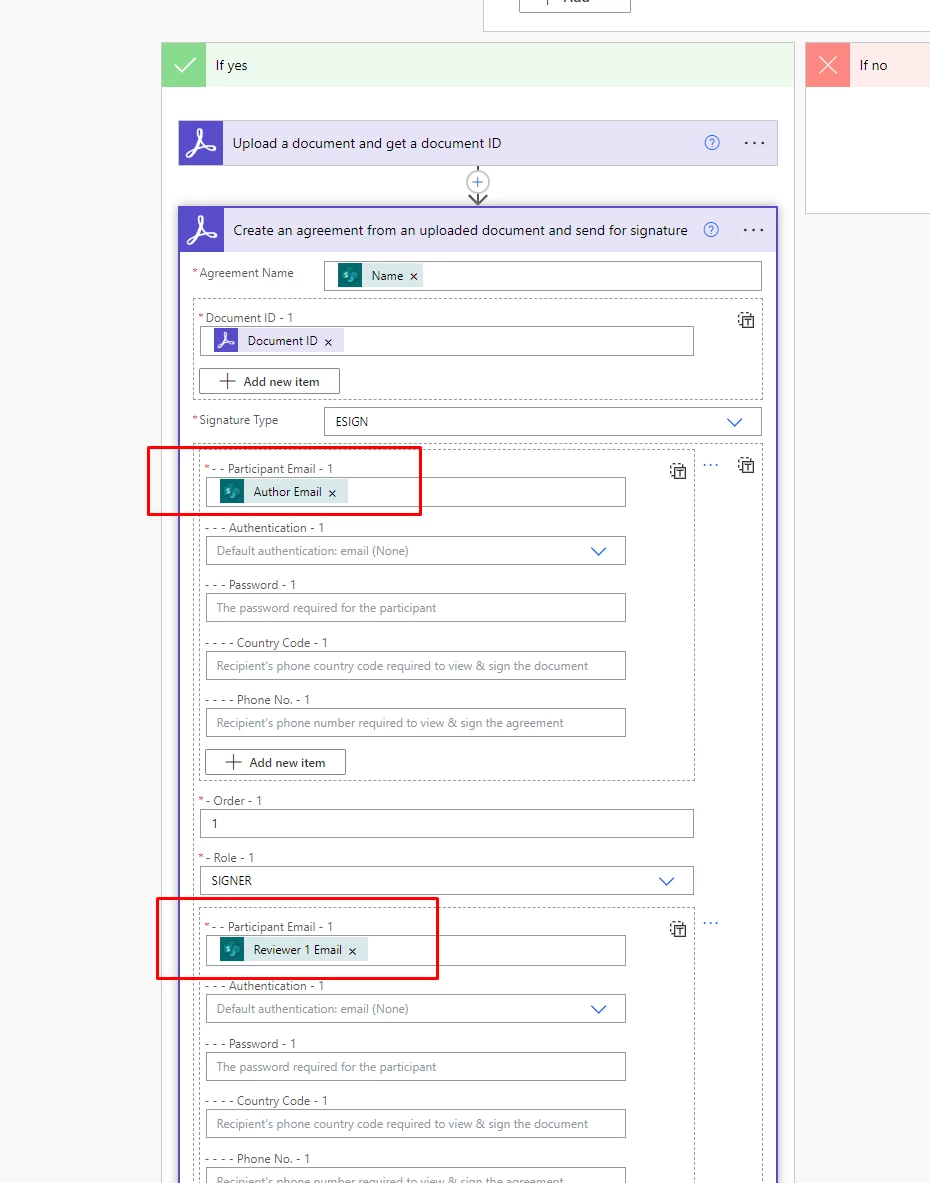
For example, I have max 5 people for signing, which can be chosen in corresponding columns: Author, Reviewer 1, Reviewer 2, Reviewer 3, and Approver. 

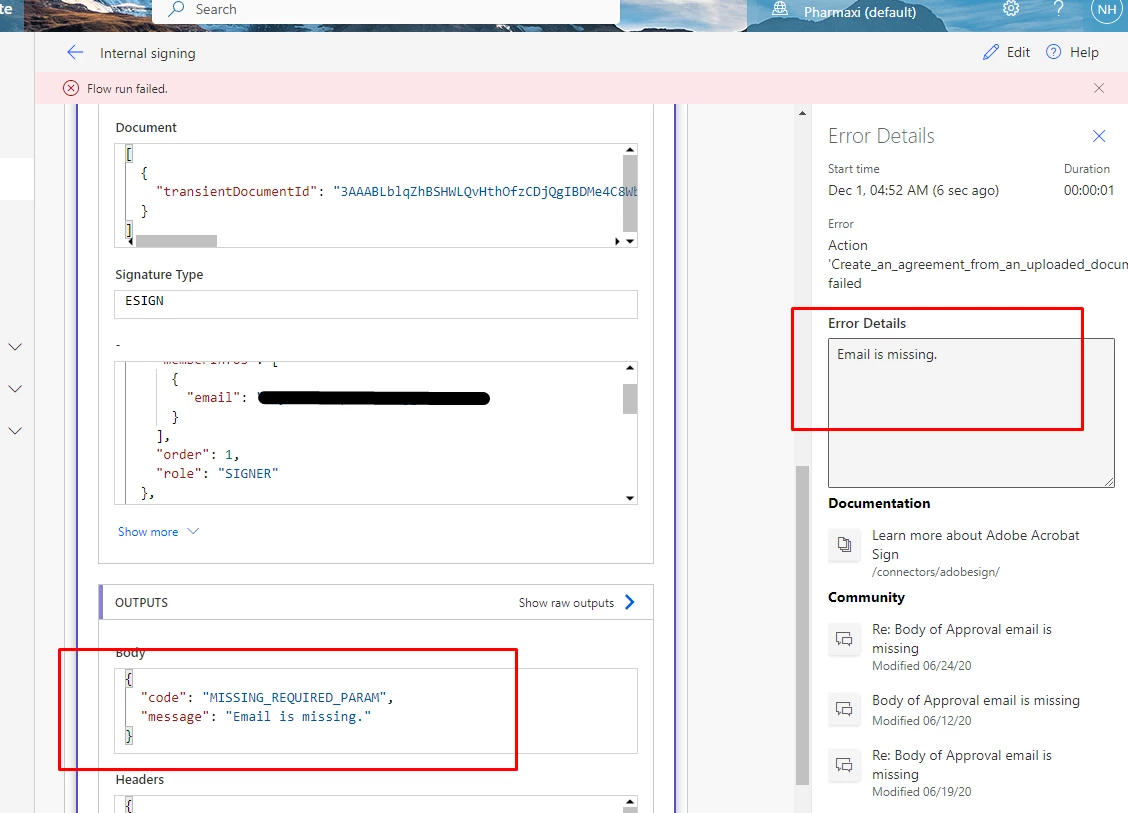
But Reviewers are optional, and if I leave those columns empty the flow stops, and shows me an error "Email is missing"
  My question is: 
How to make Participant 1, Participant 2, etc in the flow optional, so if those columns are empty this step just skips.

Thank you.

This topic has been closed for replies.

1 reply

Meenakshi_Negi
Legend
December 1, 2022

Hi Mykyta26343286ry4c,


Thank you for reaching out.


It seems that you are using the Adobe Sign Enterprise plan. If you have a question related to integration, the experts can best answer it. I suggest you, please get in touch with our Adobe Sign Enterprise support team to get the correct information about this. You may contact them using the steps indicated in the following help document: https://helpx.adobe.com/sign/using/adobesign-support-resources.html.


Thanks,

Meenakshi