


Question
How to Receive Email Notifications from the User Group Community
Instructions to enable email notifications to your Inbox
Here are the instructions to get notifications from the Adobe Sign for HR User Group to your inbox.
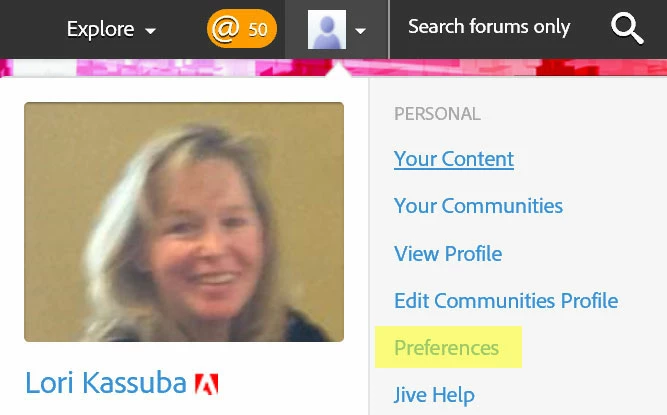
- Click on the down arrow by your profile picture and then on Preferences:
2. Make sure your boxes are checked like this (Connections StreamOn).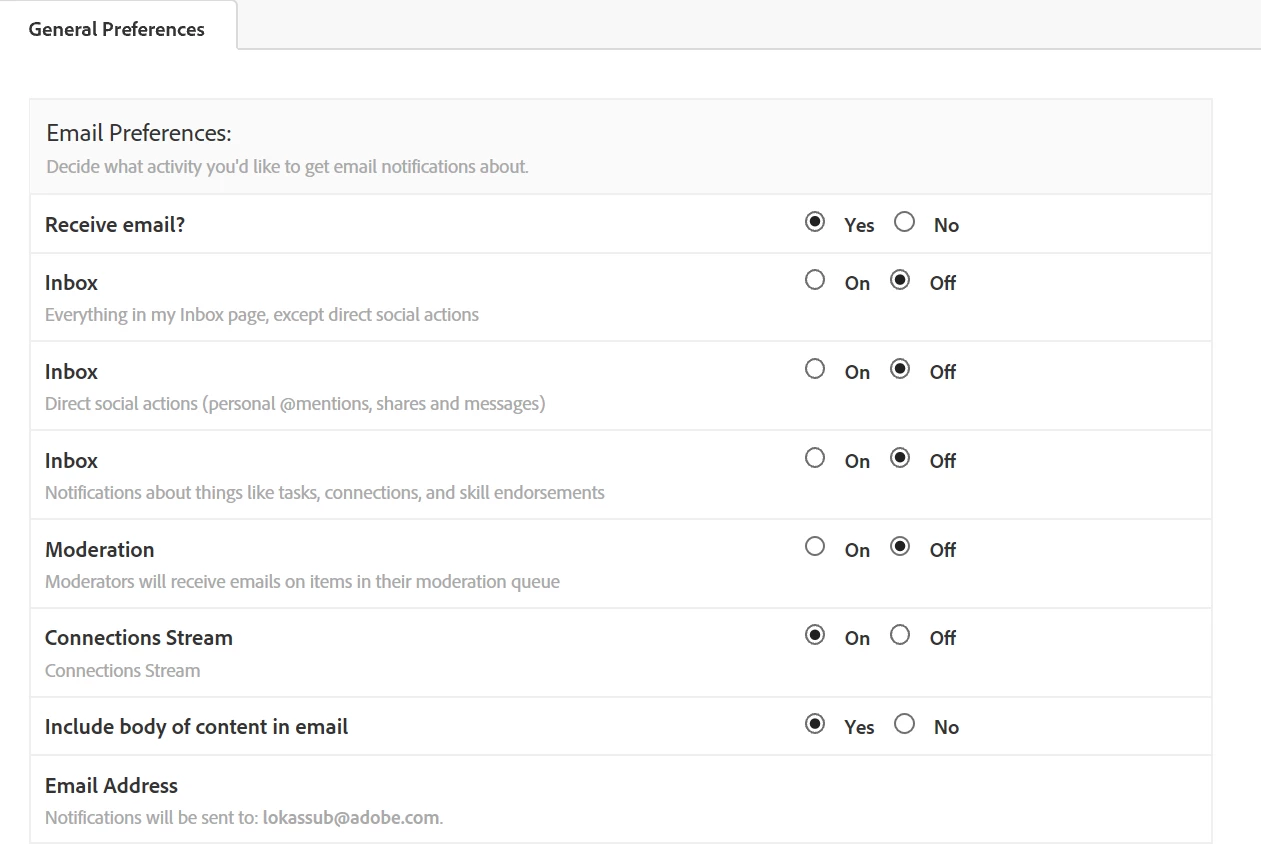
To receive email notifications when announcements are posted.
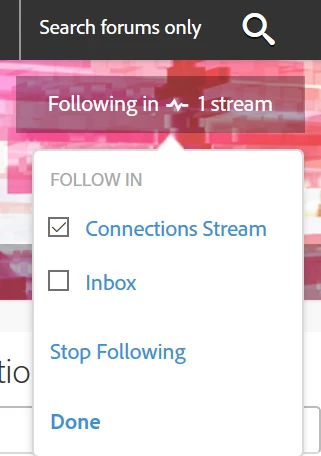
3. Click on Follow in the top right hand corner on the home page:
4. Click on Connections Stream to enable notifications to come through to your inbox from the Announcements section, then click Done. Follow will change to Following in 1 stream:
 AdChoices