



How to remove/hide signer's signature and email field
Hi folks,
i am struggling with getting my PDF to contain only an e-signature field for signing.
The outcome currently looks like this:
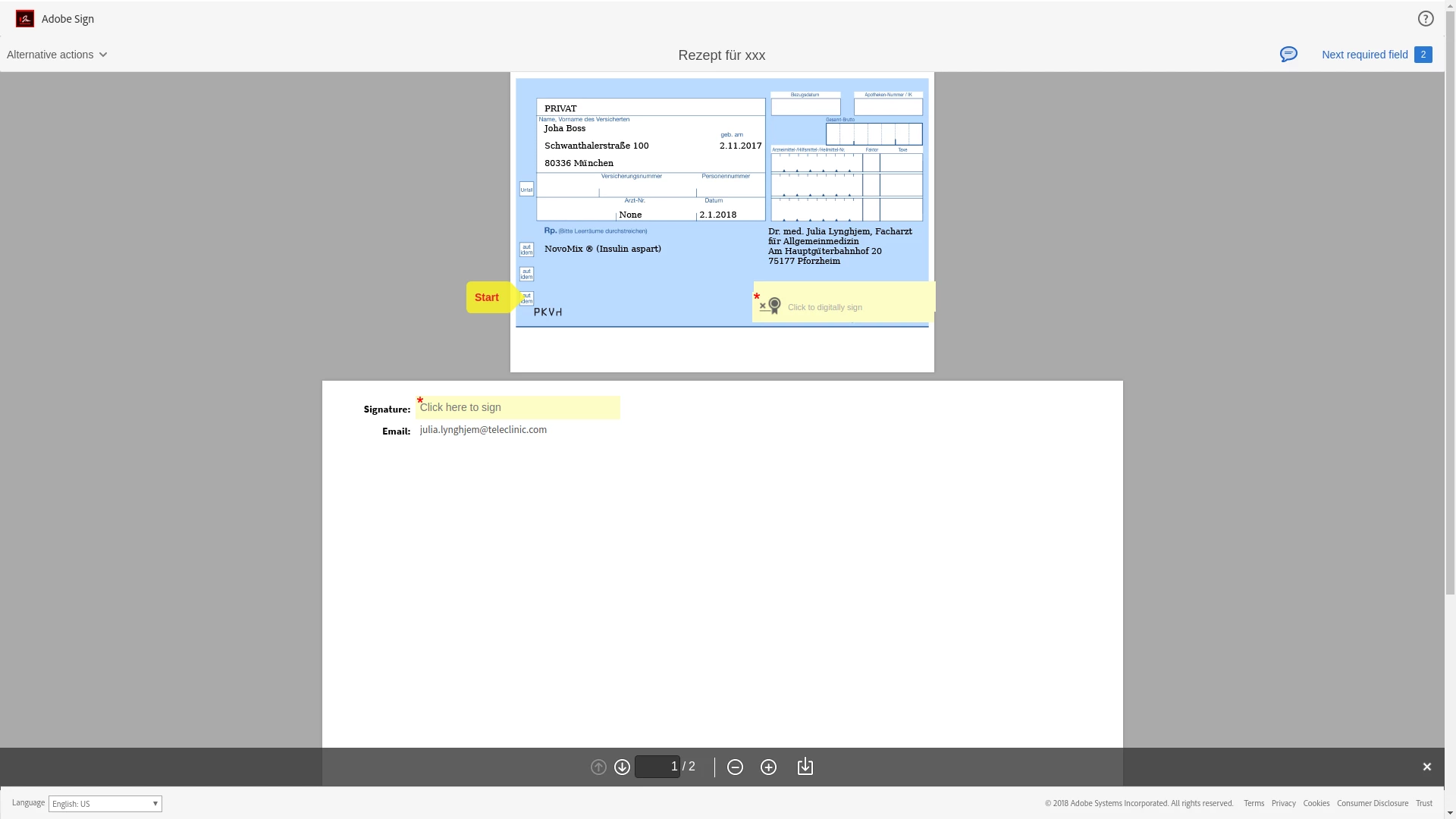
I create with the agreement with the following request:
{
'documentCreationInfo': {
'name': 'some title',
'message': 'Some Text',
'formFields': [
{
'locations': [
{
'height': 30,
'left': 300,
'pageNumber': 1,
'top': 80,
'width': 180
}
],
'name': 'E-Signatur',
'inputType': 'PDF_SIGNATURE',
'recipientIndex': 1
},
{
'locations': [
{
'height': 30,
'left': 300,
'pageNumber': 1,
'top': 90,
'width': 180
}
],
'name': 'Sig_es_:signer:signature',
'contentType': 'SIGNER_EMAIL',
'recipientIndex': 1
},
],
'fileInfos':
[
{
'transientDocumentId': document_id
}
],
'recipientSetInfos':
[
{
'recipientSetMemberInfos': [
{
'email': user.email
}
],
'recipientSetRole': 'SIGNER',
'securityOptions': {
'authenticationMethod': 'NONE'
}
}
],
'signatureType':'ESIGN',
'signatureFlow': 'SENDER_SIGNATURE_NOT_REQUIRED'
}
I have found nothing in the docs how to do it properly.
As the pdf is generated from an html file I cant add placeholders from the beginning but need to add every field with the agreement request.
Any hint would be very helpful.
Best
Patrick
 AdChoices