

Participant
April 21, 2021
Question

How to set the default date format in Adobe Sign?

  • April 21, 2021
  • 13 replies
  • 40165 views

Hi,


Is there a way to set the default date format in Adobe sign so I don't have to edit the field and change it everytime I add a date field?
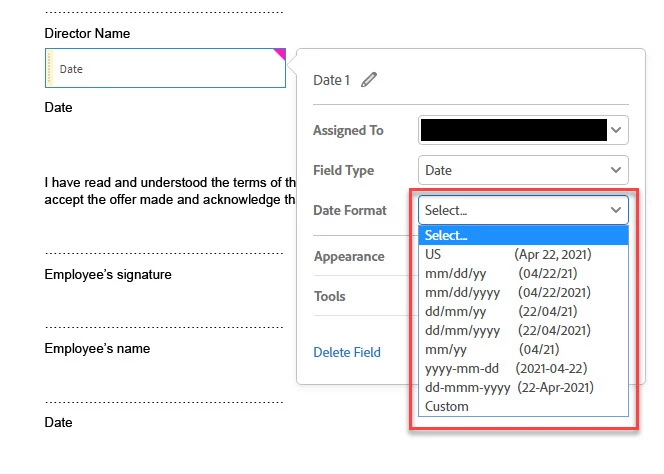
Cheers,


J

13 replies

Participant
July 15, 2022

Why do we not have more options to set default preferences?
Even when you select "Use Current Properties as Defaults" it does not save the Date Format.

Other programs let you set these types of features, even customize short cut keys.

Participant
June 7, 2022

Yes I would love to know if this can be done also. I don't want to use the American format date and would love to change it permanently.

Known Participant
June 29, 2022

Yes, we would prefer to have (eg) 29 June 2022 as a default date format, but it isn't even available in the list.

Participant
September 20, 2022

You can add your preferred format in "Custom". (I just figured it out)


Now, if someone can just please tell me how I can set it as a default for myself / my colleagues, that'd be much appreciated!

Participant
March 18, 2022

I have employees in my company asking the same question. There is a way to create custom fields in Adobe Acrobat Pro DC but ideally it would be great to be able to make a settings change for either the whole organisation or individual groups that have been created in Adobe Sign. It would be great to get some feedback on this...