Question
How to setup Individual Signer Identity
Individual Signer Identity
The sender can assign individual signer’s identity method in Send page while sending the document Out for signature through EchoSign.
Note:
The option is only available from Enterprise account onwards.
Enabling Individual Signer Identity
Instructions:-
1) Login to your EchoSign Account.
2) Go to Account tab and then can click Send settings under Account settings.
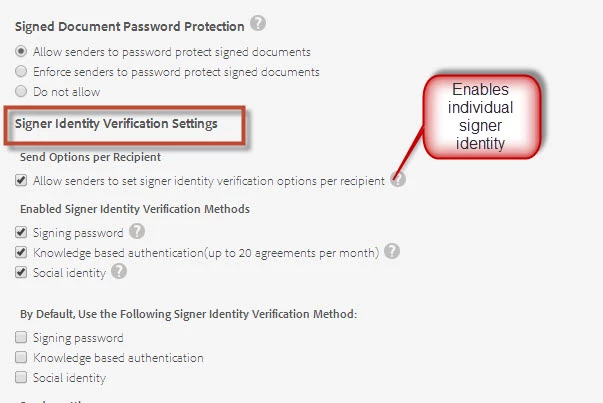
3) Check the box “Allow senders to set signer identity verification options per recipient”.
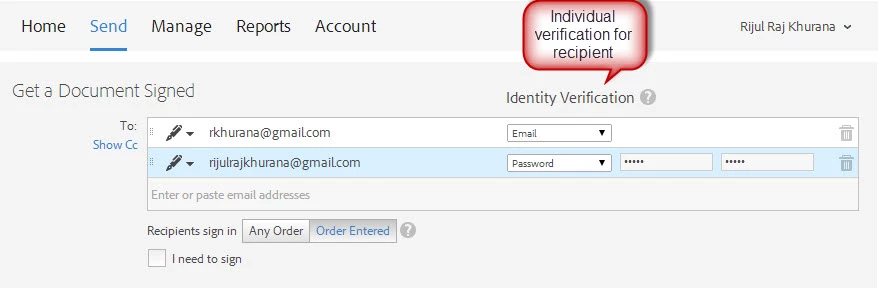
4). In the Send tab, enter the recipient’s email addresses and choose the signer identification as per your requirement.
 AdChoices