
Participant
May 31, 2025
Question

I do not like the new browser version of Adobe Acrobat Sign and want to go back to a previous one...
  • May 31, 2025
  • 1 reply
  • 196 views

Hello,
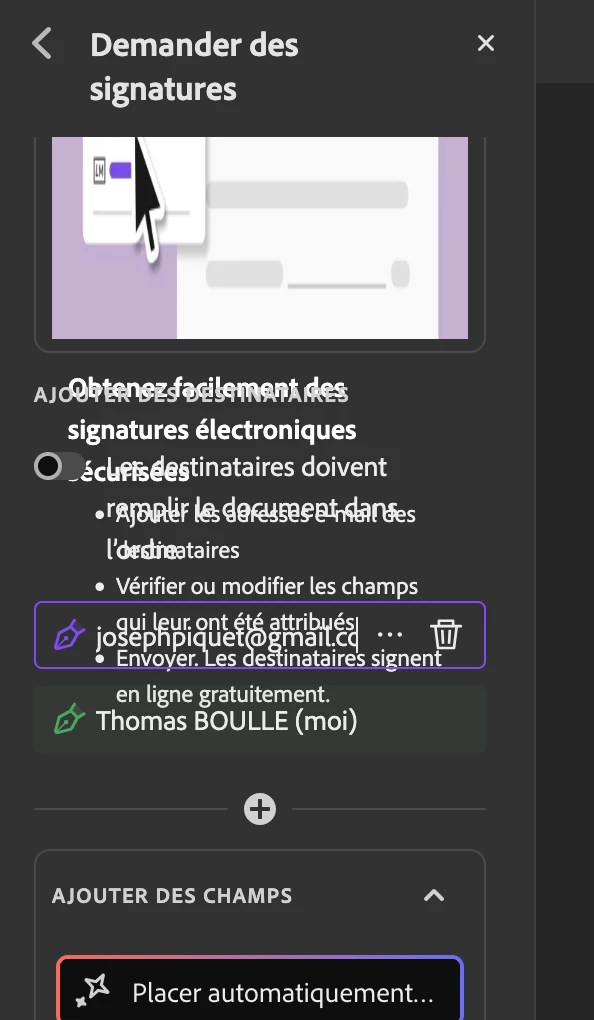
Well I find the new version is messy, not intuitive, and it makes me lose a lot of time since it is on.
So I just want to go back to the old old version of it, is it possible ?
Thanks

1 reply

creative explorer
Community Expert
Community Expert
June 3, 2025

@Green Key Immo I don't think it's possible to revert to an "old, old version" especially for cloud-based services like Adobe Sign. Have you cleared your history, cache and cookies first? This may not help because it is the Adobe's interface, but try that. I don't have this issue. 

Next, are you using or do you have access to Acrobat Pro for the desktop? When you use features like "Fill & Sign" or "Request Signatures" with Acrobat Pro you are using Adobe Sign's services from your desktop. This is the closest you could get to a "desktop version" of Adobe Sign. The actual signing process, document routing, and storage still happen on Adobe's cloud servers, but you initiate and manage it from your desktop software. This may solve your interface issues

m
Meenakshi_Negi
Legend
June 3, 2025

Hi Green Key Immo,


Thank you for reaching out, and sorry about the trouble.


We see that you are using the Acrobat Sign individual plan. You may try the following steps to revert to the classic version: 

- Open the following link: https://adobe.ly/4jMQKw0.

- Click on your profile icon.

- Select settings and scroll down till E-Signing settings.

See if you get the option or not.


Please let us know about the issues you are experiencing with the new version. If you see the mixed-up options shown in the screenshot above, please try clearing the cache and cookies for the browser. Try an alternate browser or a new incognito window on Chrome.


Feel free to let us know if you need any help.


Thanks,

Meenakshi