

I have a GMO GlobalSign certificate, but when I sign it says "certificate issued by Adobe CDS CA"
I probably set this up wrong, but I cannot figure out how.
I purchased a "PersonalSign 1" certificate from GMO GlobalSign, but when I sign my own document, it reads "certificate issued by Adobe CDS CA", like this:

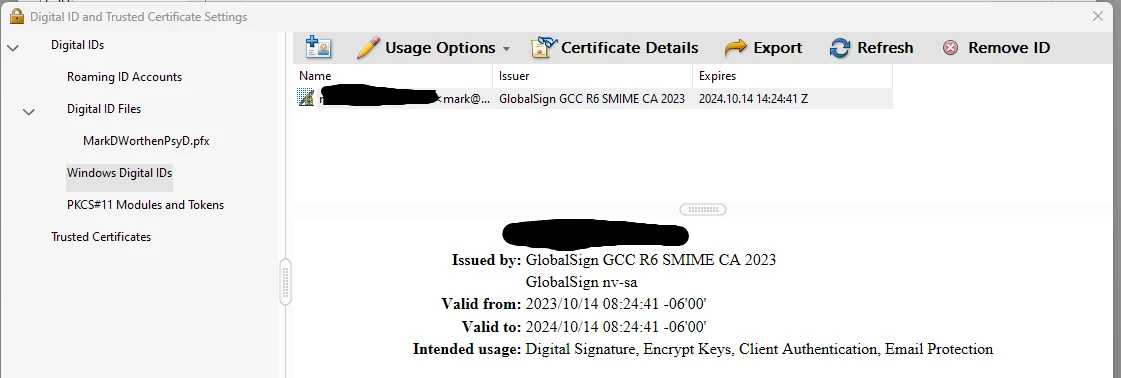
Here is the GlobalSign certificate as listed within Adobe Acrobat Pro > Edit > Preferences > Signatures > Identity & Trusted Certificates > More... > Windows Digital IDs:
And here is what shows under "Digital IDs":
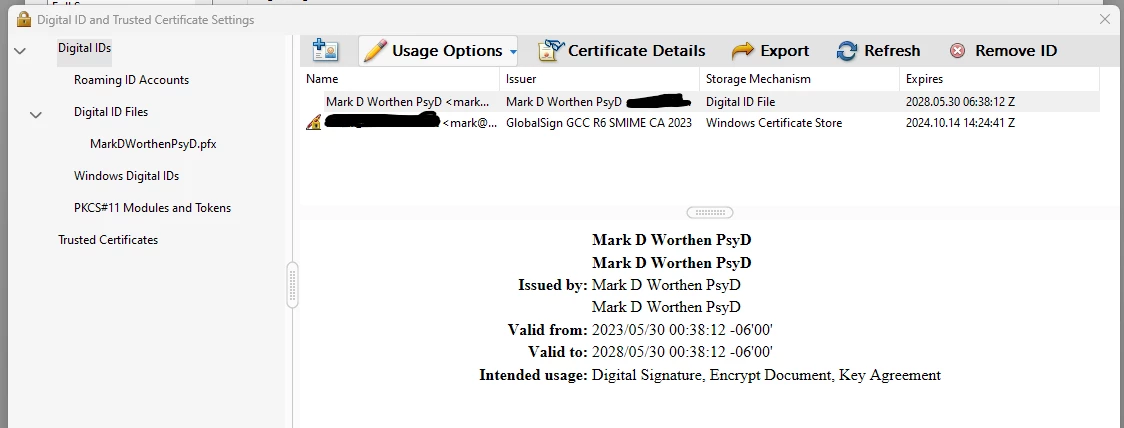
I am not sure why it is a "Windows Digital ID" stored in the "Windows Certificate Store", as I did not purchase the certificate from Windows. But (if I remember correctly) I initially tried using the GlobalSign certificate with Microsoft Word 365, so maybe that's why? But then I also have that .pfx file, so I'm confused.
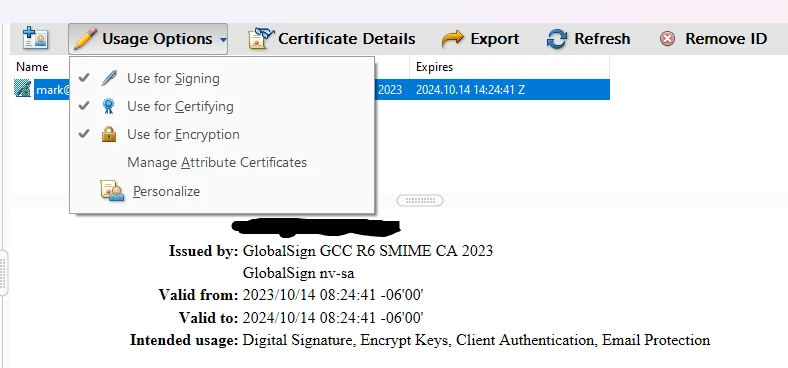
Here are my settings for "Usage Options":
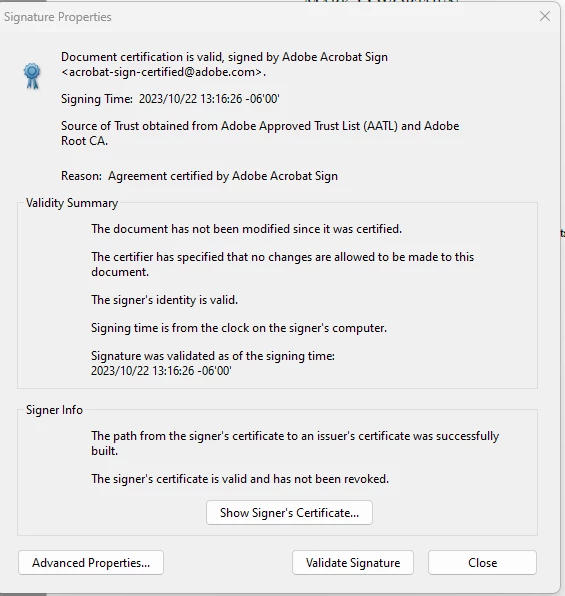
If someone were to check the certificate, it all looks good (see image below), it just doesn't say it is a GlobalSign certificate. But perhaps "Source of Trust obtained from Adobe Approved Trust List" means "although we said that this certificate was issued by Adobe CDS CA, what we actually mean is that the signer's certificate comes from a certificate provider on the Adobe Approved Trust List, so it's all good."
Is that correct, or am I reading too much into it?
TIA,
Mark


 AdChoices