
Answered
Keeping Multiple Digitally Signed Files Separate
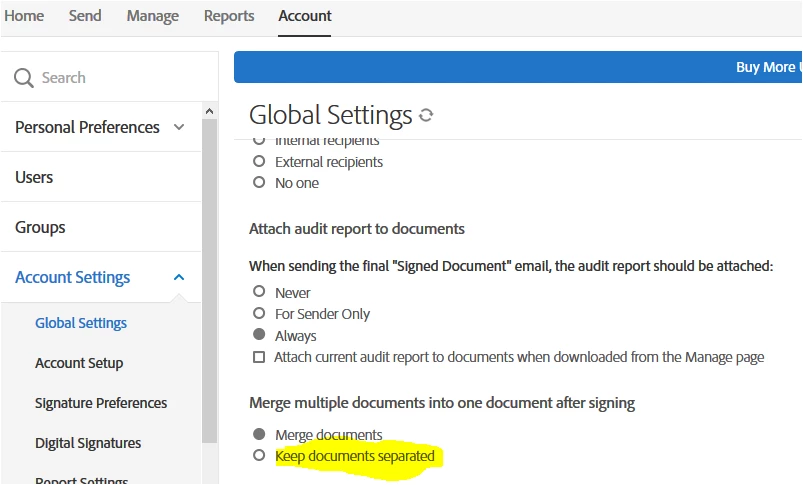
Our company has Adobe Acrobat DC for Teams. When we use the built-in Adobe Sign functionality, there is an option to "Add Files". When you do this and send multiple documents out for signature (to the same signer), when the signed copies are returned, the files are combined into one PDF and the "extract" function is disabled because of the digital signature protection. The only way we have found to separate them is to print and then scan and save each document individually. Is there a way to keep the documents separate when they are returned with signatures?
Thanks in advance for any help.
Josh H.


 AdChoices