December 18, 2025
Answered

Lack of Access to Reports - Adobe for Enterprise

  • December 18, 2025
  • 1 reply
  • 354 views

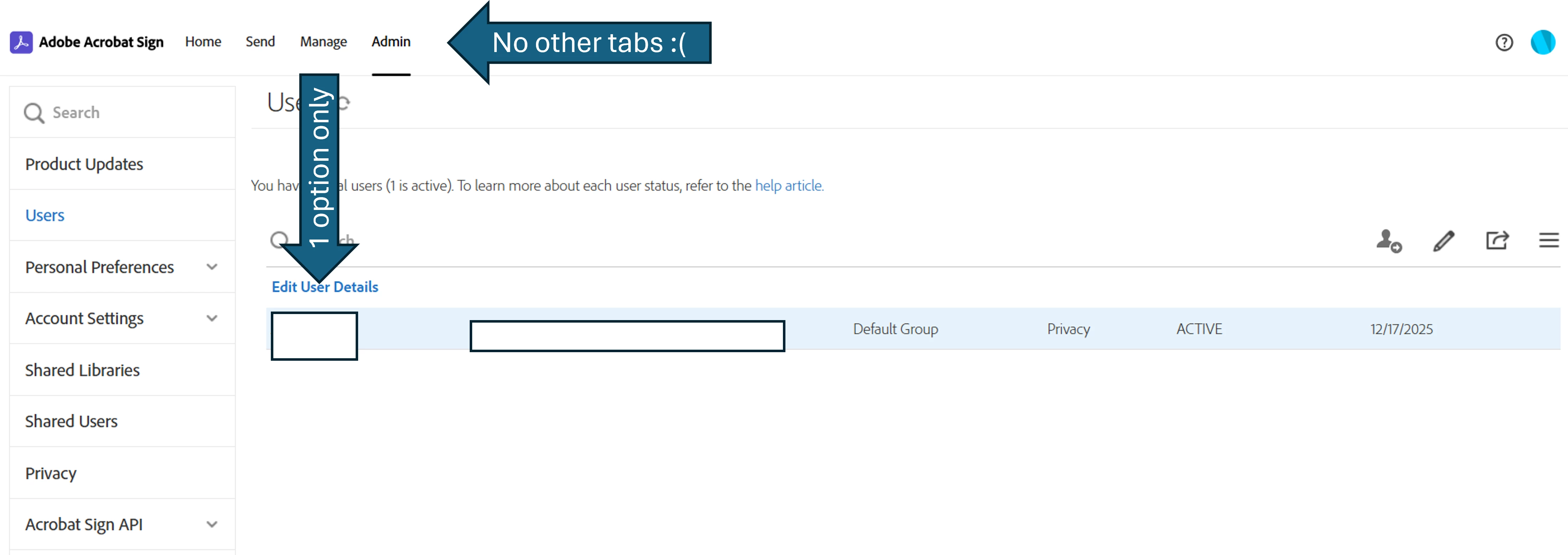
Hello everyone, I can't find the option to enable reports for my users. My org purchased an Adobe for Enterprise license specifically for this feature, and I don't see any way to activate it. The Admin Console administrator assigned me as the Adobe Sign Admin, and the feature still isn't appearing. I'm following Adobe's instructions exactly (https://helpx.adobe.com/sign/using/reports/grant-user-access.html), and I'm still missing options, even as an administrator. Within the Admin tab, I've already clicked on Users, I've clicked on the username, and I only see one option: "Edit User Data." Has anyone else encountered this issue? Thank you in advance for your help. I've attached supporting images.


Fyi I already tried to do this using the Admin´s Console account and we still cant see this feature.  
 

Correct answer Souvik Sadhu

Appreciate you for helping me out Souvik!


I wasnt expecting a quick and helpful reply. I´ll be on the lookout for your update. 


Best,

-Angel


Hi Angel @Angel_000,


Thanks for your patience.


Here is the response:

The Reports feature is only available for Adobe Sign Enterprise plans. If the account is not on an Enterprise plan, this functionality cannot be enabled. In your case, you have a Teams license, which does not fall under the enterprise or business tier license of Acrobat; therefore, it cannot be enabled.


Hope this clarifies your question.


Regards,
Souvik.

1 reply

Souvik Sadhu
Community Manager
Community Manager
December 18, 2025

Hi @Angel_000,


Hope you are doing well. Sorry for the experience with using Reports on Acrobat Sign.


You did follow most of the steps correctly. What I would like to understand is whether you are using the New Experience with Acrobat Sign.


You might want to follow the steps mentioned here: https://adobe.ly/492d8x4


This page features a video tutorial on how to enable the feature, as well as guidance for end users.


Let us know if this helps.


Regards,
Souvik.

Angel_000Author
December 18, 2025

Hello Souvik, I appreciate your reply.


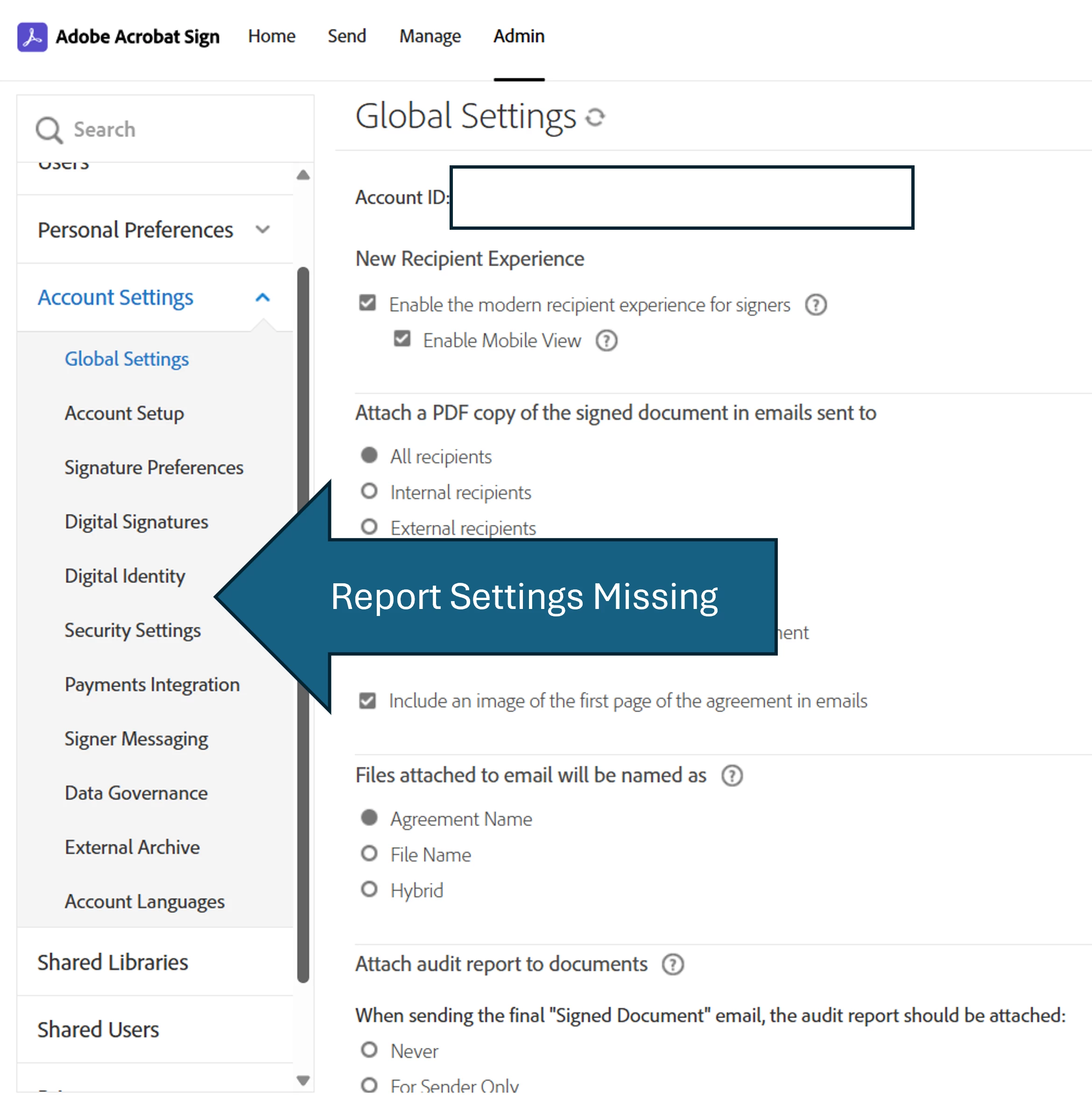
I went over the same steps as in the video but I still can´t enable the "new experience" because I am missing the ¨Report Settings¨ menu from the Account settings. I´ve attached a photo below.


Looking forward to your suggestions.


Angel_000Author
December 18, 2025

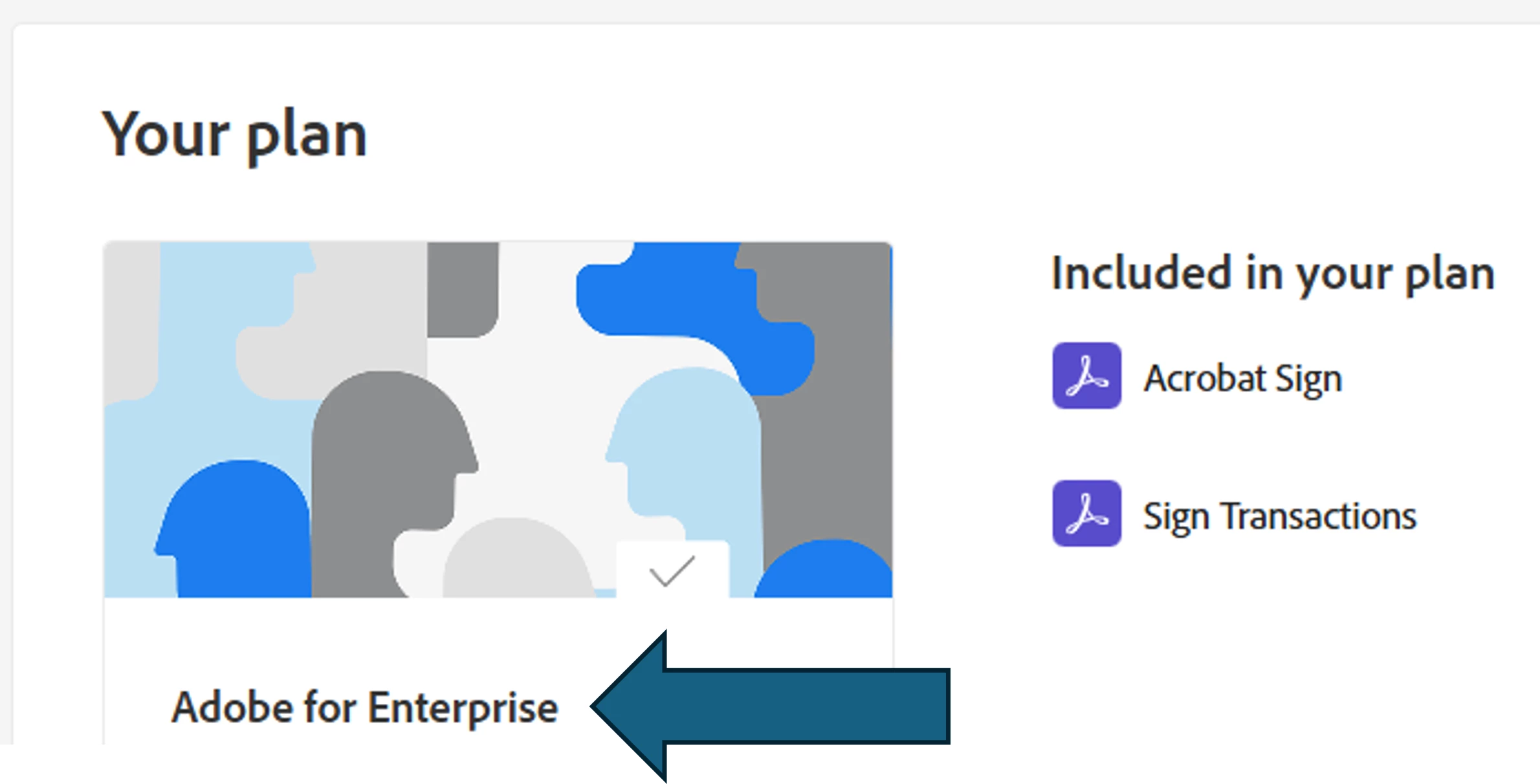
Its non-existent eventhough I do have an active Enterprise account.