


Option to Sign First is missing
Hello Eveyone,
I'm not sure what happened, but last week I had the option to fill in the form fields before having it sent to be signed.
After logging in, I would chose the document from the library, then click start.
On the next screen I would fill in the recipient's email and then check I NEED TO SIGN and choose FIRST, then click the blue button on the bottom right that says SIGN THEN SEND
The contract opened and I was able to fill in the form fields, sign it and then send it.
Now, no matter what I do, I do not have that option to check "I need to sign" first and make any changes to the form. The screen doesn't show that option at all. I didn't change anything on the form - I'm at a total loss why I can no longer get the option to sign and edit the form. Any assistance would be appreciated.
Here is what the screen looks like now after choosing the document and clicking start:
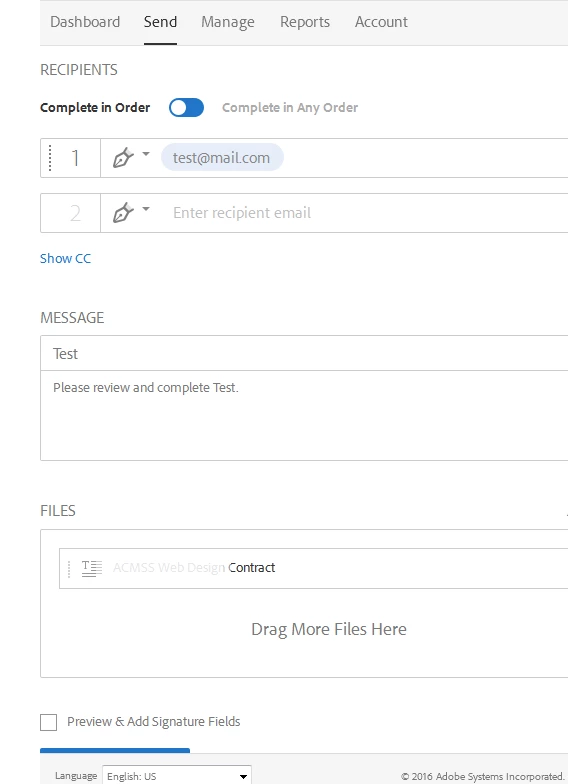
I can preview and add signature fields, but not fill in the form fields. maybe I'm missing something simple. I don't know. If anyone can assist I'd certainly appreciate it.
 AdChoices