

Power Automate - flow stopped working, API caller does not have permission
We have a flow that was built over a year ago and was working until recently.
The trigger of this flow is an Adobe Sign trigger - "When an agreement workflow is completed successfully."
The trigger and the subsequent steps work (including one that uses the dynamic content from the trigger "Agreement Name"), until the step below.
The step "Get a PDF of a signed agreement" is failing with the error, "The API caller does not have the permission to execute this operation."
Both the trigger and the "Get a PDF of a signed agreement" step use the same Adobe Sign connection. The user whose credentials were used for this connection had to sign in again earlier this month, when we were getting the error "Access token provided is invalid or has expired." When they tried running the flow again we started getting the "permission_denied" error.
I did find my previous post where I was told to update the advanced option "In the name of," which did resolve a different error. The text and content "email: [agreement sender]" are still there.
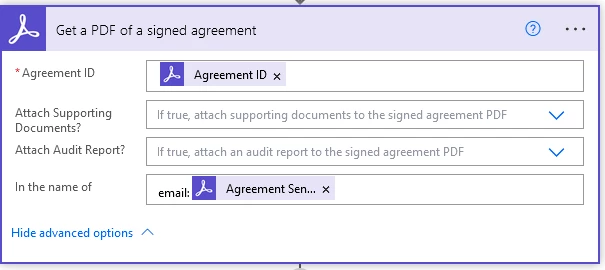
Do you have any troubleshooting suggestions?


 AdChoices