dmar consulting llc
Participant
June 21, 2017
Question

Q. How can I avoid signer 2 and signer 3 from tabbing through form?

  • June 21, 2017
  • 1 reply
  • 509 views

Hi,

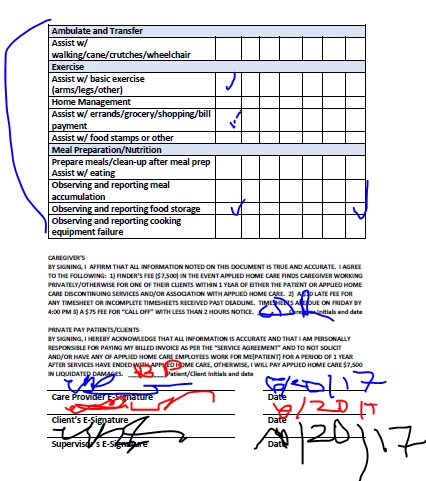
I created a industry standard form which requires completion from one signer and sign only from other signers.  The is processed manually now as follows"

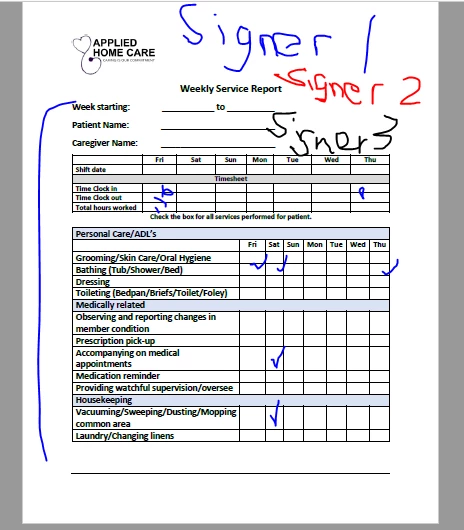
Signer 1:

  • Complete week starting, patient name, caregiver name, timesheet.
  • Place a  check mark in the section that is applicable to service provided.
  • Initial agreement
  • E-Sign and date
  • Deliver to next signer (Signer 2)

Signer 2

  • Review non-edible section that Signer 1 completed
  • E-Sign and date
  • Deliver to next signer (Signer 3)

Signer 3

  • E-Sign and date

Source:  Form created in Abode Acrobat DC

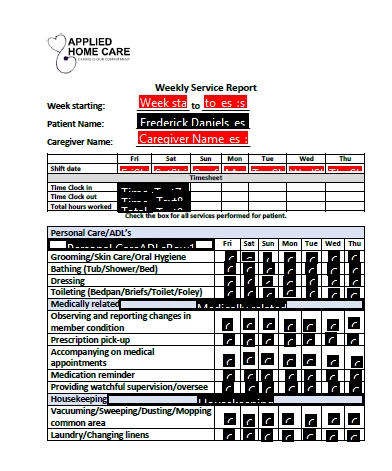
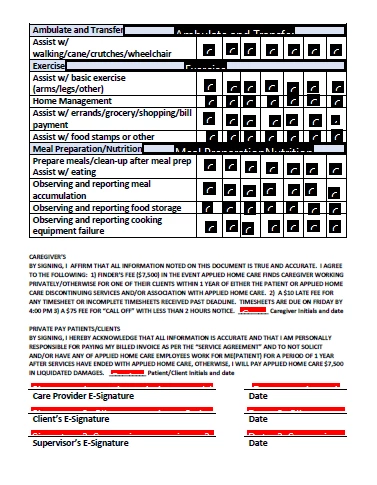
Problem: Signer 2 and Signer 3 must tab through from before getting to applicable sections to initial or sign.

Q.  How did I make fields not applicable to the signer non-editable?
This topic has been closed for replies.

1 reply

Participating Frequently
June 22, 2017

Hello!

The problem as you describe it suggests that all of your fields (or at least the ones that you have a problem with) are defined as "Anyone" fields.  This means they are not explicitly assigned (eg: Signer1), so unless the field has some content inserted, the field remains viable for the next recipient.

Creating forms in Acrobat, and using the automated field placement feature, will produce fields assigned to "anyone" by default.

If you open one of the field's properties box, if should look like this (assuming you have converted the form to an Adobe Sign Form):

What you need to do is change the Participant Role field to the correct recipient for each field.  Probably Signer1 based on your description.

Given the number of fields in the images you have provided, this looks to be a lot of clicking and setting of values.

So, before diving in and changing all of these fields, I would recommend trying the in-app Adobe Sign authoring tool.

This feature has recently added field detection, and the default value for the discovered fields is Participant1 (essentially Signer1).

As long as the field detection finds a majority of the fields, this could save you a lot of time.  If it does not, abandon the process, return to the PDF doc, and set the values manually through PDF.