Participant
May 29, 2025
Question

Re: Acrobat 2023: How to revert to classic GUI user interface

  • May 29, 2025
  • 1 reply
  • 426 views

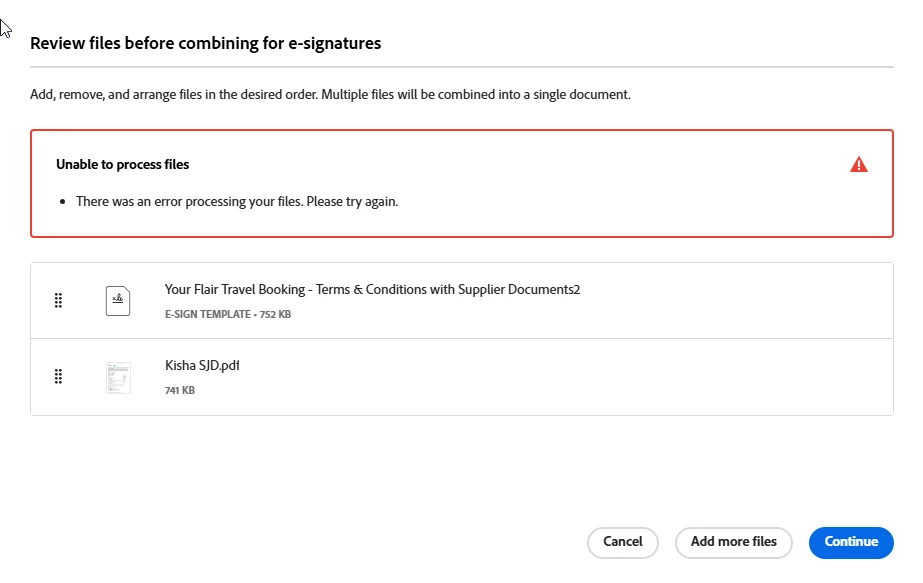
I need the old adobe back - it will not let me attach multiple files for e-sign

    1 reply

    Meenakshi Negi
    Community Manager
    Community Manager
    June 4, 2025

    Hi David_Petlin - Flair 9022,


    Thank you for reaching out, and sorry about the trouble.


    We see that you are using the Acrobat Sign individual plan. You may try the following steps to revert to the classic version: 

    - Open the following link: https://adobe.ly/4jMQKw0.

    - Click on your profile icon.

    - Select settings and scroll down till E-Signing settings.

    See if you get the option or not.


    Please let us know how you are trying to send the document. See if there is an issue with a particular file that is causing this error. If you can share a screen recording of your steps, we can check this behavior.


    Feel free to let us know if you need any help.


    Thanks,

    Meenakshi

    TimAck
    Participating Frequently
    June 12, 2025

    I tried this. I'd love to go back to the version that (a) worked and didn't break my workflow and (b) wasn't so very much slower and prone to just crashing. But no such option presents itself - see below.

    Meenakshi Negi
    Community Manager
    Community Manager
    June 13, 2025

    Hi TimAck,


    Thank you for reaching out, and sorry about the trouble.

    It seems that the option is not available for you. Please let us know the issue you are experiencing with the new version, and we will check it.


    Thanks,

    Meenakshi