Re: How to add digital signature to adobe sign
This workflow did not solve my problem. I am using Adobe Pro Acrobat DC. I do not see anywhere to add a digital signature. Please help.

Hi Calfret,
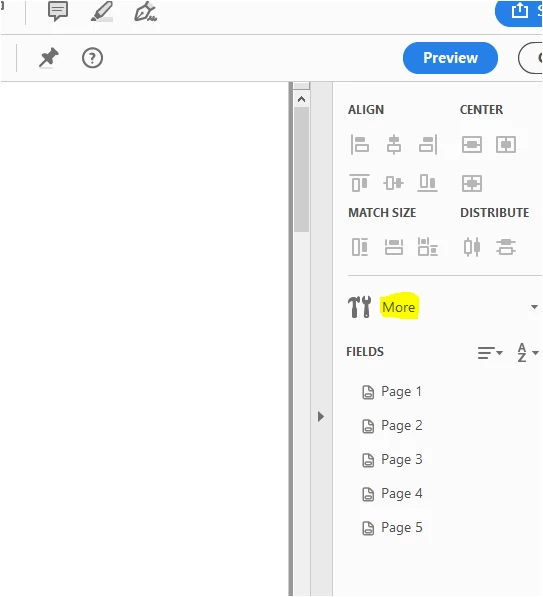
If you are creating PDF form in Acrobat DC, please refer to the steps provided below:
- Open the PDF in Acrobat and go to Prepare Form.
- Add Digital Signature field in the document
- Then click on the "More" option select "Convert to Adobe Sign Form".

It will automatically convert it to the Adobe Sign form field.
You may also directly use Fill & Sign tool to send a document for signature using Adobe Sign. Please refer to the steps provided in the following help document.
- Send documents for signature, Adobe Acrobat
Let us know if you need any help or have any question.
Regards,
Meenakshi
Already have an account? Login
No account yet? Create an account
Enter your E-mail address. We'll send you an e-mail with instructions to reset your password.