


Participant
July 30, 2025
Question

Recipient Name Field Not Populated

  • July 30, 2025
  • 1 reply
  • 182 views

Hello all, 

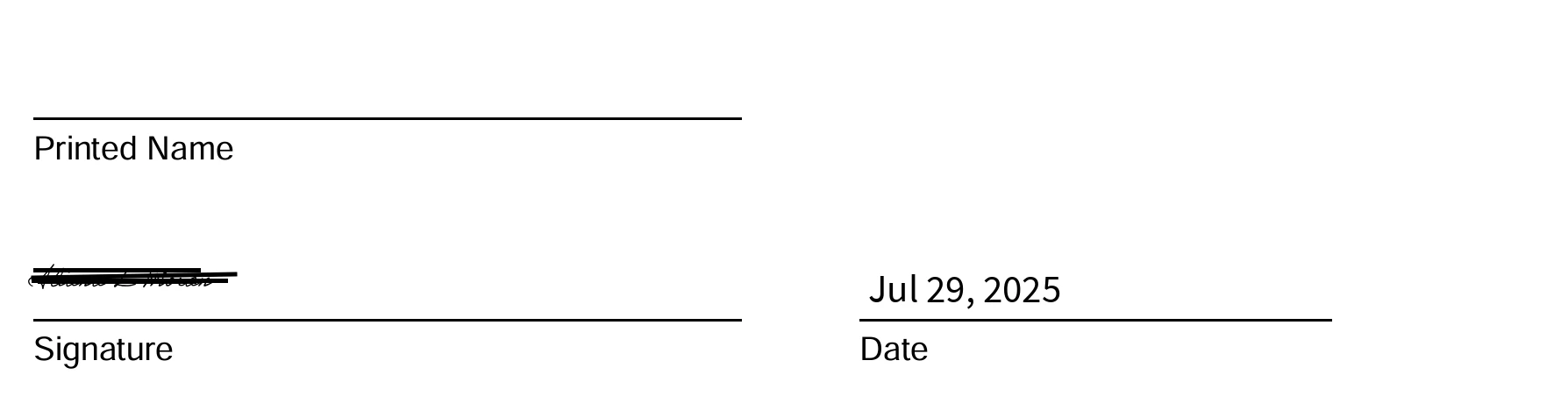
I've run into a problem where I require a recipient's name be populated on a document, but the form shows complete once they sign and the name field is left blank. Any suggestions or feedback is appreciated!
1 reply

Meenakshi Negi
Community Manager
Community Manager
July 31, 2025

Hi Stephanie31922655advi,


Thank you for reaching out.


As the name does not appear, please confirm how the fields were added to the document. Did you check with the recipient to see if they have added the name? If you can share more information about the workflow here, it would help us to check this further.


Thanks,

Menakshi


Participant
July 31, 2025
Hello,

When I set the form up in Adobe Sign, I add the recipient’s name box and mark required as well as the esignature box and date.
The recipient said that when they tried to click on the top of the name box, it would not let them put their information in.


Best,

Stephanie Cello
Grant Specialist
School of Social Work | Behavioral Health Program
California State University, Chico

[A close-up of a logo Description automatically generated]
Meenakshi Negi
Community Manager
Community Manager
August 1, 2025

Hi Stephanie31922655advi,


Thank you for the information. 

Please confirm if there was only a single signer for that document. As the document is already signed, nothing much can be done. 

Try creating a document and sending it again. Try recording the workflow this time. If the issue still occurs, share the screen recording with us so we can check and investigate this further. 


Let us know how it goes.


Thanks,

Meenakshi