


Participant
June 18, 2019
Question

Salesforce Sandbox Error: Attempt to de-reference a null object

  • June 18, 2019
  • 1 reply
  • 1889 views

I have made an apex trigger within Salesforce that creates an Agreement when a new account is created but I am unable to make it automatically send for signature. I receive the following error under Document Cloud Actions: Attempt to de-reference a null object
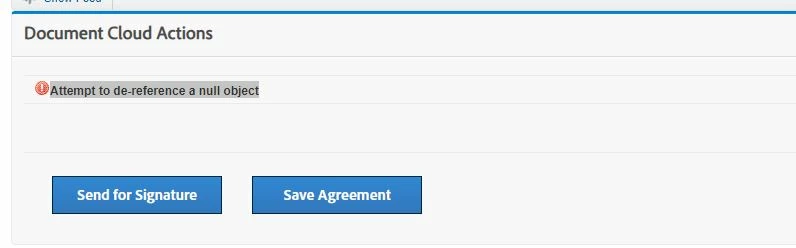
Once clicking Send for Signature the agreement sends to the correct email. How can I fix this error to allow the agreement to send via Apex Trigger.

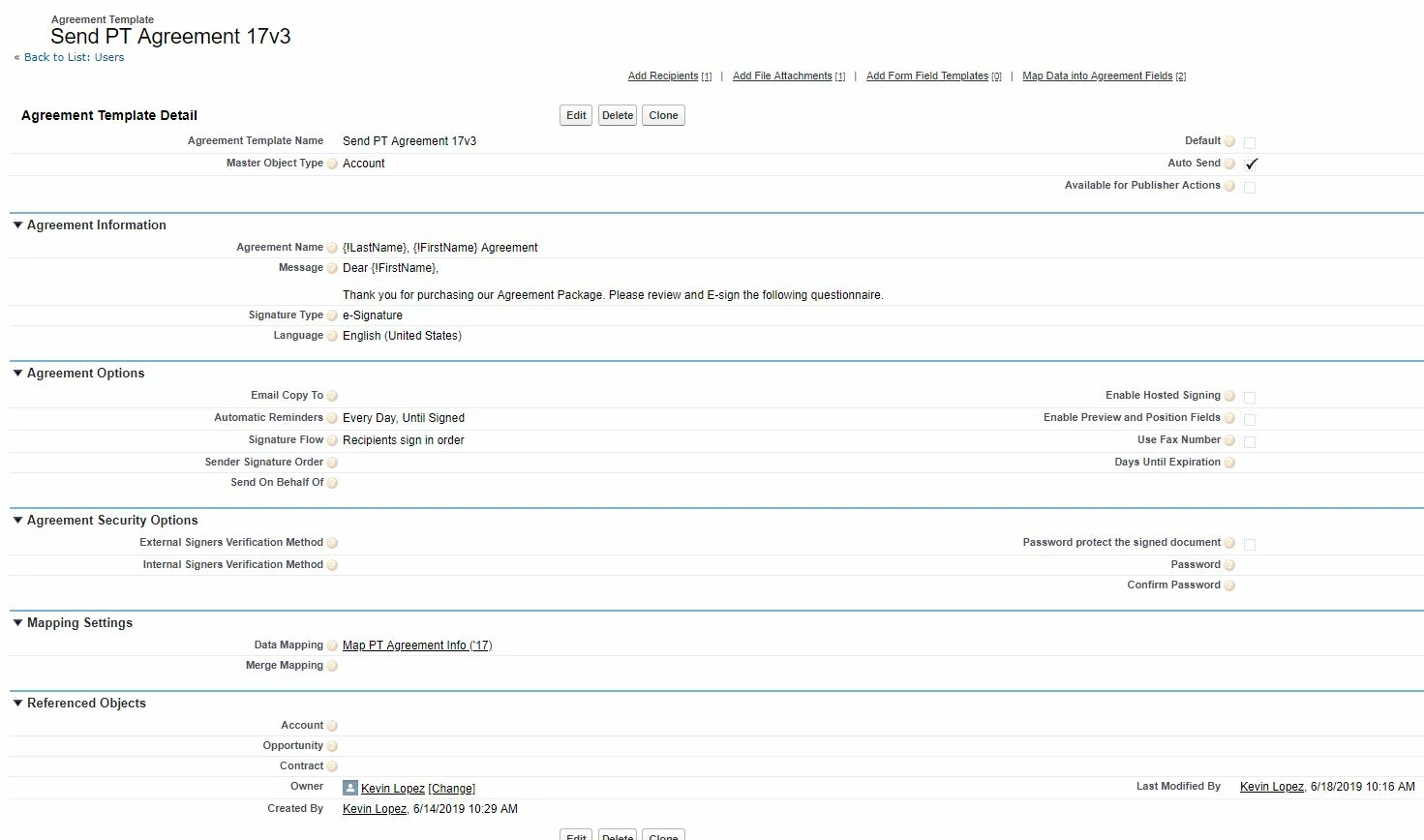
The Agreement Template that I use has the field Auto Send checked and under "Map Data into Agreement Fields" the target agreement field - Background_Action__c has a target field value of "Send".
This topic has been closed for replies.

1 reply

Meenakshi_Negi
Legend
June 18, 2019

Hi Easyb,

As you have a query regarding the Salesforce integration, this can be best answered by our Adobe Sign integration experts.

I would suggest you to ask the user to contact the Adobe Sign support team to get information about this.

For the subscribed account, find below the steps to contact support:

- Log in to your Adobe Sign account directly via Sign In — e-signature and e-sign Software Solution — Adobe Sign

- Once logged in, check the upper right corner of the page and click the question mark icon.

- It will re-direct you to the page where you get the option to create the support case or to start a chat with the team.

- If you've never logged in this way, use the forgot password option on the login link to set your password.

Let us know if you need any help.

Regards,

Meenakshi