Participant
Nov 28, 2016 3:56 PM UTC
Answered

Save to local drive

I am sending PDFs to be signed, however once signed, I can only view them within the Adobe Signed portal (Web link "mailbox"). Is there the ability for the Signed Document to be saved automatically to my local drive with the signatures? This would save much time rather than having to manually download each signed document to our local drive for record keeping.

Thanks,

This topic is closed to new replies. Start a new post to keep the conversation going.
AadeshSingh
AadeshSinghCorrect answer
Participating Frequently
Nov 28, 2016 9:35 PM UTC

Hi accountsp85514108​,

Please be informed there is no such option to automatically save the document to the local drive.

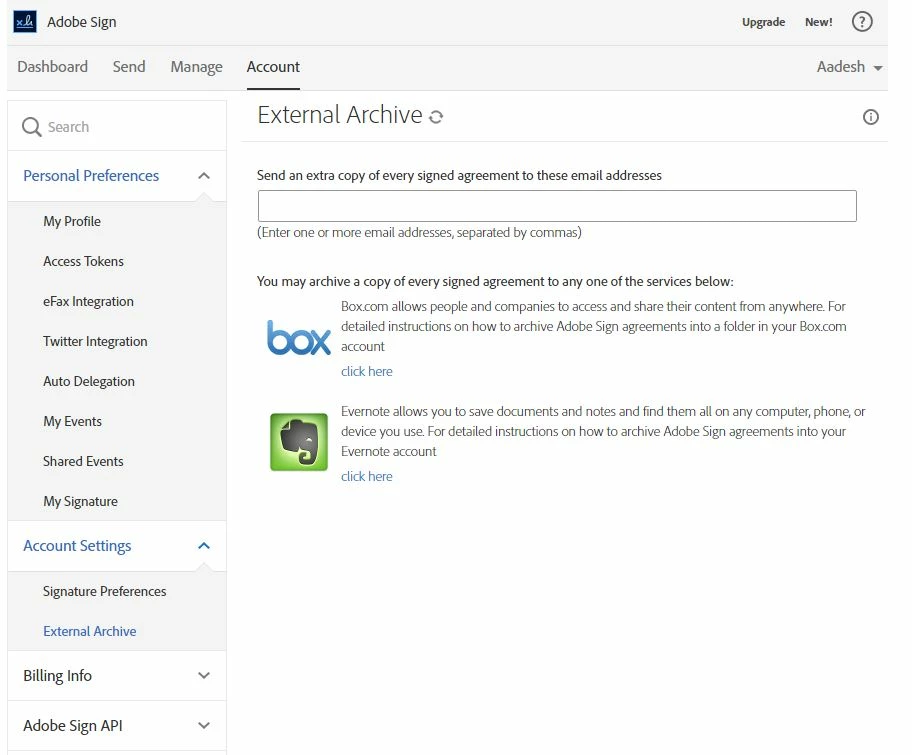
However, you can set External Archive to any Email account, Box Account or Evernote  account.

Regards,

Aadesh

1 reply

AadeshSingh
AadeshSinghCorrect answer
Participating Frequently
Nov 28, 2016 9:35 PM UTC

Hi accountsp85514108​,

Please be informed there is no such option to automatically save the document to the local drive.

However, you can set External Archive to any Email account, Box Account or Evernote  account.

Regards,

Aadesh

Translate