



Secret that Adobe is hiding from us .... I found it
I found the old dashboard. Adobe sent me an email about it, but is near impossible to find!
So here it is.
Step by step with photos. (just a note to Adobe - We like step by step with photos!
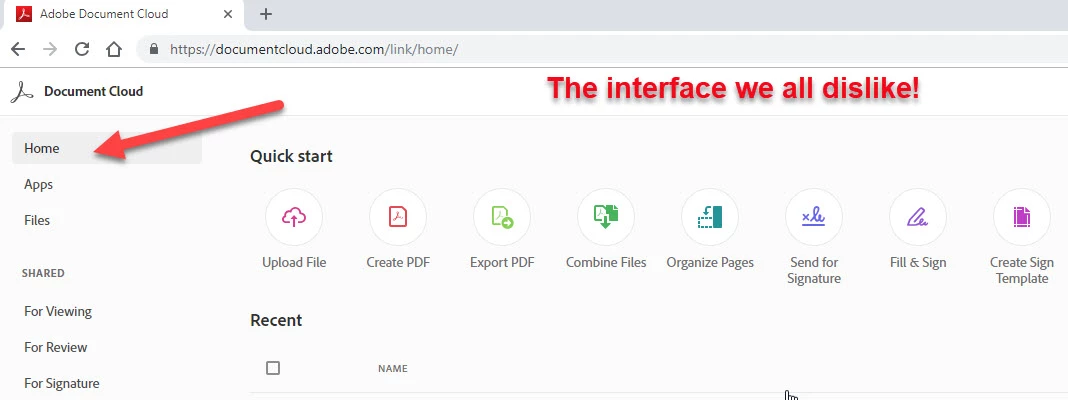
Step 1 - Make sure you are "logged in" and at "Home" (see arrow) You know, the new confusing interface that was designed by the Windows "Zune" guy
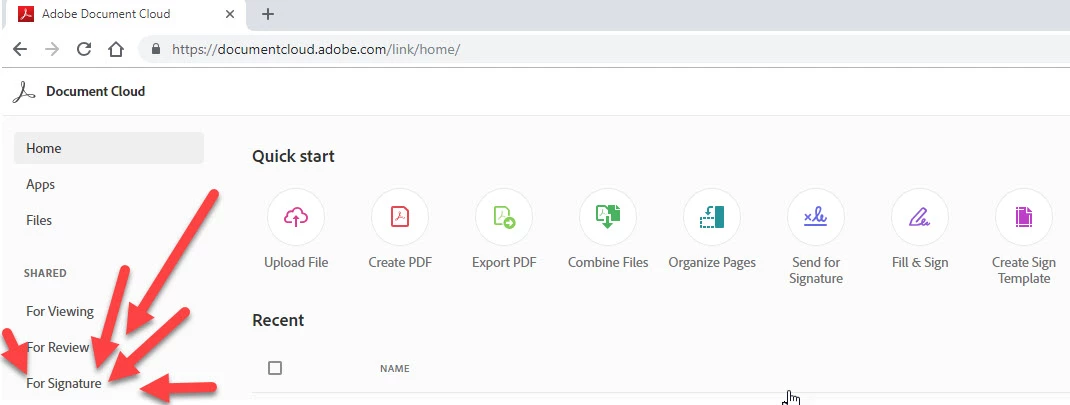
Step 2 - The tricky part - Click on the "For Signature" This is the part I forget! Do not forget it, or you will be looking and cursing me forever!
Step 3 - The really tricky part. Look way over to the right, I said way over and look for the smallest little toggle switch. Toggle it!

Step 4 - Sing with me Hallelujah, Hallelujah, Hallelujah, Hallelujah, Hallelujah
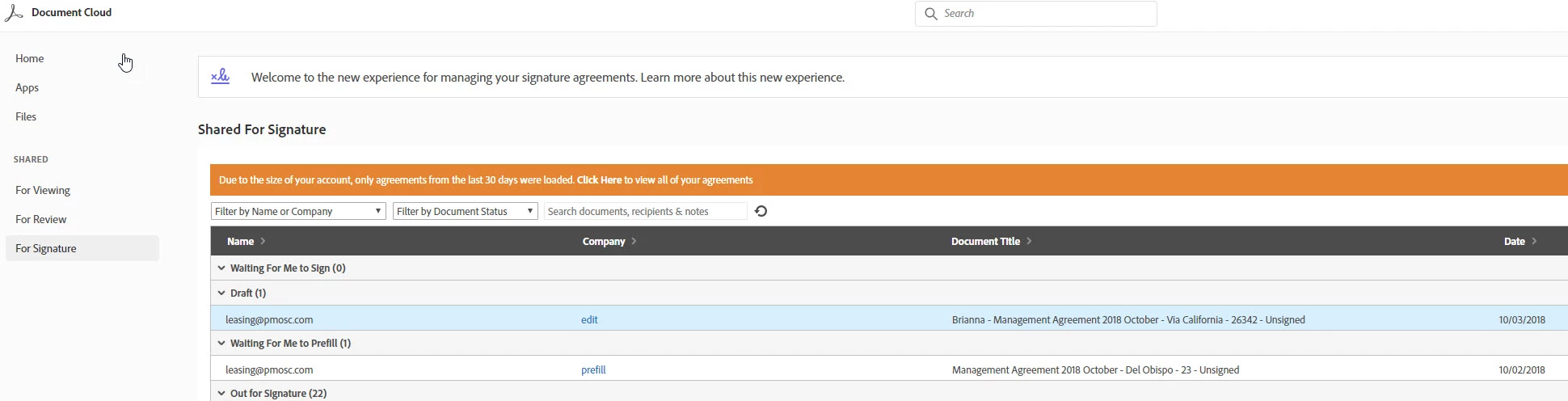
Step 5 - Now we can all get back to work!
Step 6 - This info is working and correct as of October 11, 2018 at 5:31 pm PST!
 AdChoices