Participant
Jul 28, 2025 6:49 AM UTC
Answered

Sending problems

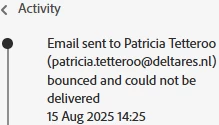
Last friday one of my colleagues wanted upload a pdf, but during the uploading the sign fields she got an error. "Could not send" Acrobat Sign was unable to read one or more of them. And another one of my colleagues wanted to send a document and after she filled in the person who needed to sign she got a notice: 

This was also last friday. Were there problems on the server or are we doing something wrong?

Meenakshi_Negi
Meenakshi_NegiCorrect answer
Legend
Aug 28, 2025 6:32 PM UTC

The notice we got last time was the following one: 

Is it something on our side or does it have to do with something on your side?


Hi inge_8442,


Sorry about the trouble.


As you are experiencing this behavior again, we suggest checking it with the backend team once. We checked that you have an Acrobat Sign Enterprise account. Please contact our Adobe Sign Enterprise support team for the correct information. You may contact them using the steps in the following help document: https://adobe.ly/425Uxxn.


Thanks,

Meenakshi

6 replies

Meenakshi_Negi
Legend
Jul 28, 2025 5:24 PM UTC

Hi inge_8442,


Thank you for reaching out, and sorry about the trouble caused.


We had some server issues last week that might have caused this behavior. Please check if they are still experiencing issues while sending the document.

If yes, share the email address for both users in the private message. You may send a private message using the envelope icon at the top right corner of this community page. Please also let us know if they use the desktop or web applications to send the document. 


Feel free to let us know if you need any help.


Thanks,

Meenakshi


Translate
inge_8442Author
Participant
Aug 21, 2025 6:33 AM UTC

Hi Meenakshi, the finally reported me back and told me that there had been no problems furthermore.

Translate
Meenakshi_Negi
Legend
Aug 21, 2025 9:20 PM UTC

Hi inge_8442 ,


Thank you for updating us. Glad to know that the issue is resolved.

Let us know if you need any help.


Thanks,

Meenakshi

Translate