

Mozes4u
Participant
February 2, 2020
Question

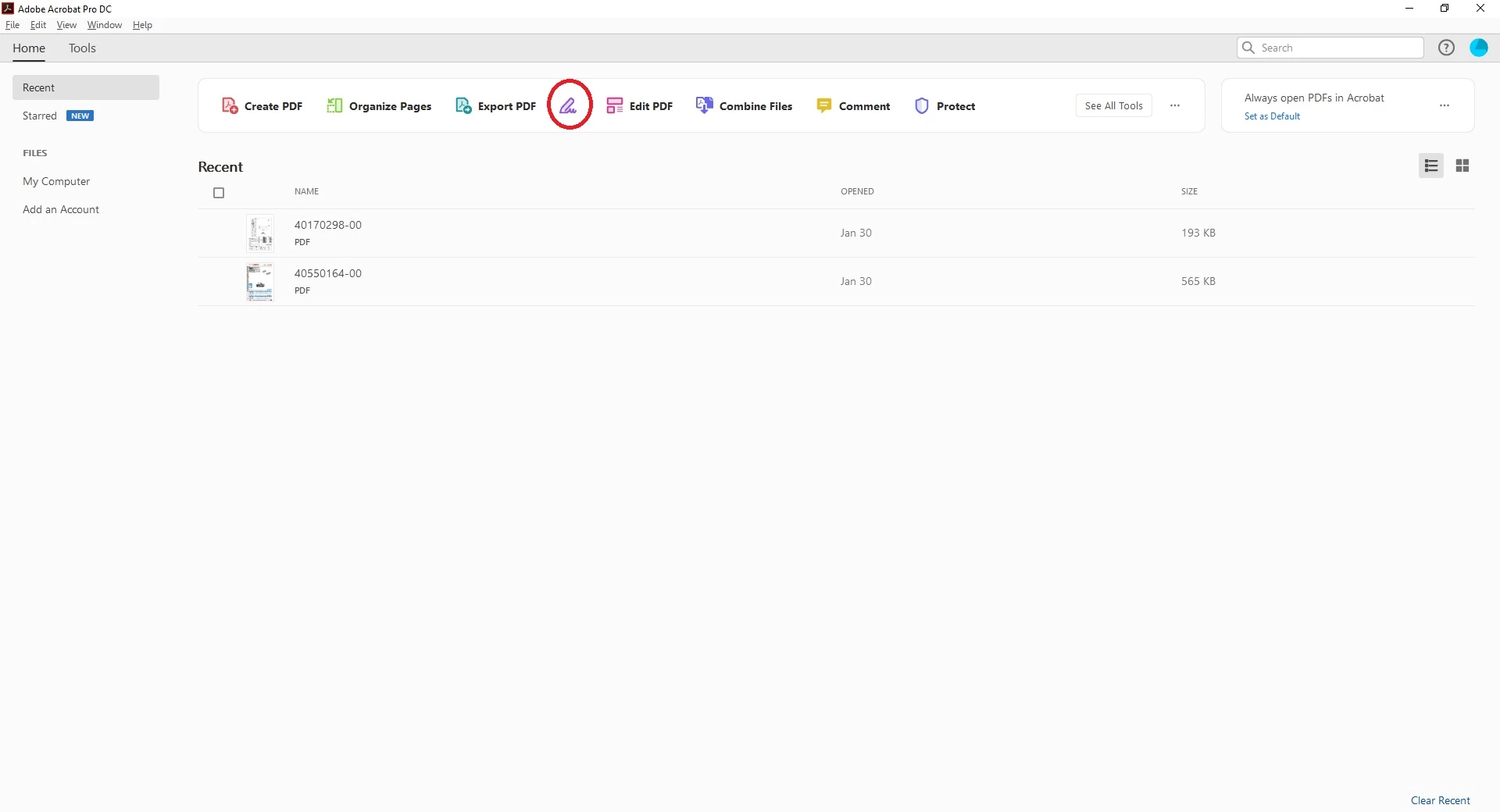
Signature request button - No respons Acrobat Pro

  • February 2, 2020
  • 2 replies
  • 1181 views

Hello

I need help,

I just purchesed the Acrobat Pro for sending signature requests to multipul people,

The "Fill & Sign" button on the main dashbord or in tools,

Does not repond.

P.S.

The button does work in the free acrobat version.
This topic has been closed for replies.

2 replies

Allta Media
Community Expert
Community Expert
February 3, 2020

It looks like you have Acrobat Pro DC (which is the subscription version). You should be able to send document out for signature. It's possible that the "services" part of Acrobat has been disabled within your organization. As a test, try logging in using your Adobe ID to Documentcloud.adobe.com. You can also find the Send for Signature tool there.

Mozes4u
Mozes4uAuthor
Participant
February 4, 2020

Thank you all

After contacting technical support, the instalation of the software was fixed.

MichaelKazlow
Legend
February 2, 2020

Fill and sign is different than Adobe Sign. By itself, fill and sign is available for Acrobat Pro, Standard and Reader. It is designed to allow you to fill out and sign docunents that are not copy protected. If Adobe Fill and Sign works on some documents and not others it could be copy protected. 

it sounds like you really want Adobe Sign which is used for collecting Signatures for documents. This does not come with a purchase of Acrobat Pro. It comes with a subscription to Acrobat or you can putchase a license to Adobe Sign. However, it still won't let you sign copy protected documents. 

Mozes4u
Mozes4uAuthor
Participant
February 3, 2020

Thank you