
Signed file is not being uploaded to Signed Agreements folder automatically in SharePoint Online
Hello Adobe Sign Support Team,
Greetings for the day!
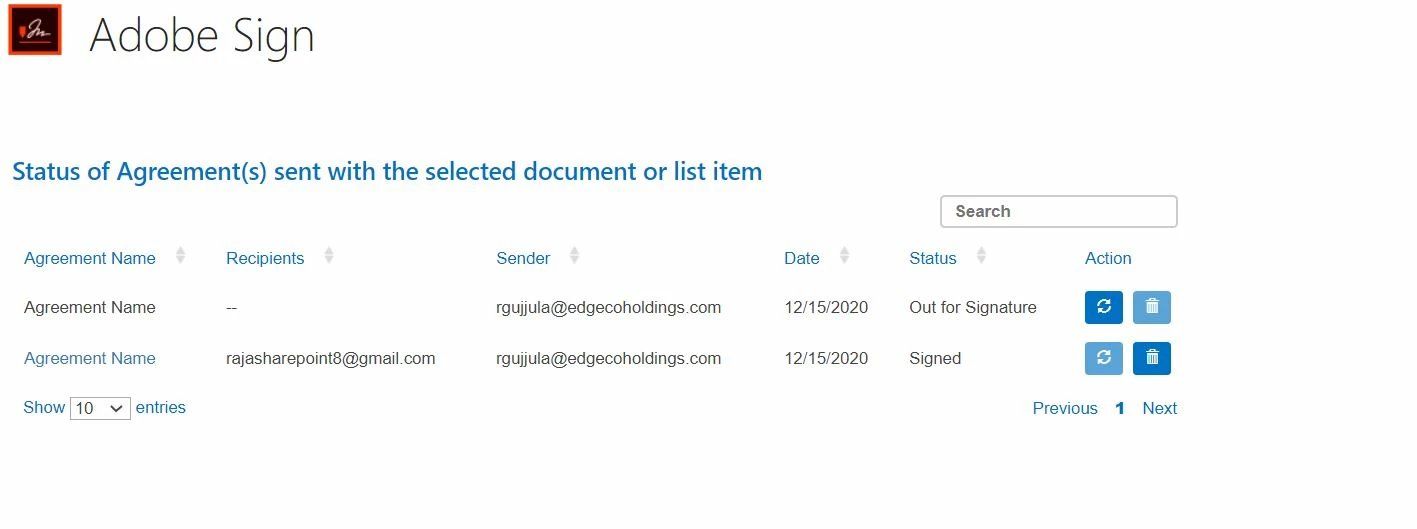
This is regarding the Adobe sign process on files uploaded to SharePoint Online. When a file is sent for Signatures, the user will be providing his/her signature on the file. But before sending the signature the "Agreement Status" on the file would be "Out for Signature". And after the file is being signed, the signed file is supposed to be added into the "Signed Agreements" folder, which is not happening in our case.
This issue remains till a user refresh the action of a file on the "Agreement Status" page. We are not able to get the signed file in the "Signed Agreements" folder automatically unless we reload the action of Agreement Status.
Please find the attached screenshot for more information. Please help us on how to get the signed file automatically.


 AdChoices