
October 24, 2016
Question

Signing with designated signers

  • October 24, 2016
  • 1 reply
  • 475 views

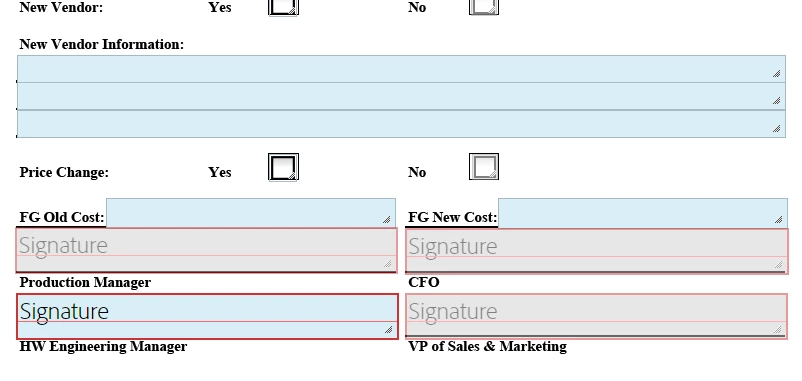
I have a template that requires 4 different signatures in specific boxes based off each signers roll.

Like other electronic signing software, I would like to set up the document to automatically use those pre-designated signers and have them sign their specific box.

Can this be done with Adobe Sign?
    This topic has been closed for replies.

    1 reply

    AadeshSingh
    Participating Frequently
    October 24, 2016

    Hi tmuszynski​,

    Yes, please double click on the Signature fields one by one and assign Participant Role to Signer1,  Signer2,Signer3 & Signer4 in the sequence you want the Signers to the Sign the document.

    Now while sending the document, enter Signers email address in the same sequence in the "Recipient field".

    Regards,

    Aadesh

    October 24, 2016

    That was what I was afraid of.  This seems clunky compared to the way Docusign or SignNow do this.

    AadeshSingh
    Participating Frequently
    October 24, 2016

    Hi tmuszynski

    I can understand your concern, however it's better you create form field templates Use a Form Field Template that you can directly add on any of the document so that you don't have to place the Signature fields again & again on the documents.

    Regards,

    Aadesh