

Participant
August 14, 2025
Answered

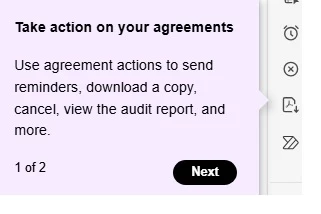
Take action on your agreements
  • August 14, 2025
  • 1 reply
  • 200 views
How do I remove this message that appears all the time?

 

Correct answer Meenakshi Negi

Hi CIS21813208lsgl ,


Thank you for the information, and sorry about the trouble caused.


There is no option to remove the message. However, once you go through it, it should not appear again.

Check if that helps.


You may share your suggestions about these messages with the team here: https://adobe.ly/3Jb70JQ


Let us know how it goes.


Thanks,

Meenakshi


1 reply

Community Manager
August 15, 2025

Hi @CIS21813208lsgl


Thanks for reaching out, and sorry for the trouble.

We will try it with preference:

- Launch Acrobat, press (Ctrl or Cmd) + K > Preferences > General.
- Uncheck "Show me messages when i launch Adobe Acrobat" 

- Click Ok.
- Close Acrobat and relaunch it.  


Let us know how it works. 


If the issue is reproducible, let us know the following:

  1. Acrobat version installed:  https://adobe.ly/3PQQ7nE
  2. OS name and version.
  3. Is it personal or Office (IT-managed machine)


Best regards,
Tariq | Adobe Community Team

Participant
August 15, 2025
Thanks for answering so quickly, I forgot to mention that it is in the web version of Adobe Sign, im using windows 11 and is office.


Meenakshi Negi
Community Manager
Meenakshi NegiCommunity ManagerCorrect answer
Community Manager
August 15, 2025

Hi CIS21813208lsgl ,


Thank you for the information, and sorry about the trouble caused.


There is no option to remove the message. However, once you go through it, it should not appear again.

Check if that helps.


You may share your suggestions about these messages with the team here: https://adobe.ly/3Jb70JQ


Let us know how it goes.


Thanks,

Meenakshi
