


Participant
August 25, 2026
Question

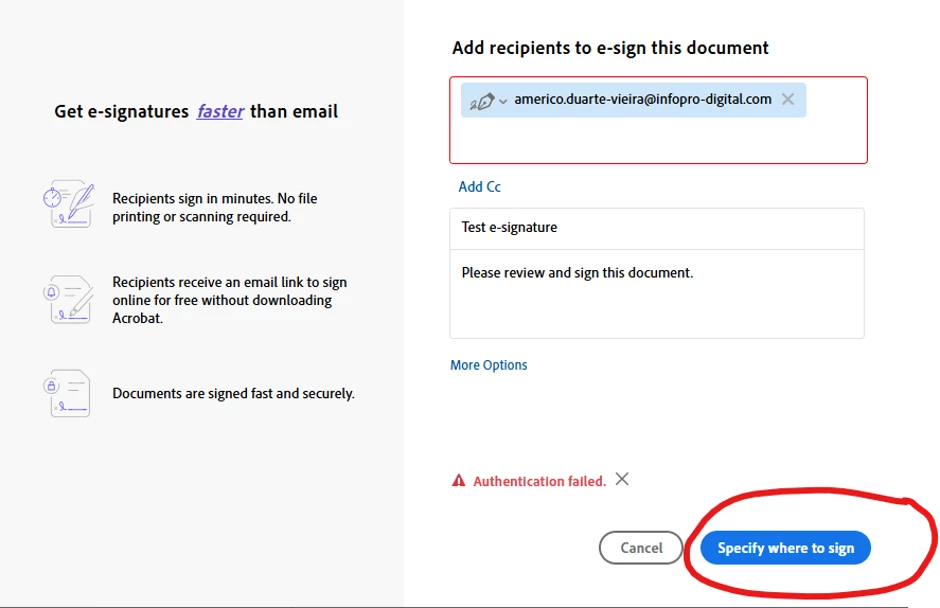
Trying to send a document for e-signature. Keep getting the following 'Authentication Error' message. I have checked that I have Adobe Pro. My IT people have suggested asking on this forum how to correct this issue.

  • August 25, 2026
  • 3 replies
  • 36 views

Trying to send a document for e-signature. Keep getting the following 'Authentication Error' message. I have checked that I have Adobe Pro. My IT people have suggested asking on this forum how to correct this issue.


    3 replies

    Participant
    August 26, 2026

    Hi, I’ve tried both Web and App.  This is a new function for me and I haven’t managed to send one document for signature yet, due to the error messages. If I’m on Web I get the following message 

    I will reach out to the IT with your suggestion and appreciate the help you’ve given so far.

    Meenakshi Negi
    Community Manager
    Community Manager
    August 26, 2026

    Hi Peaceful_calmness92d1,


    Sorry for the trouble caused.

    We have checked your account using the email address provided on this community page. The account shows as inactive. 

    Please reach out to the support team so they can help you with the account activation. You may refer to the steps suggested in the following help document: https://adobe.ly/4zAxFW0


    If you have another account that is not working, please share the email address in a private message. 


    Let us know if you need help.


    Thanks,

    Meenakshi

    Amal Jaiswal
    Community Manager
    Community Manager
    August 25, 2026

    ​Hi @Peaceful_calmness92d1,

    Hope you are doing well, and thanks for reaching out. We are sorry for the trouble you are experiencing.

    A few quick things that'll help narrow this down:

    •  Are you sending this from the desktop Acrobat Pro app, or from the browser (Acrobat web)?

    •  Has sending for an e-signature ever worked on this account before, or is this the very first attempt since the license was set up?

    Here's what usually fixes this "Authentication failed" error, plus a couple of things that'll help narrow it down further if it doesn't:

    1. Sign out completely, restart your computer, then sign back in. If you're prompted to choose a profile, pick the Business/work one rather than letting it choose automatically.

    2. Try sending the same document for signature from the Acrobat web app https://adobe.ly/4y7chX3  instead of the desktop app. If it works there but not on the desktop, that tells us the issue is isolated to the desktop client rather than the account itself.

    3. Since your IT team manages the license, ask them to check in the Adobe Admin Console that your account shows as fully "Entitled" for Acrobat Sign specifically (not just Acrobat Pro); sometimes the Sign entitlement can get stuck as "Pending" separately from the Acrobat license. Adobe's sign-in troubleshooting steps are here if useful: https://adobe.ly/3UhwdaY 


    Let us know how it goes. 

    ~Amal