
Participant
July 28, 2023
Question

Unable to re-add Adobe Sign app on the SharePoint, error "sorry, we can't remove the app"

  • July 28, 2023
  • 1 reply
  • 496 views

Hi Adobe Support Community,

I have created a SharePoint site in my compnay domain, in the SharePoint site content, I added Adobe Sign app, recently we found out the SharePoint site document 'send for signature' takes forever loading it to AdobeSign, so we thought of removing the app and adding the app again. We soon saw the error "sorry, we can't remove the app".
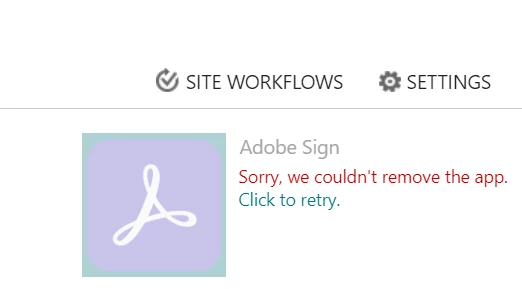
 

The Adobe Sign app is now gray out, unable to use it anymore. After some research, we also think it might be the retention policy that we have enabled on this sharepoint site affected the app deletion, so we deleted the Microsoft Compliance retention policy for this Sharepoint Site. It has been more than 3 days now since I cleared all existing retention labels on the site and deleted the policy. Whenever I tried to delete the Adobe Sign app, the error persists. 

How can I re-add/enable the Adobe Sign feature on SharePoint again?

Any comment or suggestion is much appreciated!

Thank you,

Xiao

This topic has been closed for replies.

1 reply

Meenakshi_Negi
Legend
July 31, 2023

Hi Xiaohan28498514uc46,


Thank you for reaching out.


Please refer to the steps suggested in the following help document: https://helpx.adobe.com/document-cloud/help/office365-configuring-sharepoint-onedrive.html. Check if that helps.


If you still experience the issue, please contact our Adobe Sign Enterprise support team to get the correct information about this. You may contact them using the steps in the following help document: https://helpx.adobe.com/sign/using/adobesign-support-resources.html. 


Thanks,

Meenakshi

Participant
July 31, 2023

Hi Meenakshi,

Thank you for you response. I read the installation guides of integtating Microsoft with Adobe Acrobat, will installing this give our users the ability to click "send for signature" in SharePoint? Can I choose to not deploy to our whole tenant, just one MS Team group site only?

Will the current error message I provided in my original post stop me from deploying Adobe Acrobat for SharePoint?

After the installation, will the error message in the screenshot disappear?

I also tried to open the last URL you posted, but it is not a valid webpage.

Thank you,

Xiao


Meenakshi_Negi
Legend
August 7, 2023

Hi Xiaohan28498514uc46,


Sorry about the delay in response.

There seems to be some issue with the URL. Please try to contact the Acrobat Sign Entperise support team using the steps mentioned here: https://helpx.adobe.com/sign/admin/contact-support.html.

They will help you with the correct steps to get the Acrobat Sign re-added to Sharepoint. 


Let us know how it goes. 


Thanks,

Meenakshi