Participant
October 2, 2019
Question

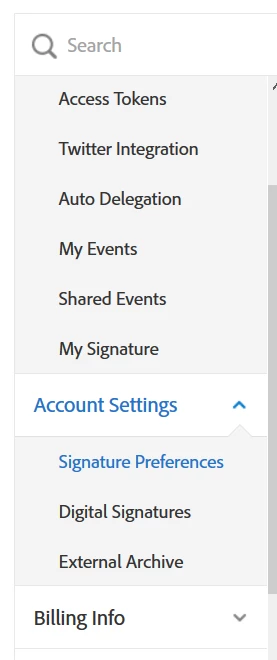
Unable to set up written signature "send settings" no where to be found

  • October 2, 2019
  • 1 reply
  • 372 views

I am trying to arrange for wet signatures. I would like the client to download their document from Adobe Sign, sign the document, then upload back to Adobe Sign. I found the instructions to accomplish this in the Guidelines. However, I don't have the settings to set this up. The "send settings" is not available for me.


GUIDELINE SETTINGS VS. MY SETTINGS:
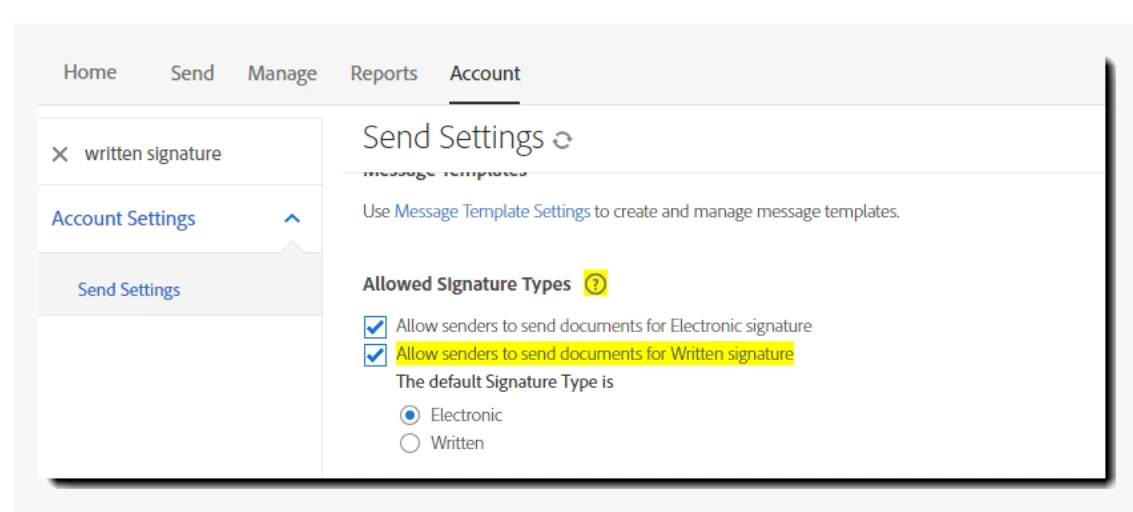
How can I set up my Adobe Sign for wet signature?

    This topic has been closed for replies.

    1 reply

    Meenakshi_Negi
    Legend
    October 3, 2019

    Hi RAgencies,


    I have checked that you are using the Adobe Sign individual account. The setting you are looking for is not available in the individual service level account.

    However, you can use the workaround to get the wet signature. When you send the document for signature, user can download and add the signature to the document. After adding signature, they will send the document to you.

    Then you can upload that document from the manage tab. Refer to the steps provided below to upload the document.

    - Go to Manage tab > Out for signature

    - Select the document from the list.

    - At right, click on History and scroll down the window. Click on "Upload the signed copy".


    Check if that helps.

    Let us know if you have any questions.


    Regards,

    Meenakshi