
Inspiring
February 22, 2024
Question

What is going on with E-Signature

  • February 22, 2024
  • 1 reply
  • 507 views

So I placed this in the Adobe Discussion and found out AAS has its own thread so here goes. 

What is going on with your system? This pops up when we go to route a contract for signature, however, it removes the ability to CC and does something else really bad to the PDF
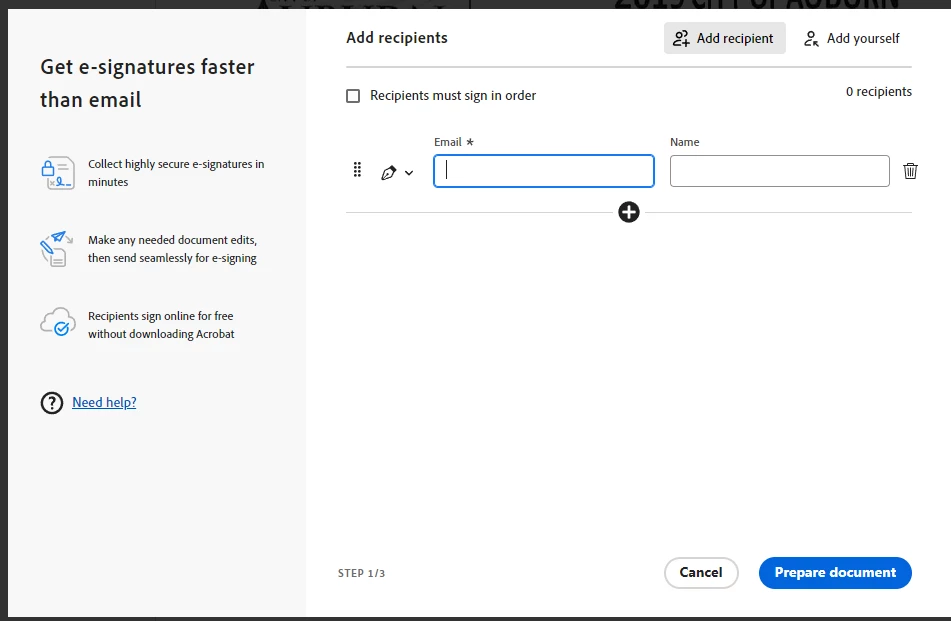


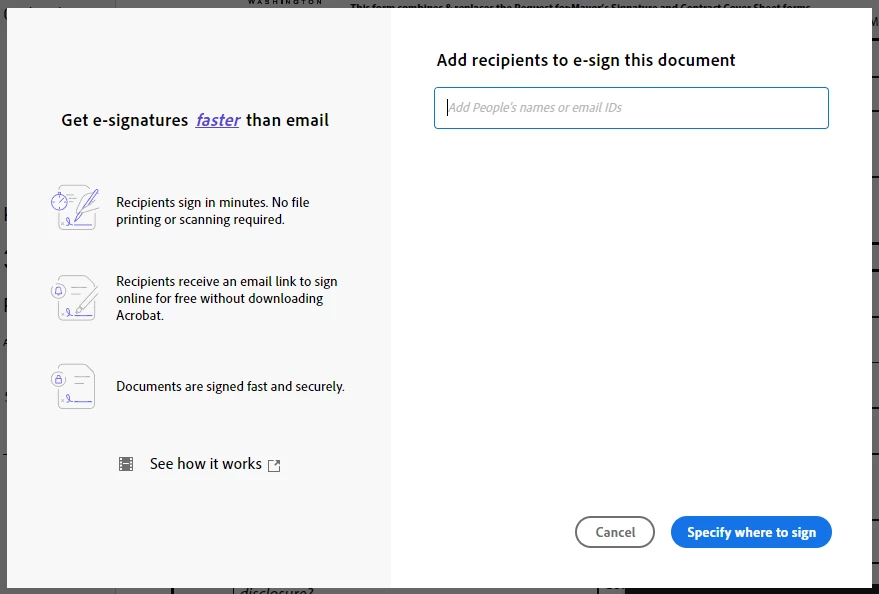
This is the original way until recently.  However, if you sign out and back in you get the view below. So it can't be a system update. However, it returns to the above after you send and you have to sign out and back in each time you go to route. 


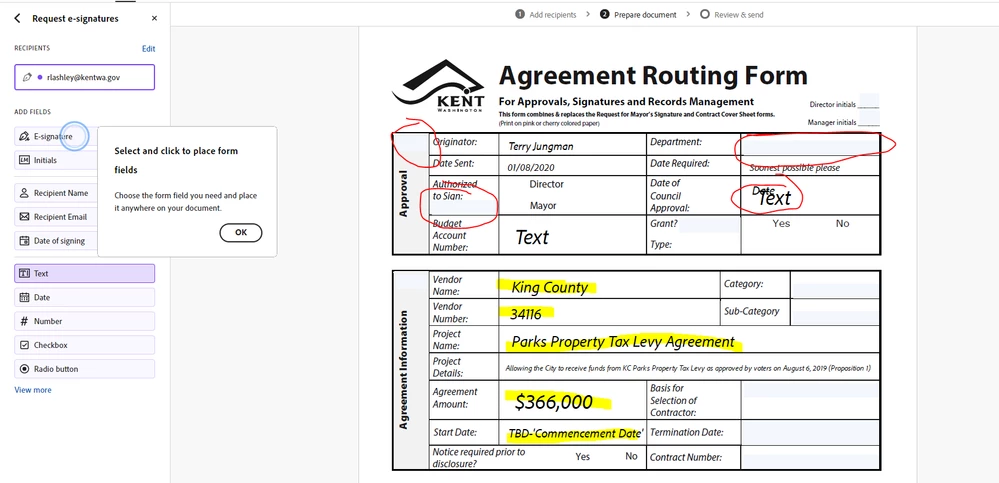
When you continue with the first image process, this is what it does to fields in the contract. It moves and or deletes fields and changes the font. 


Once you get it back to how it's supposed to look, this is what the form looks like. 
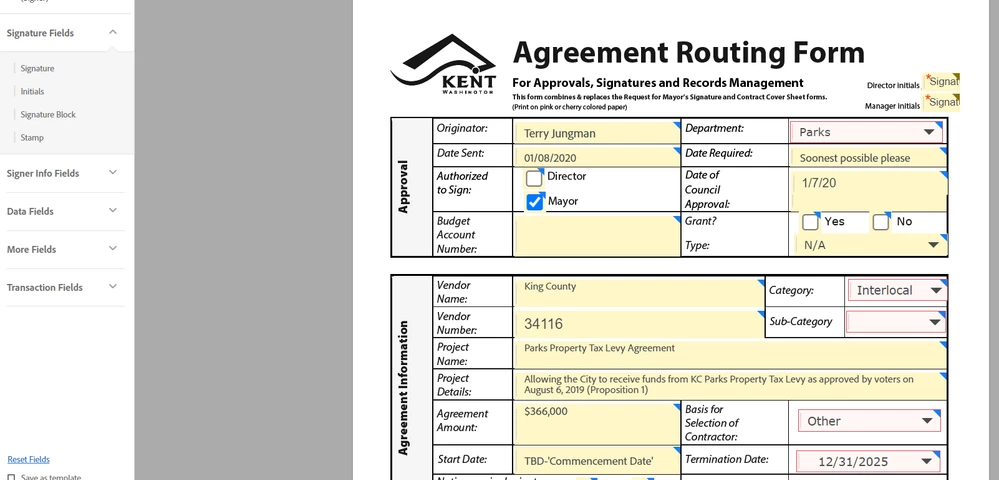


This is bad and no clue how to stop this from happening by default now.  People thought it was an update until I showed them how to get back to the view that doesn't mess up the document. Can someone explain this? 

This topic has been closed for replies.

1 reply

Meenakshi_Negi
Legend
April 1, 2024

Hi Ronald Lashley,


Thank you for reaching out, and sorry about the delayed response.


If you are still experiencing the similar behavior, could you please share the screen recording of the complete workflow?

Share the Acrobat and OS version in use. Also, confirm if this started after the recent update.

We will get this checked with the team.


Thanks,

Meenakshi

Inspiring
April 4, 2024

I went ahead and clicked on Menu and  "Disabled New Acrobat"

I hope you all figure out the issue and let us know when you do. It's like your programmers think up new ideas but do not utilize the program itself. This has been a nightmare for weeks with no resolution, no matter how many times you sign out and back on, which was the temporary fix. There was a significant glitch when everyone was having the issue not just a few random users.  23q
Edition: Windows 10 Pro
Version 22h2
OS Build 19045.4170
Windows Feature Experience Pack 1000.19054.1000.0