


deadelvis21999
Participant
September 21, 2017
Answered

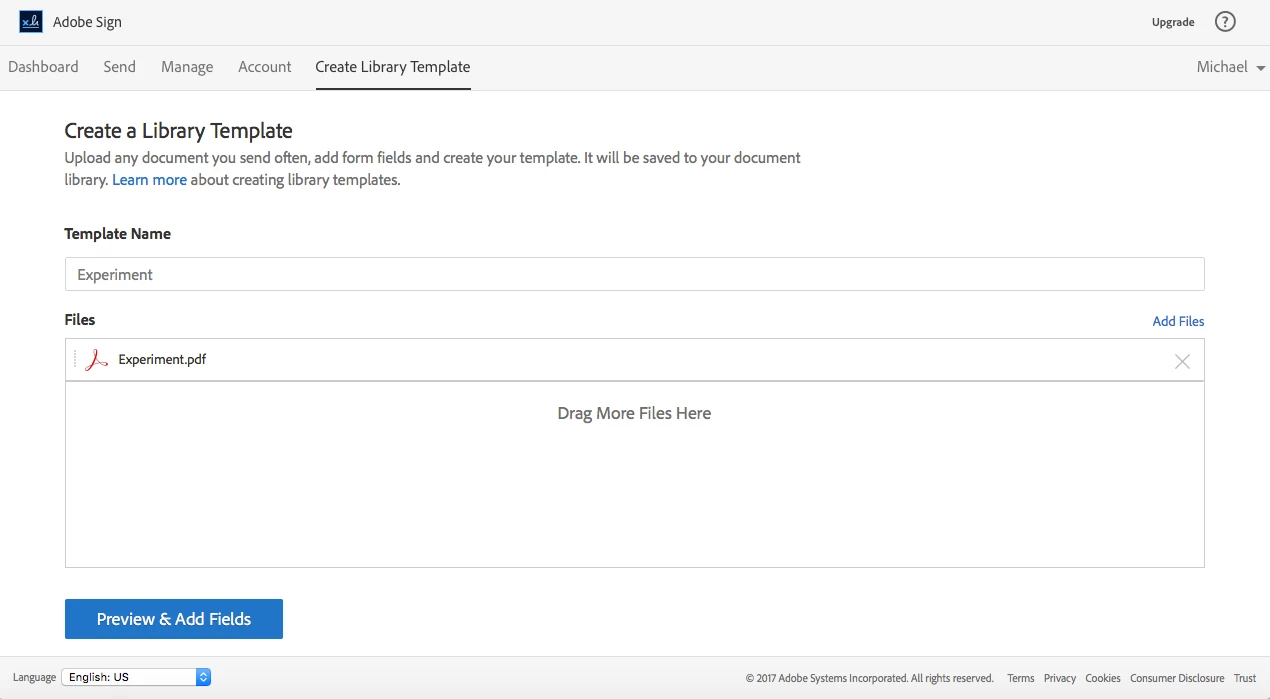
When trying to Create a Library Template, "Template Type" menu not shown

  • September 21, 2017
  • 1 reply
  • 750 views

In Adobe Sign, when I click on "Add Template to Library", I am taken to the "Create a Library Template" page, but the "Template Type" menu is not shown as illustrated in step 4 of the step-by-step tutorial for creating library templates.
This topic has been closed for replies.
Correct answer SimonATS

reminds me of a Frasier episode. You're not in the right level membership, you need to platinum level membership (business or higher type of account I believe.)

1 reply

SimonATSCommunity ManagerCorrect answer
Community Manager
September 27, 2017

reminds me of a Frasier episode. You're not in the right level membership, you need to platinum level membership (business or higher type of account I believe.)