
Wrong email shown in Adobe Sign
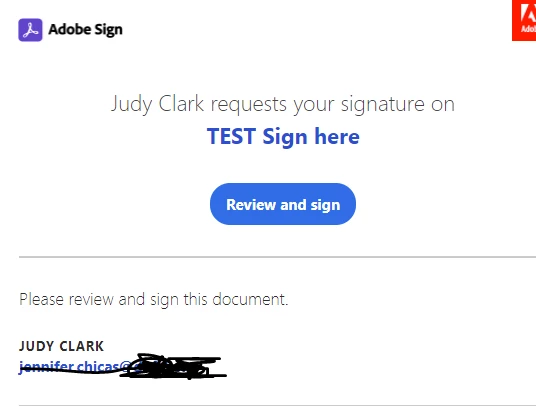
We have an Employee who works in HR (Judy) who has been trying to get this issue resolved. Our Adobe Admin has had no luck in getting support to resolve this issue. When Judy sends a document to be signed through Adobe Sign, she gets a message that an email is also being sent to jennifer.chicas@emailadd.org. Jennifer is an old employee who no longer works here. Email should be going to Judy's email, and she is using a completely different computer/laptop.
I went as far as removing Adobe Acrobat Pro DC completely off her laptop (and reinstalled). Deleted Judy's profile from Windows, I reimaged her laptop, and finally had her log into a completely different laptop. Our Adobe Admin even went as far as Deleting, and recreating her account from Adobe Admin site. And the Jennifer.Chicas email still shows up.
Our Adobe Admin believes this is something on Adobe’s backend that’s the issue. But we cannot get a quick response since their support is in India and have to wait till next day to read a responce. When he deleted her account and recreated a whole new one, it Auto Populated her Business info.
We aren’t sure what to do at this point. Judy has hundreds of documents that need signatures. And as new staff are hired they will need to sign stuff.
Any insite to this would be appreciated.
This image is an example of a test we did. Where is should be Judy's email, it shows Jennifer's.


 AdChoices