
Question
You are not authorized to Send............
We have several users that are unable to use Adobe Sign. The error they receive is always the same and is represented by the picture shown.
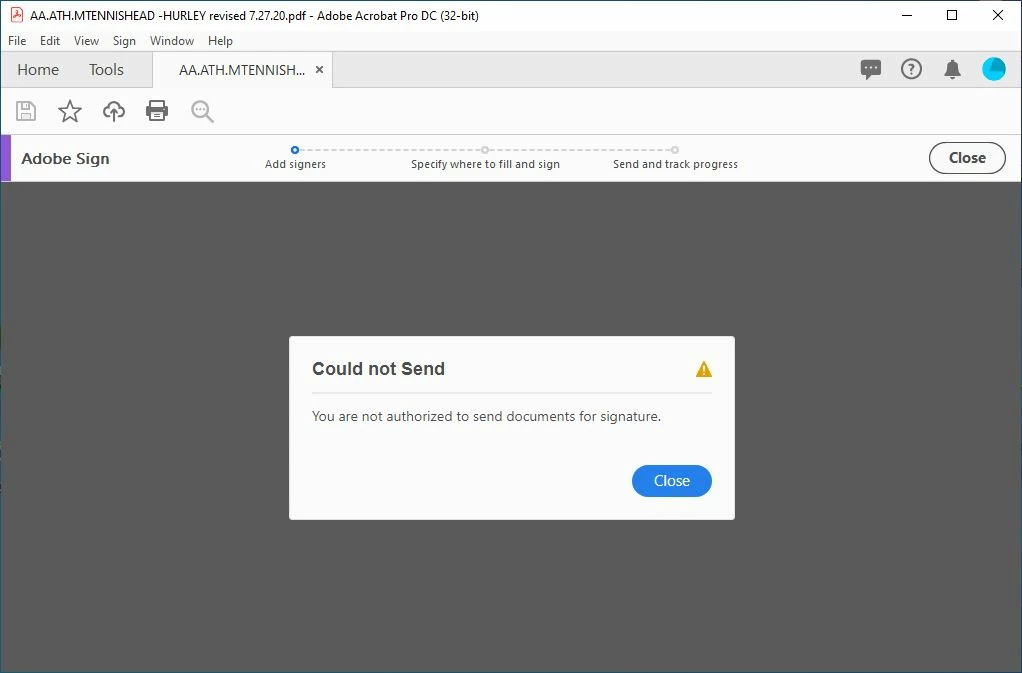
I have tried:
- Uninstalling and reinstalling Adobe and Creative Cloud Apps
- Removing the Product from the user and then adding it back
- Logging out of and back into Creative Cloud
- Logging out of and back into Document Cloud
Having said all of that and reading extensively online, I believe the issue pertains to our setup.
I work at a university and we have the Higher Ed version of Creative Cloud All-Apps. For this, our Organization is AICUO - UniversityName. When they removed Adobe Sign from that package, we bought licenses for Adobe Sign. When they were delivered, they came in under a new organization, UniversityName IT. The same email address is used for both organizations.
Please tell me if this can and does cause problems.
-Russell


 AdChoices