Participant
October 3, 2026
Answered

Adobe Stock image rejected for Quality Issues — looking for feedback

  • October 3, 2026
  • 9 replies
  • 98 views

Hi everyone,

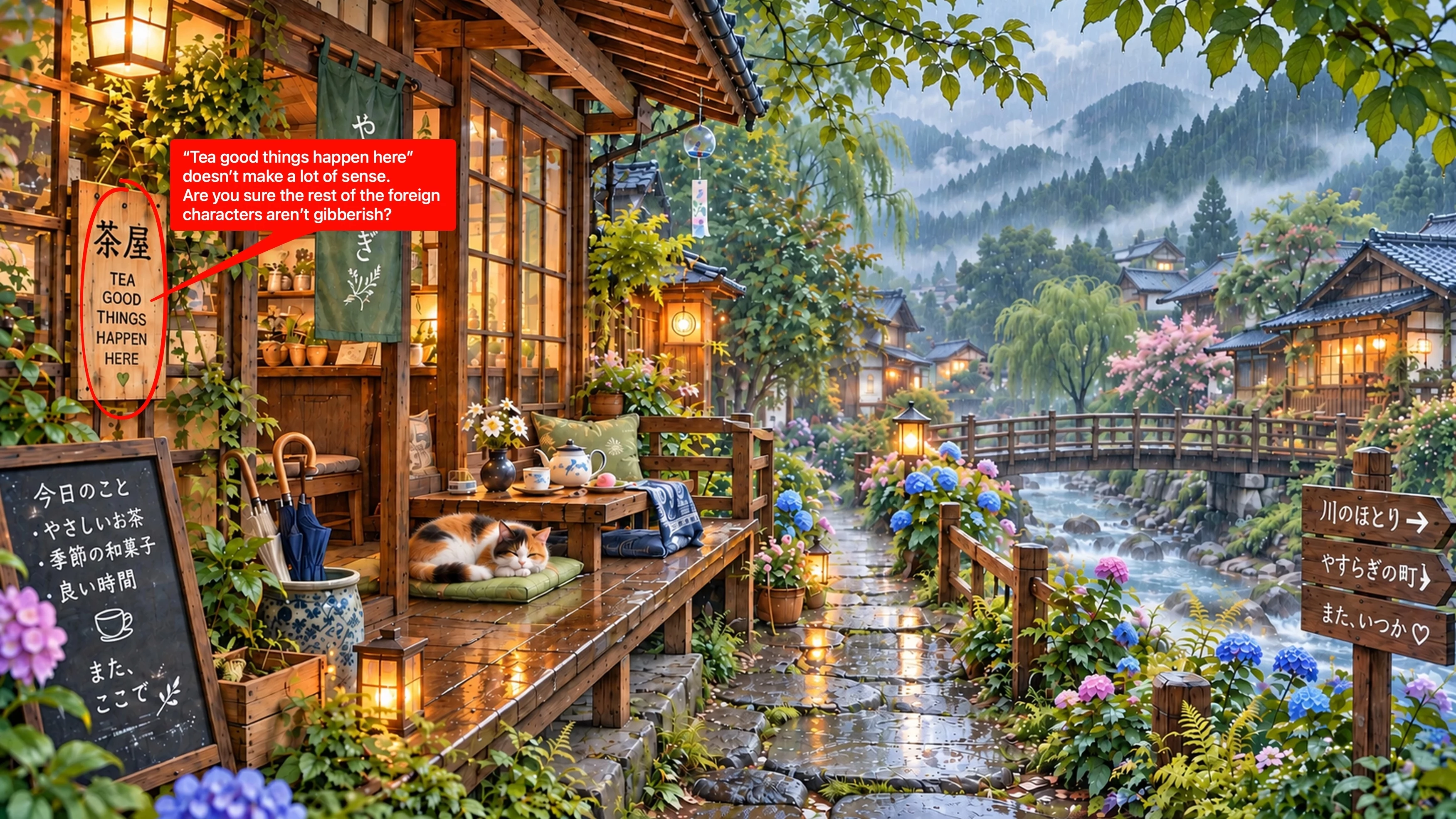
I recently submitted this image to Adobe Stock, but it was rejected for “Quality Issues.”

I would really appreciate some constructive feedback from experienced Adobe Stock contributors. I’m trying to understand what technical or visual issues I may have missed, especially regarding sharpness, softness, artifacts, texture inconsistencies, or other quality concerns.

The image is 4096 × 2304 px and was created using generative AI.

I’d like to learn from this rejection and improve my workflow before submitting more images.

Thank you very much for any feedback!

    Correct answer daniellei4510

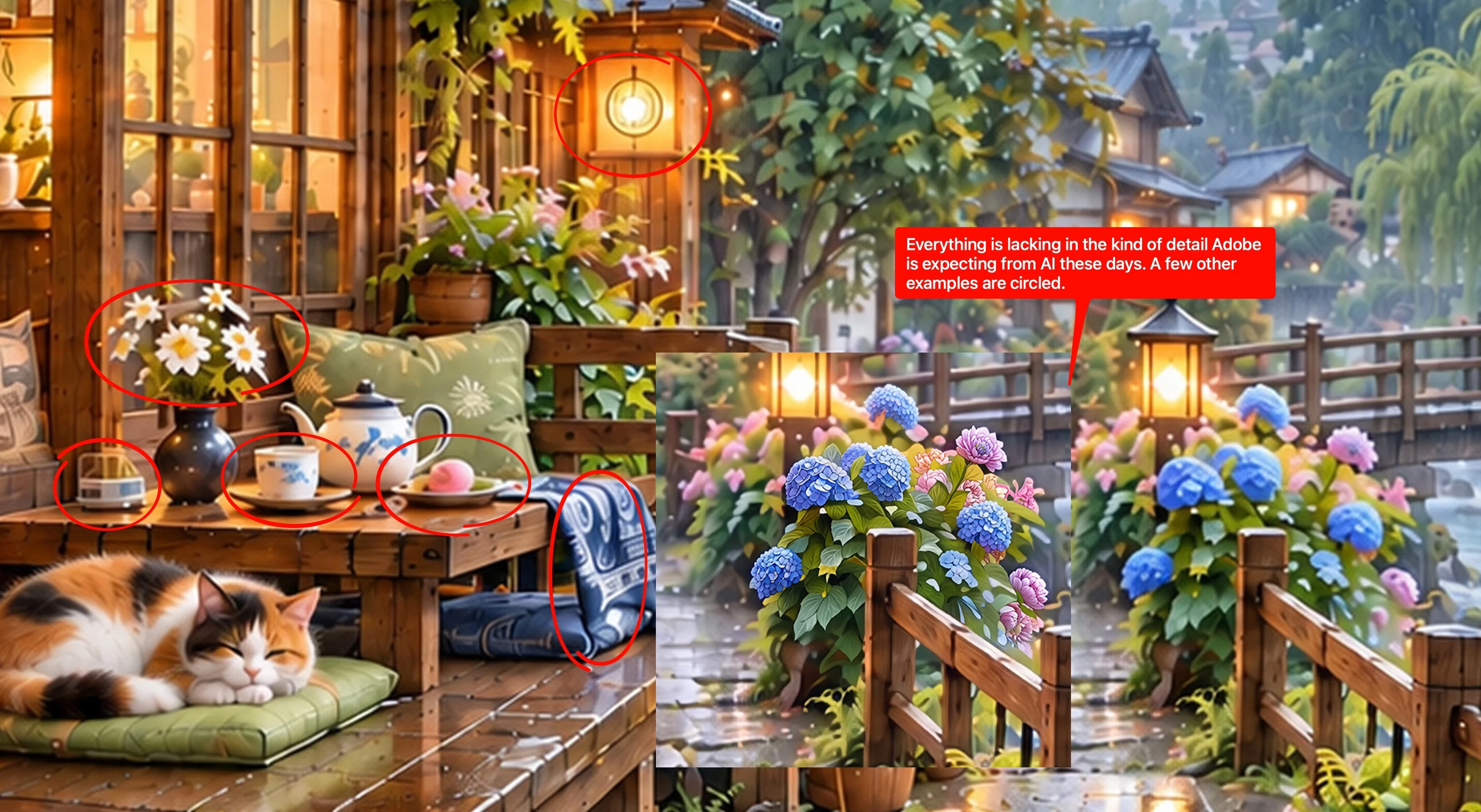
    There are numerous issues.


    9 replies

    Nancy OShea
    Community Expert
    Community Expert
    October 3, 2026

    Best Advice:

    • All GenAI services make mistakes, especially with details. 
    • The more parts your image contains, the more potential mistakes.
    • Simple images are easier to control with less problems to edit later. 
    • Leave some space for ad copy.
    • Customers will add their own text in their native languages & fonts after purchase.


    Nancy O'Shea— Product User & Community Expert
    daniellei4510
    Community Expert
    Community Expert
    October 3, 2026

    I highly recommend examining AI assets at a MINIMUM of 200% (300% is even better) prior to submission. 


    Adobe Community Expert | I have miles to go before I sleep, but I'm all done on this end.
    Participant
    October 3, 2026

    Thank you so much, Danielle! This is incredibly helpful.
    I really appreciate you taking the time to mark the image and point out the specific areas I should look at.

    I had been checking my AI images at 100%, but I can now see why examining them at 200–300% is so important. Some of these issues are surprisingly easy to miss when viewing the image normally.

    This gives me a much better understanding of what to look for before submitting future images. I’ll definitely add a 200–300% inspection to my workflow.

    Thank you again for the detailed and constructive feedback!

    daniellei4510
    Community Expert
    Community Expert
    October 3, 2026

    Happy to be of help. If you are interested in how I edit AI assets, I have a blog post here that may be of help to you going forward.

    https://gotosleepdancing.wordpress.com/2026/07/14/romancing-gemini-3/

    Adobe Community Expert | I have miles to go before I sleep, but I'm all done on this end.
    Jill_C
    Community Expert
    Community Expert
    October 3, 2026

    Zoom in and examine all the details very closely. There are numerous drawing errors - in the cups, the pots on the shelves, the umbrellas, and more. The Chinese text doesn’t look correct, so should be eliminated because it’s probably gibberish.

    Jill C., Forum Volunteer
    Participant
    October 3, 2026

    Thank you so much, Jill! This is really helpful.
    I appreciate you taking the time to look so closely and point out these details. I honestly didn’t realize there were so many small drawing errors in the image until you pointed them out.

    I’ll definitely be much more careful about checking small details, especially text and objects, before submitting future AI images. Thank you again!

    Cosmic Studio
    Inspiring
    October 3, 2026

    Hi! It's best to avoid text on the images. I think you could get it approved by trying more minimalist versions (this reduces the chance of artifacts and gives it more space).

    Participant
    October 3, 2026

    Thank you! That’s a very helpful point.
    I hadn’t really considered how much text could increase the chance of artifacts in an AI-generated image. I’ll definitely keep this in mind and try more minimalist versions in my future work.

    Thank you for the suggestion!

    daniellei4510
    Community Expert
    daniellei4510Community ExpertCorrect answer
    Community Expert
    October 3, 2026

    There are numerous issues.


    Adobe Community Expert | I have miles to go before I sleep, but I'm all done on this end.