



Holylayer
Participant
August 21, 2026
Question

Adobe Stock Rejected My Manually Created Illustrator & Photoshop Artwork as “Missing Generative AI Tag” — Seeking Contributor Feedback

  • August 21, 2026
  • 7 replies
  • 114 views

Hi fellow Adobe Stock Contributors,

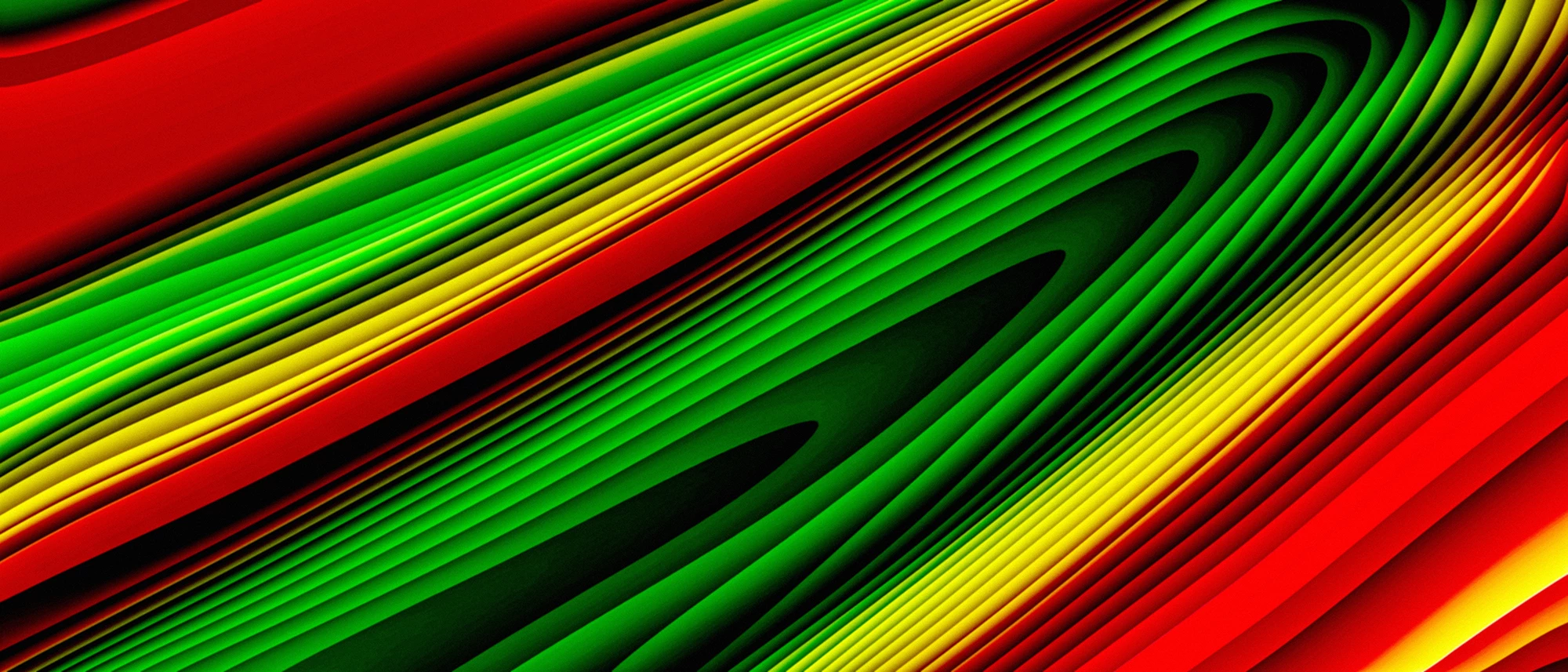
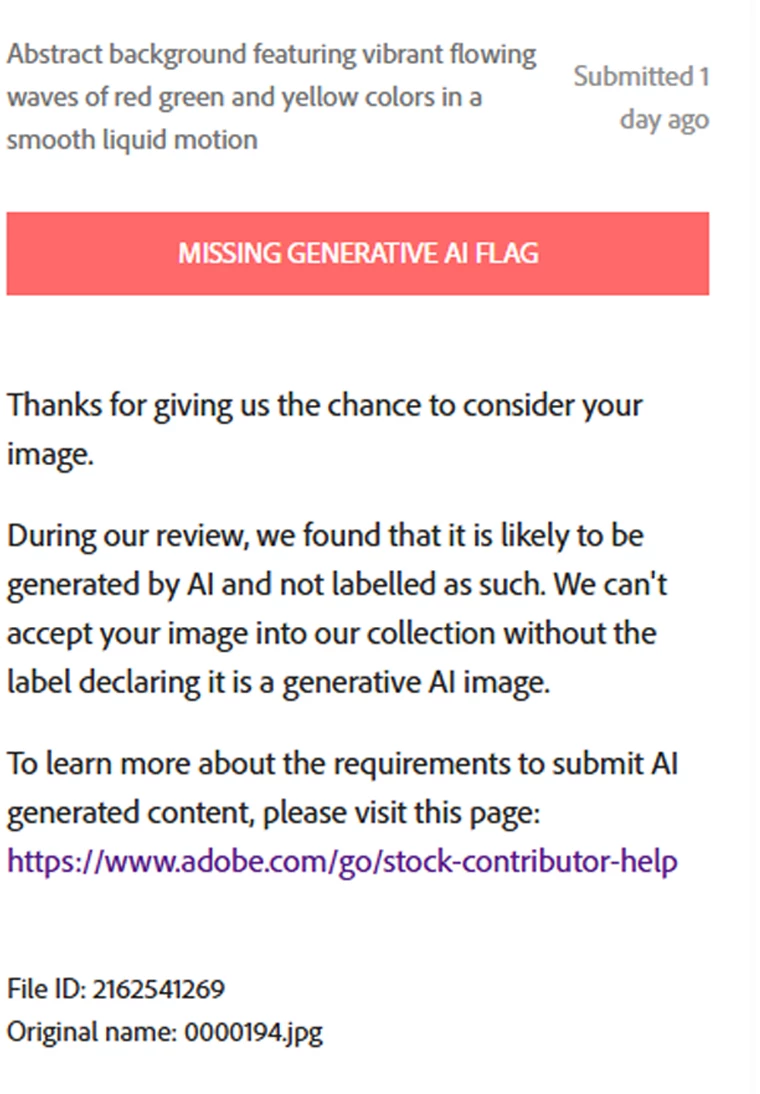
I recently submitted this abstract background to Adobe Stock, but it was rejected with the reason “Missing Generative AI Tag.”

This artwork was created entirely by me from scratch using Adobe Illustrator and Adobe Photoshop, with standard non-generative tools, editing features, and filters. I did not use Generative Fill, Generative Expand, Firefly, or any other generative AI feature. I also did not use any downloaded, third-party, or stock assets.

The abstract waves, shapes, colors, gradients, distortion, and visual effects were manually created and edited by me using standard Illustrator and Photoshop tools.

I would really appreciate your feedback:

Does this artwork look AI-generated to you?
Have you experienced a similar rejection with manually created Illustrator/Photoshop artwork?
Is there anything in this design that might be triggering Adobe’s AI detection system?
Would you recommend making any changes before resubmitting?

Any feedback or suggestions from experienced Adobe Stock Contributors would be greatly appreciated. Thank you!
Design artwork
Screenshot 


    7 replies

    Holylayer
    HolylayerAuthor
    Participant
    August 23, 2026

    Thank you, Nancy. I really appreciate your detailed feedback and the suggestion about the signed Property Release.

    I’ll look into submitting the artwork with a signed Property Release as the artist who created it. Since this is a manually created abstract made in Adobe Illustrator and Photoshop, I hope this can help clarify that it is original artwork and not generative AI content.

    I also understand your point about the very high competition in the abstract/background category. I’ll keep that in mind and focus more on distinctive concepts and commercially useful designs rather than generic abstracts.

    Thank you again for taking the time to explain this and for sharing the resources. I really appreciate it.

    Nancy OShea
    Community Expert
    Community Expert
    August 22, 2026

    Abstracts are difficult. This happens quite often with digital 2D & 3D assets. 

    The quickest solution is to resubmit with a signed Property Release form by you as the ARTIST who created it. 


    That said, you’re competing with over half-a-billion similar abstracts in Stock and free websites. The competition in this space is palpable. Statistically, this probably won’t find many buyers. 

    https://stock.adobe.com/search?k=abstract 145 million

    https://stock.adobe.com/search?k=backgrounds 294 million

    https://stock.adobe.com/search?k=wallpaper 68 million


    Good luck.


    Nancy O'Shea— Product User & Community Expert
    Participant
    August 22, 2026

    Hi ​@Holylayer ,

    When I looked at the image, I ‘can see’ why it is flagged as AI-generated.

    1. The lines are not straight
    1. The width/spaces are not even

    These two reasons are the possible causes in my opinion. It is the very criteria or AI-generated image/art.


    In my opinion, if you want to create digital image/art, make it PERFECT. Make sure the lines are straight. The curves are smooth. The width/spaces are even. AI CANNOT (yet) make perfect image/art. That’s where Human Intelligent are superior.


    Just my opinion. 😊

    jacquelingphoto2017
    Community Expert
    Community Expert
    August 22, 2026

    Hi ​@Holylayer 

    I occasionally get that refusal. In my case I just resubmit. Since my files are usually a photo or vector, it’s easy to include what it is in caption or keywording. In your case, you might need to submit a property release with a note to say what you used to create it. Otherwise, send a tick via “Contact us” stating that it was not generated by AI but created manually using Photoshop and Illustrator. They will direct you or take it from there.

    Best wishes
    Jacquelin

    Holylayer
    HolylayerAuthor
    Participant
    August 23, 2026

    Thank you for taking the time to look at my artwork and share your opinion. I understand what you mean about the uneven lines and spacing, and I appreciate the feedback from a technical perspective.

    However, I created this artwork manually from scratch using Adobe Illustrator and Adobe Photoshop. The irregular lines, curves, spacing, colors, and distortion effects were intentional parts of the abstract design, rather than artifacts generated by AI.

    I also understand why certain visual characteristics might make an abstract look AI-generated at first glance. That is actually why I wanted to ask other contributors for their opinions, as I’m trying to understand what might be triggering Adobe’s automated detection.

    Thank you again for your honest feedback. I’ll definitely consider your suggestions when creating future artwork.

    RALPH_L
    Community Expert
    Community Expert
    August 21, 2026

    The automated checking of submitted assets makes this mistake quite often. It is a problem. It happened to me with photos that I have extensively edited. Because it has happened several times, my account was deactivated for violating the contributor agreement.

    Holylayer
    HolylayerAuthor
    Participant
    August 21, 2026

    Thank you for sharing your experience, Ralph. That is quite concerning, especially knowing that repeated false AI flags can potentially lead to serious consequences for contributors.

    My artwork was created entirely from scratch using Adobe Illustrator and Adobe Photoshop, without any generative AI or third-party assets. I’m worried about submitting similar work in the future if the automated system continues to misidentify manually created artwork.

    I really appreciate you sharing this warning. I’ll definitely keep detailed records of my original files and the creation process as evidence of my work. Thank you again for the advice.