
AndrewinSing
Participant
December 11, 2021
Answered

Advice on rejection

  • December 11, 2021
  • 1 reply
  • 564 views

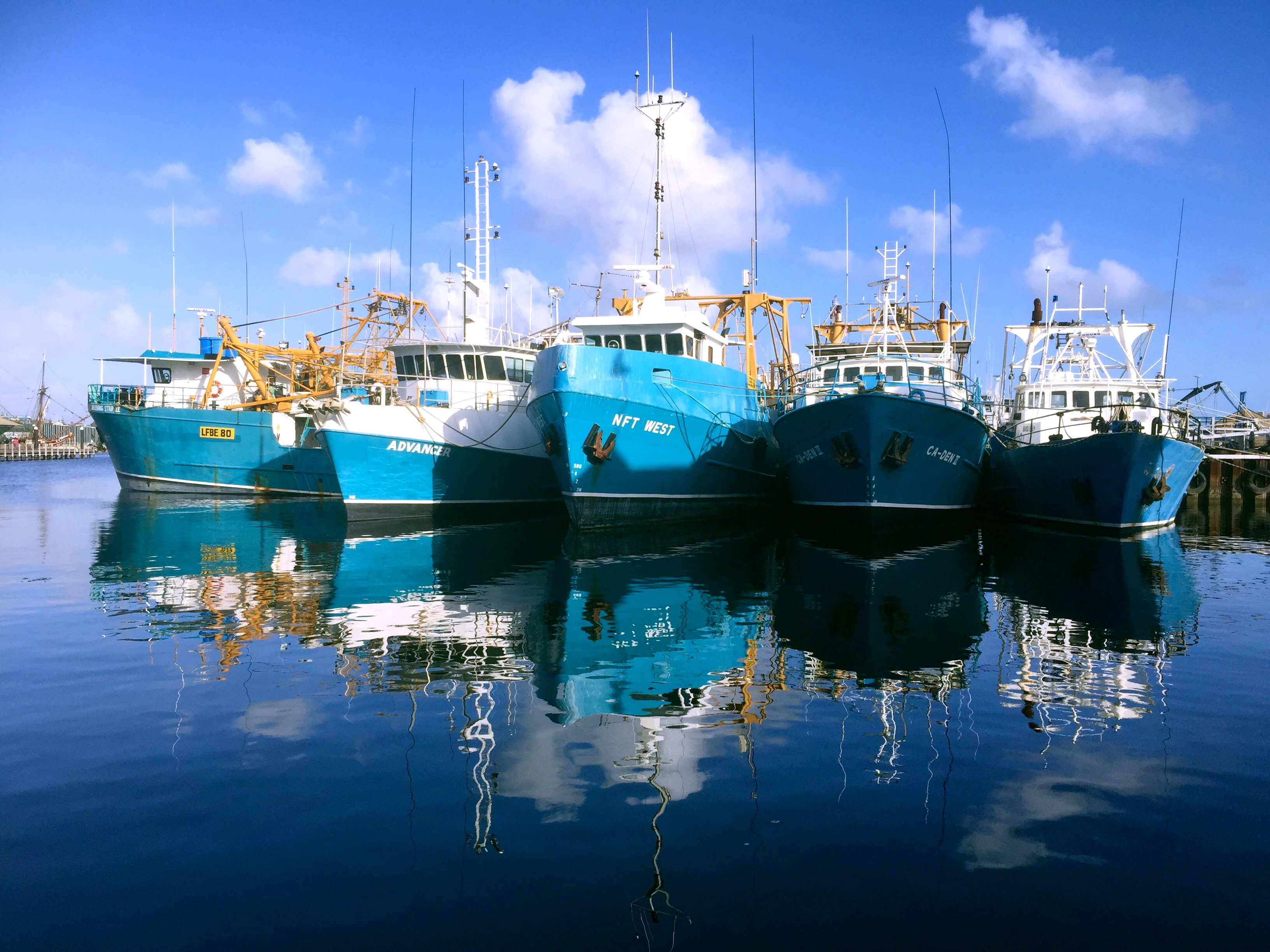
I'm not sure why this pic was rejected.  There are a number of similar shots from the same spot but in my, obviously biased, opinion, this is one of the better ones.  If you search for "fishing boats Fremantle" you'll see the other shots.

I'm really keen to learn so if anyone has any tips (for editing as well) that could improve chances of acceptance that would be great.  As it is this photo hasn't been edited or processed.

This topic has been closed for replies.
Correct answer Jill_C

You didn't indicate the reason for rejection, but I see technical issues as well as IP issues. There are blown out highlights and a slight magenta cast in the sky. The focus on the boats is not very sharp. The shadows are a bit underexposed. Regarding the IP issues, you will need to eleiminate every identifying mark on every boat and mast including hull numbers, boat names and manufacturers trade names.

1 reply

Jill_C
Community Expert
Jill_CCommunity ExpertCorrect answer
Community Expert
December 11, 2021

You didn't indicate the reason for rejection, but I see technical issues as well as IP issues. There are blown out highlights and a slight magenta cast in the sky. The focus on the boats is not very sharp. The shadows are a bit underexposed. Regarding the IP issues, you will need to eleiminate every identifying mark on every boat and mast including hull numbers, boat names and manufacturers trade names.

Jill C., Forum Volunteer
AndrewinSing
Participant
December 11, 2021

Thanks Jill - the rejection was just for "technical issues".  I didn't realise I would have to de-identify the boats as well.

I can see the magenta cast - personally I feel this is more subjective than neccessarily a technical as such.

With the blown out highlights, is there a way to identify these and adjust just the highlights in Photoshop.  I am a retired television camera operator and we used to have something called zebra in the viewfinder which we used when shooting - it applied a cross hatching to over exposed areas so appature could be adjusted on the fly.


Thanks for your help!

Jill_C
Community Expert
Community Expert
December 11, 2021

I use Lightroom Classic for the majority of my edits, and it's easy to adjust the whites, blacks and shadows under the Basic panel. The histogram will indicate whether you have blown out areas, and the Whites slider will indicate where.

Jill C., Forum Volunteer