



Participant
March 19, 2024
Answered

AI-generated imsages rejected due to "quality issues."

  • March 19, 2024
  • 3 replies
  • 625 views

Hi,


I am a new member of adobe stock. I unfortunately saw my AI-generated works rejected due to "quality issues."May I know,what the reason on my work.Please tell me.I want to know my mistake and fix it.some photos are attached.


Thanks

This topic has been closed for replies.
Correct answer Jill_C

111 - the mouth is odd; the ear looks like it's floating and not attached to her head

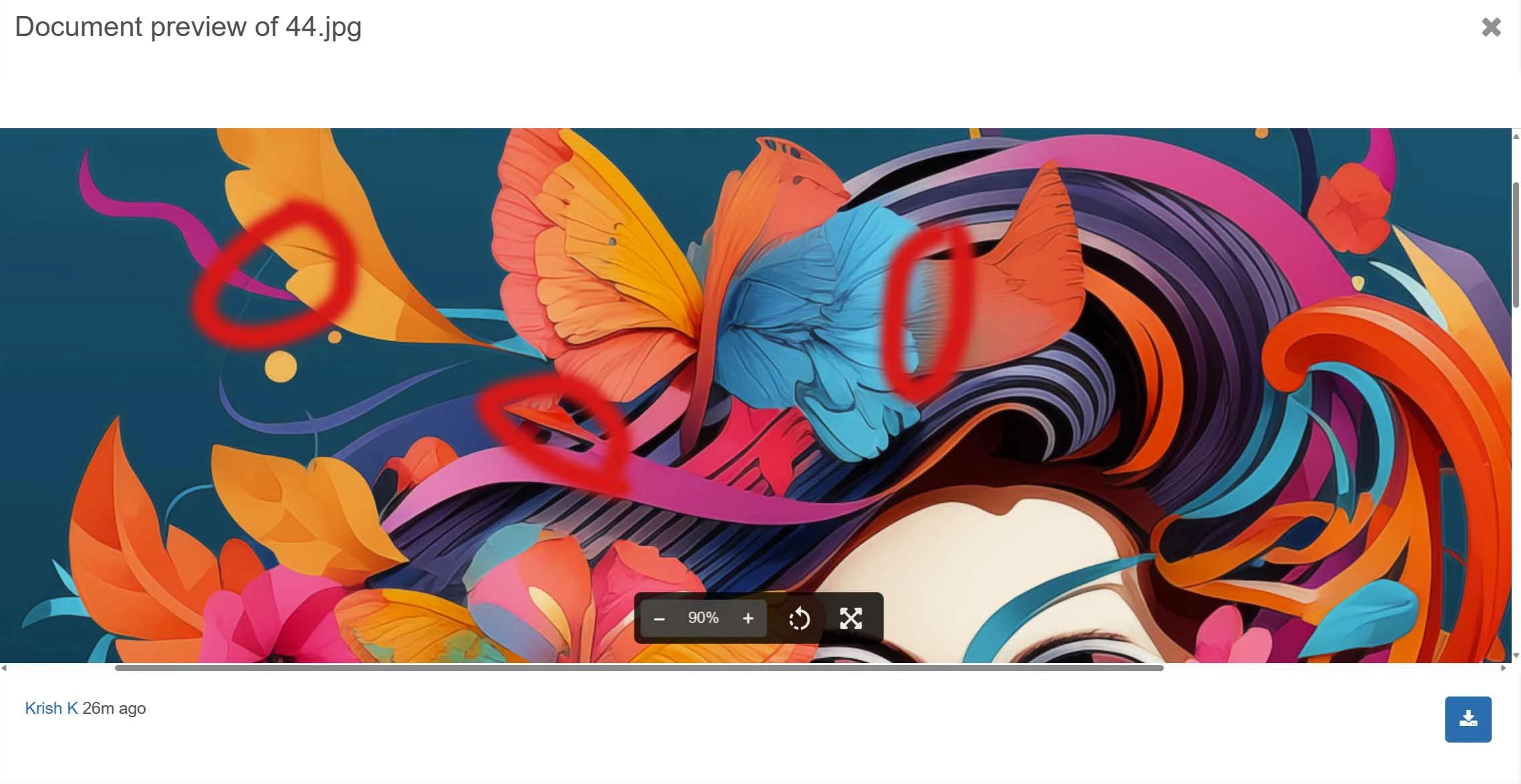
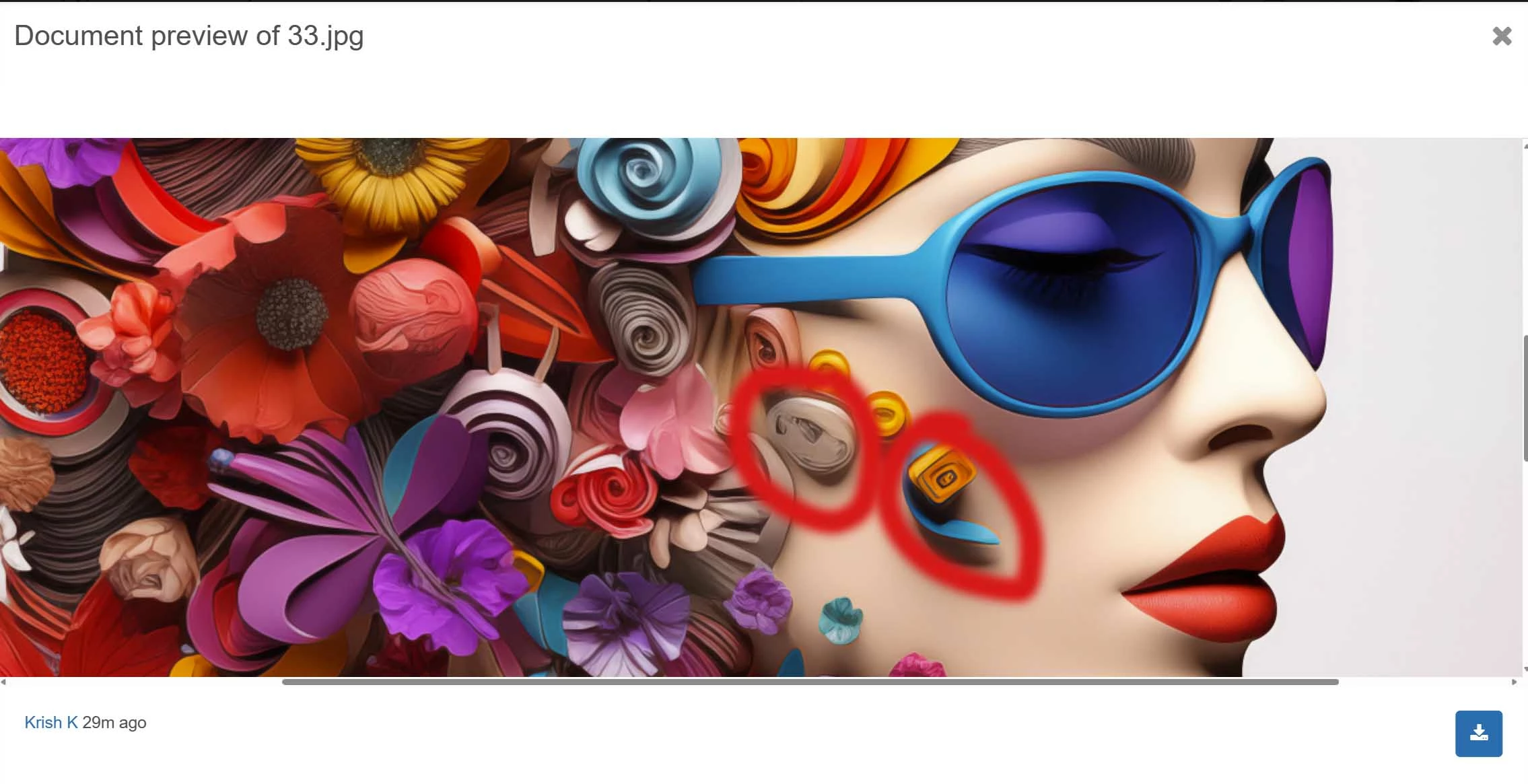
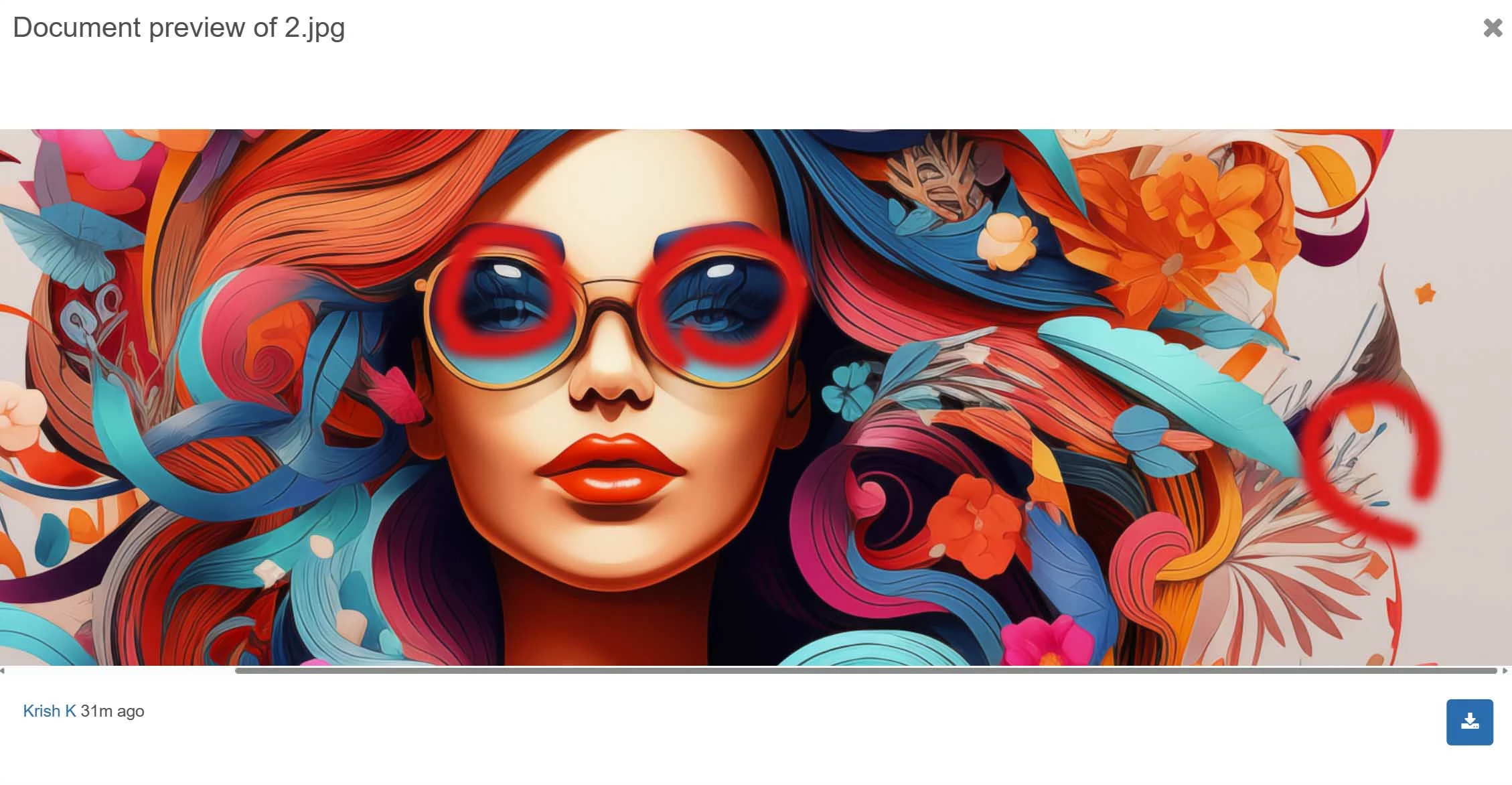
44, 33 & 2  - I don't really know how Moderators evaluate such highly stylized images, but I do believe that the drawing and "artful" details still need to be consistent. See a couple of errors that I spotted below.
 

3 replies

Abambo
Community Expert
Community Expert
March 20, 2024

111: 

Washed out colours, like with the bird, and at least with some of the flowers, lines around some objects, that look like artefacts from sharpening.

Deformed ear, eyes and mouth.

This object on her neck is disturbing and should be removed. 


ABAMBO | Hard- and Software Engineer | Photographer
Jill_C
Community Expert
Jill_CCommunity ExpertCorrect answer
Community Expert
March 19, 2024

111 - the mouth is odd; the ear looks like it's floating and not attached to her head

44, 33 & 2  - I don't really know how Moderators evaluate such highly stylized images, but I do believe that the drawing and "artful" details still need to be consistent. See a couple of errors that I spotted below.


Jill C., Forum Volunteer
Krish KAuthor
Participant
March 19, 2024

Thank u for ur reply. appreciate it.

daniellei4510
Community Expert
Community Expert
March 19, 2024

Even though illustrative in nature, there are still a number of rendering errors thoughout which would need to be addressed. The bird, for example, is standing in mid hair and there are items floating around that are not attached to anything. Poorly formed butterflies and flower pedals. And, as I always recommend, avoiding using the default square aspect ratio when developing in AI. There's 4:5, 8:10, 10:8, 16:9, 9:16...so many others to choose from to give you more options for composition.

Adobe Community Expert | If you can't fix it, hide it; if you can't hide it, delete it.
Krish KAuthor
Participant
March 19, 2024

Thank u for ur feedback. appreciate that.