Participating Frequently
May 16, 2025
Answered

Ai photos rejection based on quality issues

  • May 16, 2025
  • 6 replies
  • 1084 views

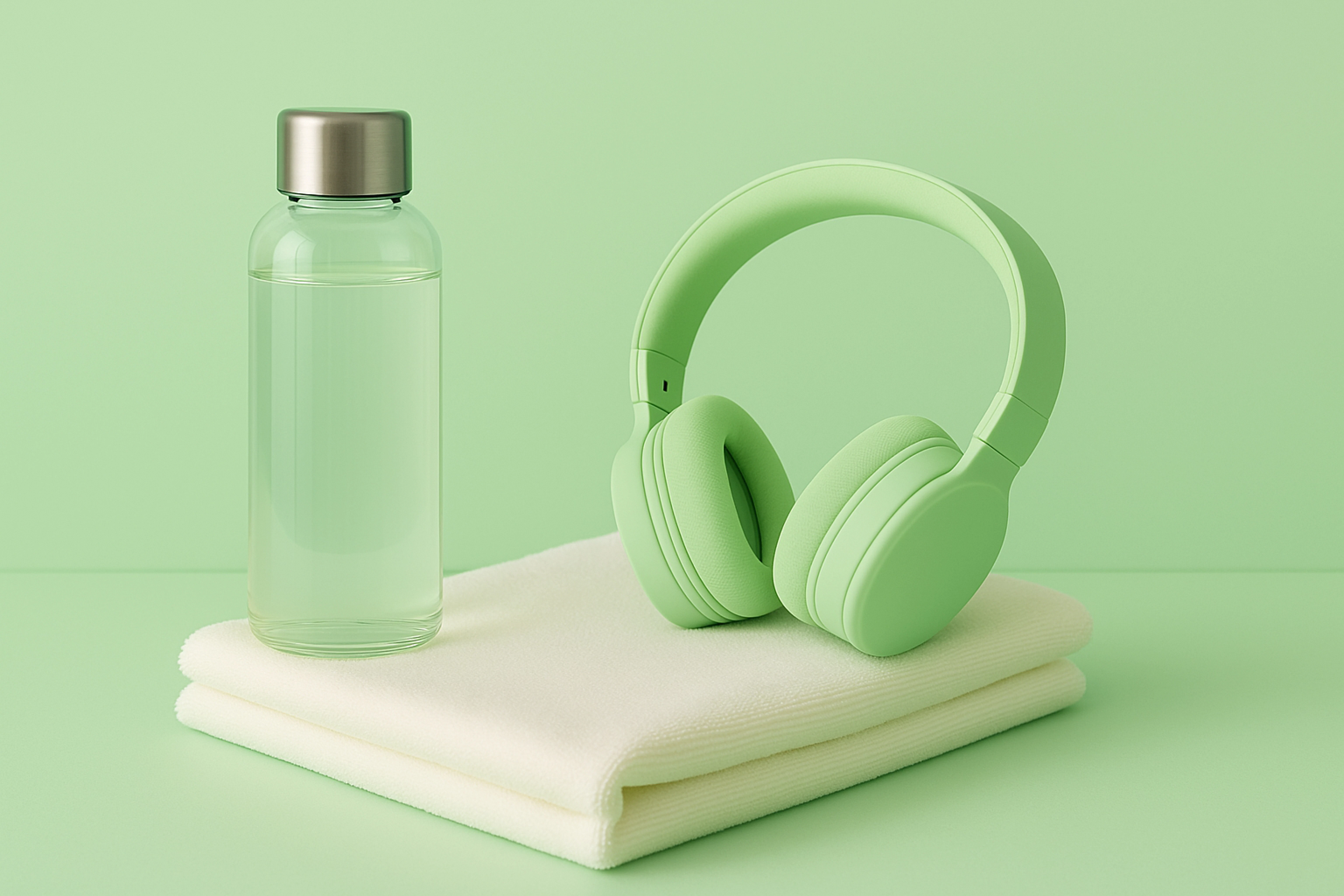
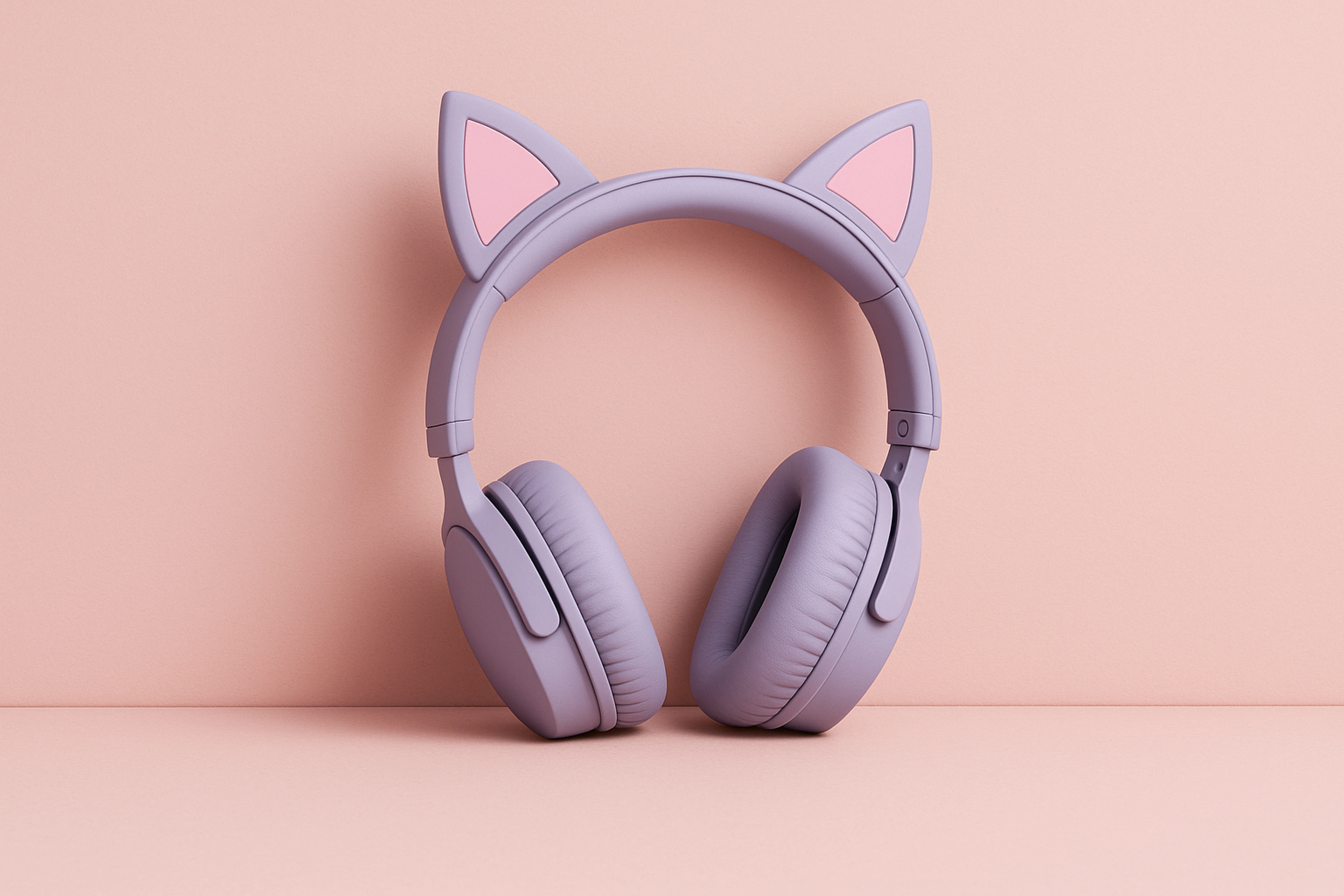
I got one exact similar image (a violet headphone with pink background) accept while the remaining ,attached blow, are rejected based on quality issues, Need experts opinion on what is the main issue and what things should i keep in mind before submitting Ai generated images?



Correct answer Abambo

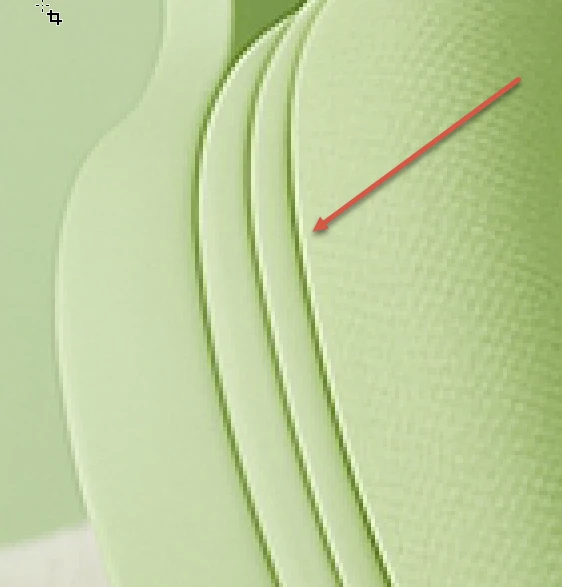
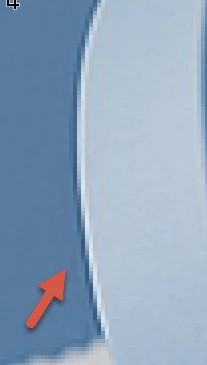
Well, quality issues are quality issues, not limited to this, but including these types of errors:


(aliasing and white outlines as seen at 100%)

(Colour noise and artefacts.)

In addition, your assets do not have an embedded colour profile. sRGB is required.

If you are new to stock, you should consider these resources: https://helpx.adobe.com/stock/contributor/tutorials.html
Please read the contributor user manual for more information on Adobe stock contributions: https://helpx.adobe.com/stock/contributor/user-guide.html
See here for rejection reasons: https://helpx.adobe.com/stock/contributor/help/reasons-for-content-rejection.html
and especially quality and technical issues: https://helpx.adobe.com/stock/contributor/help/quality-and-technical-issues.html

6 replies

daniellei4510
Community Expert
Community Expert
May 17, 2025

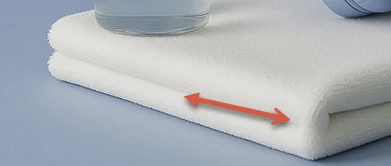
The towel wouldn't have a crease here. But question: Are you enlarging your assets or upscaling them with AI? There's a difference.


Adobe Community Expert | If you can't fix it, hide it; if you can't hide it, delete it.
Participating Frequently
May 17, 2025

Thanks for identifying, and i am using Ai for upscaling the images not enlarging  it, could it be that, since i am using a free tool (bigjpg), its upcaling and loosing quality?

daniellei4510
Community Expert
Community Expert
May 17, 2025

Well, it's not the greatest comparison, but I enlarged and screenshotted your image magnified 200%. You can see some stair-stepping start to appear. I enlarged the second image 300%. It's soft, but at least there is no stair-stepping. I use Gigapixel AL. The original was 2048 on the longest side.

Adobe Community Expert | If you can't fix it, hide it; if you can't hide it, delete it.
yamato713108855
Community Expert
Community Expert
May 16, 2025

Please enlarge to 100% and evaluate the image quality.
The image quality is rough because it is enlarged too much.
Did someone tell you that you can make a profit by enlarging it and registering it in stock?

Participating Frequently
May 17, 2025

The original Ai image was around 1500px which i upscaled 4x, secondly, i dont understand what you mean by "Did someone tell you that you can make a profit by enlarging it and registering it in stock?" aint that actally right?

yamato713108855
Community Expert
Community Expert
May 17, 2025

Since the image quality is degraded by the enlargement, it will likely continue to be rejected unless the processing method is changed.

daniellei4510
Community Expert
Community Expert
May 16, 2025

You should not submit two nearly identical images with different color schemes. Dozens of contributors are having images rejected for being too similar.

Adobe Community Expert | If you can't fix it, hide it; if you can't hide it, delete it.
Participating Frequently
May 16, 2025

got it ! thanks 

Abambo
Community Expert
Community Expert
May 16, 2025
quoteand what things should i keep in mind before submitting Ai generated images?
By @Osama_Ahmad3176

Check your assets at 100% for rendering errors and inconsistencies.

ABAMBO | Hard- and Software Engineer | Photographer
Abambo
Community Expert
AbamboCommunity ExpertCorrect answer
Community Expert
May 16, 2025

Well, quality issues are quality issues, not limited to this, but including these types of errors:


(aliasing and white outlines as seen at 100%)

(Colour noise and artefacts.)

In addition, your assets do not have an embedded colour profile. sRGB is required.

If you are new to stock, you should consider these resources: https://helpx.adobe.com/stock/contributor/tutorials.html
Please read the contributor user manual for more information on Adobe stock contributions: https://helpx.adobe.com/stock/contributor/user-guide.html
See here for rejection reasons: https://helpx.adobe.com/stock/contributor/help/reasons-for-content-rejection.html
and especially quality and technical issues: https://helpx.adobe.com/stock/contributor/help/quality-and-technical-issues.html

ABAMBO | Hard- and Software Engineer | Photographer
Participating Frequently
May 16, 2025

Thank you for the details, i would like to ask regarding the sRGB, i am converting my PNG images into JPG (with sRGB checked) using photoshop save for web method, am i doing it wrong?

daniellei4510
Community Expert
Community Expert
May 16, 2025

sRGB is correct. You aren't doing anything wrong, but I test using the normal Save as...jpeg. Surprisingly, the legacy Save for Web gives me a larger file by about 1 megabyte and I guess therefore a higher quality file. But nothing noticeable to the human eye, I'm sure. Personally, I submit my psd files by way of Lightroom, which converts my files to jpg automatically upon submission.

Adobe Community Expert | If you can't fix it, hide it; if you can't hide it, delete it.
Participant
May 16, 2025

I would like to understand this also, as all of my AI generated images are being rejected for 'quality issues'.

daniellei4510
Community Expert
Community Expert
May 16, 2025

Post one or two rejected images here and we can take a look.

Adobe Community Expert | If you can't fix it, hide it; if you can't hide it, delete it.