Participant
May 31, 2024
Answered

AI rejected images

  • May 31, 2024
  • 5 replies
  • 962 views

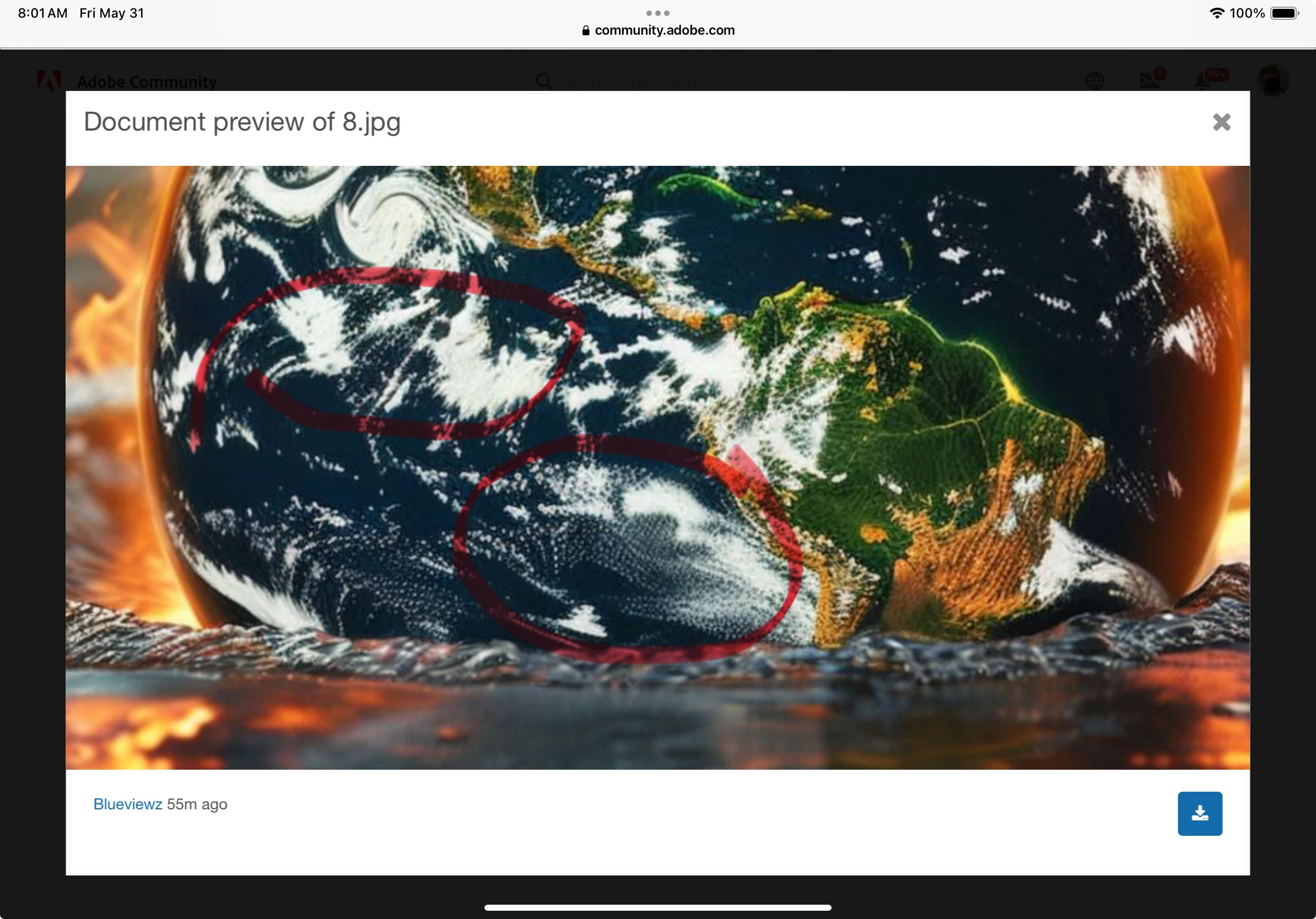
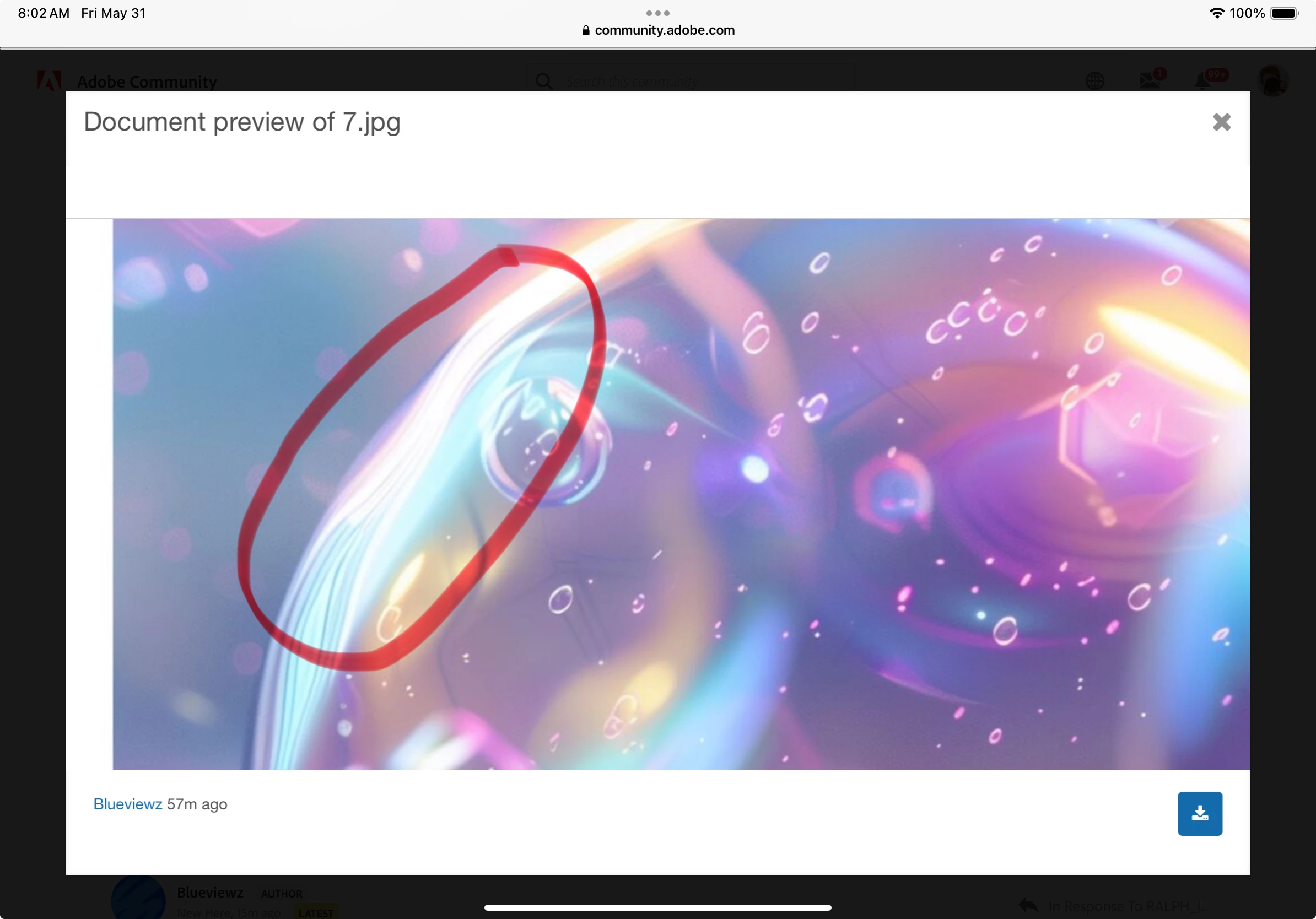
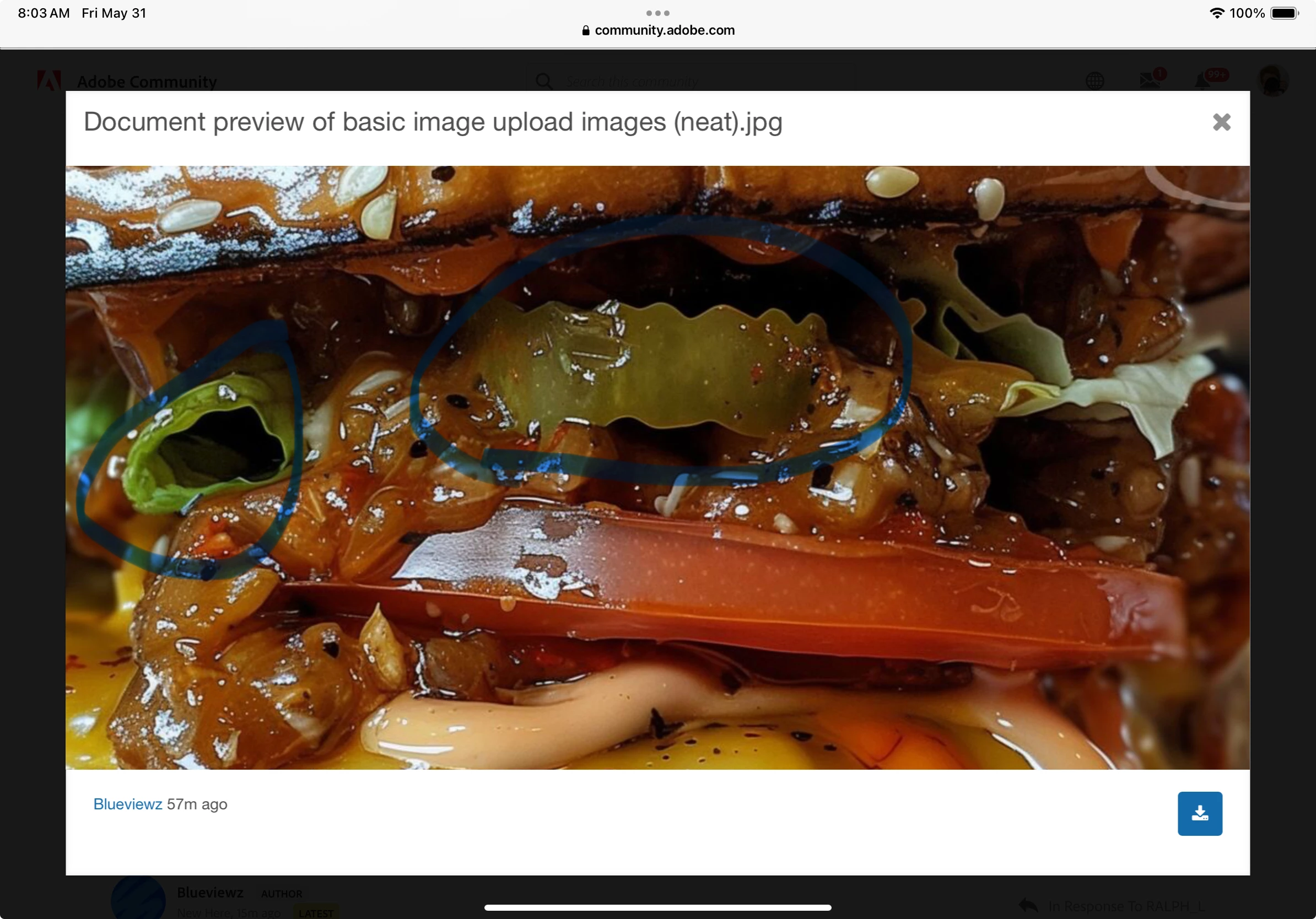
please help, I have uploaded many images and today I have seen that around 23 of the ones that have been reviewed have not been accepted. I am aware of some of the reasons why this happens, but in this case, I am not. please can you shed some light on what the potential reasons are. some of the images that were not accepted are listed below, the watermark was added by me now, and not when they were uploaded (obviously). Personally I would have though that a clear focus was visible in most of the images that I uploaded but I might be wrong.


yes, these images are ai and were marked as such.


The message above attached to the rejection is:


Thanks for giving us the chance to consider your image. Unfortunately, this image doesn't meet our quality standards so we can’t accept it into our collection.


Common issues that can impact the technical quality of images include exposure issues, soft focus, excessive filtering or artifacts/noise. Learn more about our technical requirements here.

 

This topic has been closed for replies.
Correct answer Jill_C

Blur and odd textures. In the hamburger image, there's an unidentifiable food object...

5 replies

Participant
August 12, 2024

I understand your frustration with the rejections. The message indicates that your images may not meet the technical quality standards, which could be due to issues like exposure, soft focus, or excessive filtering. Even AI-generated images are held to these standards.

To improve, I suggest reviewing Adobe's technical requirements and using platforms like Eatmap.ca to get feedback and enhance your work before resubmitting.

Hope this helps!

Abambo
Community Expert
Community Expert
May 31, 2024

Easy: the watermarks are not acceptable. The white border is not acceptable, neither.


Now you argue: I did not submit with the watermarks.


I answer: so show us the assets that you submitted, not modified files.


The droplets are out of focus, there is a white border around the droplets (arrow) and there is heavy noise (circle) in the background. You need to check your assets at 100%.

ABAMBO | Hard- and Software Engineer | Photographer
daniellei4510
Community Expert
Community Expert
May 31, 2024

6.jpg: A lot of specks floating around. Same with 7.jpg. And lose the square aspect ratio. It's lazy AI. Allow buyers room for copy or cropping.

Adobe Community Expert | If you can't fix it, hide it; if you can't hide it, delete it.
BlueviewzAuthor
Participant
May 31, 2024

yeah, i have made most of my new images in other aspect ratios,  I appreciate your feedback

Jill_C
Community Expert
Jill_CCommunity ExpertCorrect answer
Community Expert
May 31, 2024

Blur and odd textures. In the hamburger image, there's an unidentifiable food object...

Jill C., Forum Volunteer
BlueviewzAuthor
Participant
May 31, 2024

I really appreciate that you actually circled some stuff for me, that's actually a nice thing to do, cheers.

RALPH_L
Community Expert
Community Expert
May 31, 2024

What does the watermark suppoed to mean? Watermarks are not allowed.

BlueviewzAuthor
Participant
May 31, 2024
Please ignore that. I added before submitting the image on this forum, for
obvious reasons
daniellei4510
Community Expert
Community Expert
May 31, 2024

As for the watermarks, I wouldn't bother. They could be removed with Gen Fill in a couple of clicks. 🙂

Adobe Community Expert | If you can't fix it, hide it; if you can't hide it, delete it.