
Inspiring
June 12, 2018
Question

Artifact Problem?

  • June 12, 2018
  • 3 replies
  • 955 views

Hi guys I am new and have had some photos accepted but others that I was sure should get in were rejected for artifact problems. Below are 3 low res version of the images and I would love some suggestions as to what the issue with the images might be and if they could be fixable. If it helps I am happy to post the camera details in an update to the post. Sure all 3 may not be the most interesting of images but I still can see potential uses for all of them.
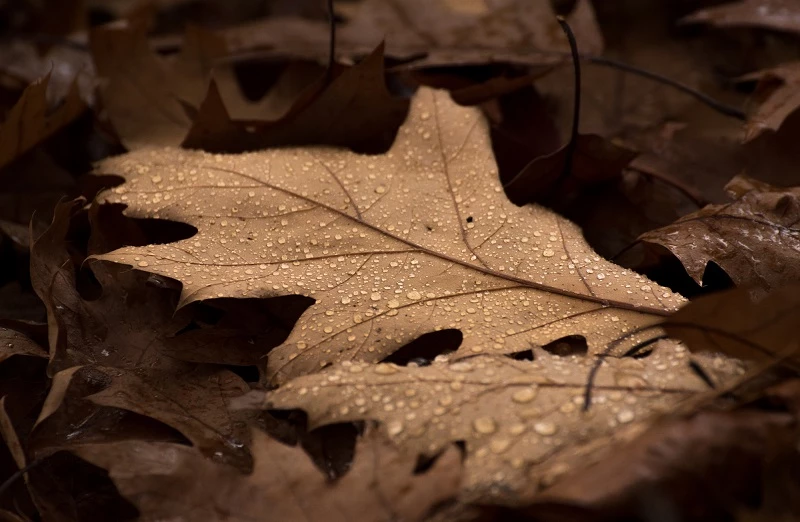
All I can think of that could be the issue is that it has a relatively short depth of field so the main leaf is not all sharp and maybe they think I have applied a vinette.
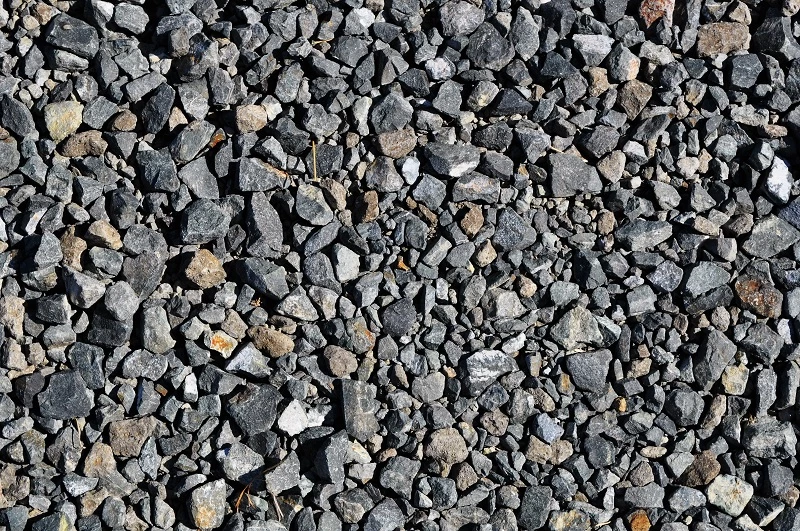
I got no idea at all of the issues.
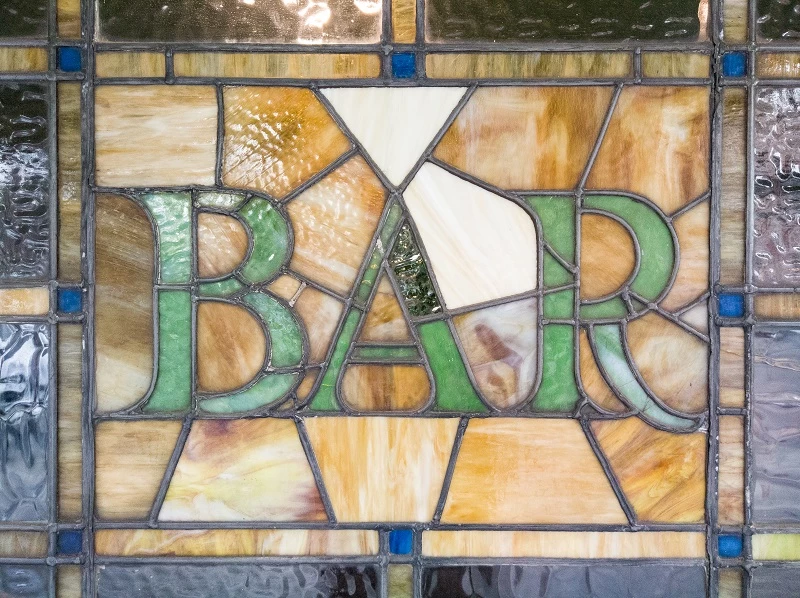
This one is slightly noisy in some areas but not in my opinion to a level that should put anyone off. It was taken with my phone but in raw and lightly processed to increase the saturation a little and straighten it as it was very slightly off. The only other thing I just noticed is the 2 white panels but I could not do anything about them beyond generating my own textures to fill but I would assume if that was an issue the customer could just as easily do the same.

This topic has been closed for replies.

3 replies

BrainBeatAuthor
Inspiring
June 19, 2018

Update: I thought I would update everyone on 2 of the photos. I resubmitted the leaves and gravel photos with a more natural edit applied to them and both have just been accepted. I would guess that must have been their issue with the photos then. I have not tried again with the bar photo yet as I have only just gotten my main editing computer back up and running so will have to try applying more noise reduction on the image as I think that could be the issue.

BrainBeatAuthor
Inspiring
June 13, 2018

Yeah I guess I had not thought of that. I have cropped a portion of each then and they are below. I think they should be a good representation of the image at 100%. I very much doubt that there should be any spots or other defects in the parts of the image I have not shared.

Ricky336
Community Expert
Community Expert
June 14, 2018

Again, it is a bit difficult to say, as you have only selected a portion of the image. However, in your first image of the leaf, it looks as if you have given it a sepia tone. It is better to keep to colour and not use any type of special effect filter, as the buyer can do this themselves.

BrainBeatAuthor
Inspiring
June 14, 2018

Thanks again for responding. As I am not sure how secure this forum is I felt it was better to not upload the full image in case it might be stolen. Sure they may not be the greatest images but still.

As for the leaves I can't check at the moment as my computer that I edited it on is broken but I am fairly sure that the image is natural colours and not toned. I very rarely do that but it could be possible as I took and edited it over 2 years ago. I have heard that before here but many of the photos I have looked at to see what is similar most seem heavily filtered.

It would be good to get some feedback on the other 2 images.

Ricky336
Community Expert
Community Expert
June 13, 2018

I'm afraid that as you have provided low res versions, and the rejection reason is for artifacts, it is not possible to tell, as when looking at this greater than 100% artifacts are introduced anyway! And, the image is too small at 100%

So, you really need to provide full res to get any meaningful advice.