Participant
December 28, 2018
Answered

artifact problem

  • December 28, 2018
  • 4 replies
  • 615 views

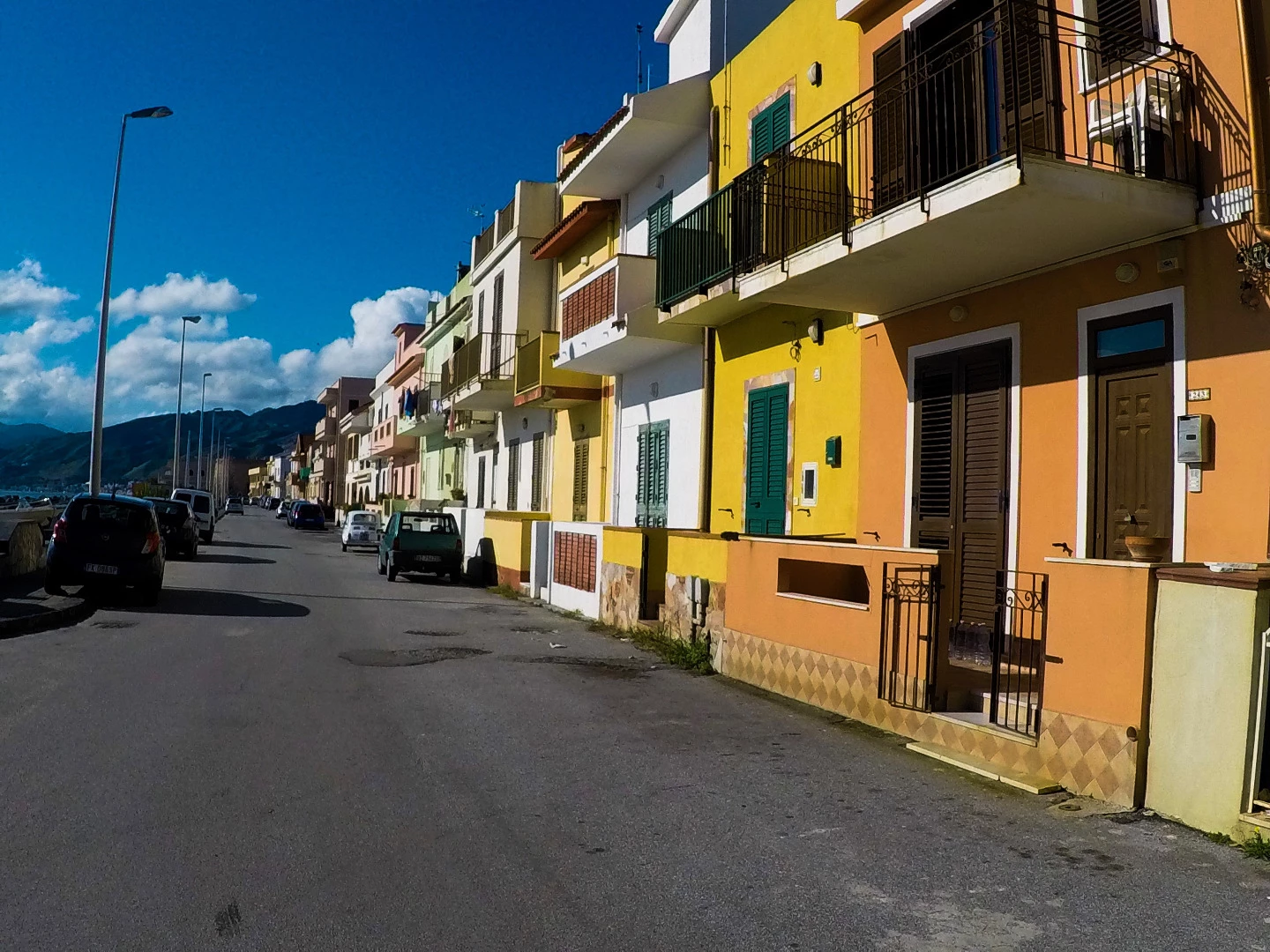
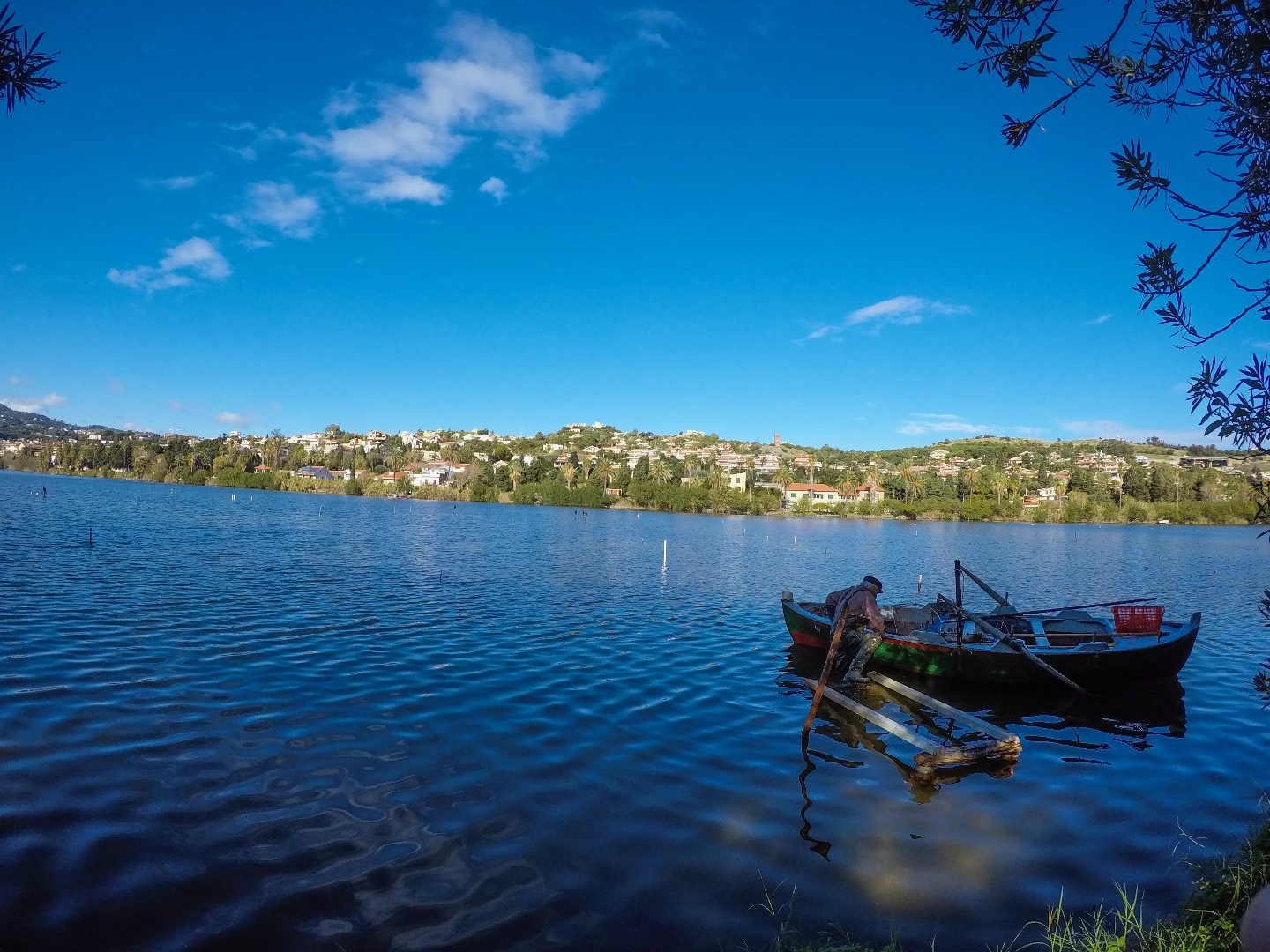
Hello, someone can explain me why these two photos were rejected due to problems with artifacts?
This topic has been closed for replies.
Correct answer Ricky336

These pictures look like from a smartphone to me as well, because of the JPEG compression - JPEG reduces the file size through lossy compression, (artifacts) therefore it is more noticeable when enlarged.

Notice the blotchy areas in the sky. It is very noticeable here. With smartphone cameras due to the fact the sensor size is smaller and using JPEG compression, these problems will appear (and a bit harder to get accepted on Adobe).

4 replies

Ricky336
Community Expert
Ricky336Community ExpertCorrect answer
Community Expert
January 6, 2019

These pictures look like from a smartphone to me as well, because of the JPEG compression - JPEG reduces the file size through lossy compression, (artifacts) therefore it is more noticeable when enlarged.

Notice the blotchy areas in the sky. It is very noticeable here. With smartphone cameras due to the fact the sensor size is smaller and using JPEG compression, these problems will appear (and a bit harder to get accepted on Adobe).

jacquelingphoto2017
Community Expert
Community Expert
January 1, 2019

Hi Alberto,

Abambo has already answered your question with images, however I will add; Artifacts are artificial colors or grains introduce in your images while taking the pictures. These are identified as blotches of dark spots, especially in very dark areas, fine spots in either clear areas or dark areas, (the sky is a good place to look first) or small colorful spots of blue purple, pink etc. in areas that should be one solid color such as the black asphalted road. Artifacts are sometimes seen in highlighted areas as foreign coloring along the edges. Artifacts are visible when images are magnified at 100 to 200%. Since it is difficult to totally avoid artifacts, grains and noise, etc., post processing might be necessary. It is recommended that you do small amount of adjustments with a photo editor. While reducing noise, artifacts and other errors of the kind, it is necessary to do this at 100 to 200% magnification. These two images are lovely and can be corrected and resubmitted. You will find the following links helpful especially if you read all the sub-links.

tagproducts_SG_STOCK-CONTRIBUTOR_i18nKeyHelppagetitle

Create better photos for Adobe Stock with 7 tips for success |

Regard

JG

Abambo
Community Expert
Community Expert
December 28, 2018

Picture one:

picture 2:

The artefacts are very visible, even on the downsized (?) pictures. At least picture one has also colour noise on the road. I would guess they are phone pictures.

Picture one would also be refused as the cars number plates are clearly visible.

ABAMBO | Hard- and Software Engineer | Photographer
Participant
December 28, 2018

Hi,

my idea is that the color saturation has been set and if yes - a bit to strong. Maybe it courses a "Rauschen" or noise and beside of it in the pic above the blue drifts a bit into.... some less natural. Maybe you used a filter? If not, you saturated an this changes the pixelquality. The blue sky in the upper region is quite dark. Artifact means - to much work with photoshop and the pic looses its natural appearance. This happened to me too. Not because of color,  but other post processive work.
