
SuOakes
Participant
July 23, 2017
Answered

Artifacts or Raindrops?

  • July 23, 2017
  • 1 reply
  • 431 views

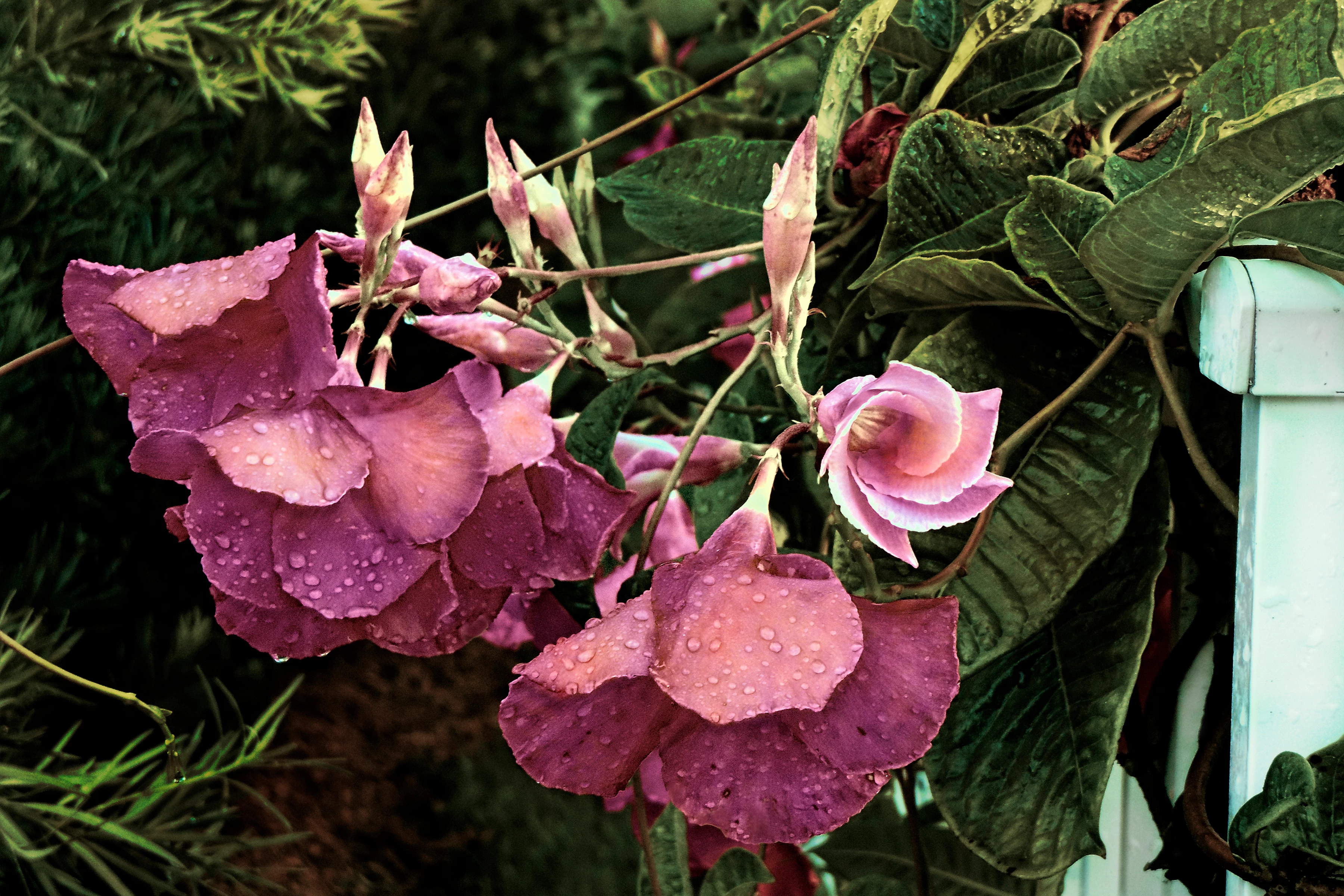
I have recently uploaded this photo to Adobe Stock and it was rejected due to "graininess and artifiacts". My question is, was this judgment made by a real human or through software analysis? This photo was taken right after a rain storm, and I wanted to capture the rain droplets on the petals. Is this the problem? Or, do you see real graininess and artifacts? Thanks for any help!
This topic has been closed for replies.
Correct answer Szalam

I can understand you wanting to capture that image. It's really beautiful. I don't think the raindrops are the problem. The photo looks oddly over sharpened and it is a bit grainy.

View your image at 100% zoom and you'll see quite a bit of grain and some artifacts from over sharpening.

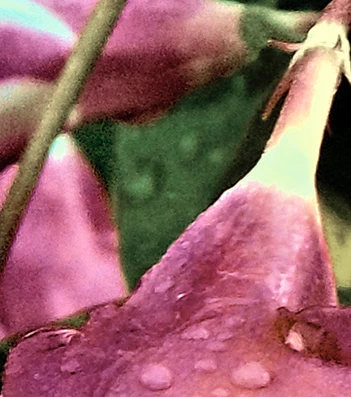
See how noisy it is? And there are halos on the edge of the petals (especially obvious in the lower right of the cropped image I made).

1 reply

Szalam
Community Expert
SzalamCommunity ExpertCorrect answer
Community Expert
July 23, 2017

I can understand you wanting to capture that image. It's really beautiful. I don't think the raindrops are the problem. The photo looks oddly over sharpened and it is a bit grainy.

View your image at 100% zoom and you'll see quite a bit of grain and some artifacts from over sharpening.

See how noisy it is? And there are halos on the edge of the petals (especially obvious in the lower right of the cropped image I made).

SuOakes
SuOakesAuthor
Participant
July 24, 2017

Thanks so much for your input. I'm new at this and am learning what is acceptable.

Szalam
Community Expert
Community Expert
July 24, 2017

From what I've seen, minimal editing is preferred. Since most Adobe Stock users are using the images inside Photoshop, there's really no need for anything drastic as far as post work goes on the images.