Participant
June 21, 2018
Answered

ARTIFACTS PROBLEM

  • June 21, 2018
  • 1 reply
  • 365 views

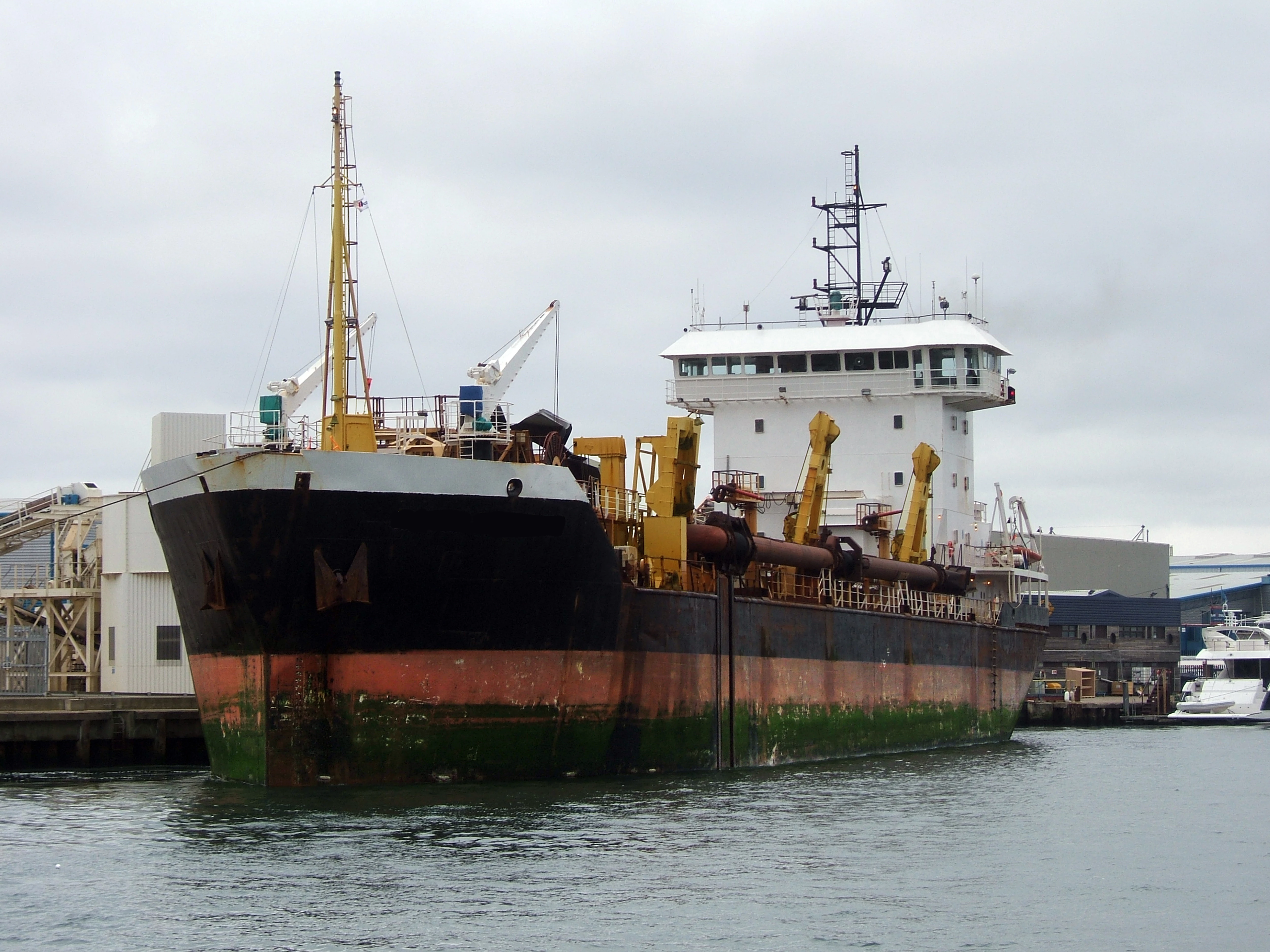
I've had the following photo rejected for 'Artifacts problem' (see following Adobe quote).

They seem to give a variety of reasons for turning the photo down. Would you say at 100% there is too much noise?

Adobe- Unfortunately, during our review we found that it features excessive post-processing and/or noise, so we can't accept it into our collection.

Excessive artifacts/noise can be caused by low light, bad camera settings, strong compression or excessive post-production.

Thank you for any thoughts.

Steve
This topic has been closed for replies.
Correct answer Ricky336

Hi Steve,

Maybe because of this:

Notice in the sky area, it is a bit 'blocky'. So there isn't an even transition between the brightness levels. Look carefully at your image, especially in the sky area!

This would probably be due to the compression of the JPEG file. When shooting for stock photos (and generally) it is a good idea to shoot in raw. It gives you a lot more control in post processing - though consequently, it takes more time!

1 reply

Ricky336
Community Expert
Ricky336Community ExpertCorrect answer
Community Expert
June 22, 2018

Hi Steve,

Maybe because of this:

Notice in the sky area, it is a bit 'blocky'. So there isn't an even transition between the brightness levels. Look carefully at your image, especially in the sky area!

This would probably be due to the compression of the JPEG file. When shooting for stock photos (and generally) it is a good idea to shoot in raw. It gives you a lot more control in post processing - though consequently, it takes more time!

Participant
June 22, 2018

Thanks Ricky336. Raw it is from now on!