

RALPH_L
Community Expert
Community Expert
August 14, 2021
Answered

Auto Quality Check

  • August 14, 2021
  • 1 reply
  • 1457 views

On some of my high ISO images I get this error when I try to upload images.

I can understand this when no noise reduction is made but, why on photos 2-4? 
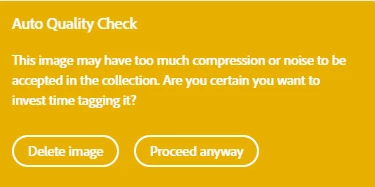
Photo 1 No alterations.

Definite noise can be seen.

Photo 2. Noise reduction.

Artifacts can be seen. 

Photo 3 is photo 2 enhanced with LR Enhance utility.

Artifacts are still visible. 

Photo 4 has the background replaced.


Any ideas?


This topic has been closed for replies.
Correct answer MatHayward

May be @MatHayward can tell us more on this?


That warning is simply that, a warning. It doesn't prevent you from submitting your file. If you are confident, the quality is good, then feel free to bypass the warning and submit it anyway. The warning has zero influence in the actual moderation/review process. Just be sure the content you are submitting is of good quality and meets our standards before submitting. 


Thanks,


Mat Hayward 

1 reply

RALPH_L
Community Expert
RALPH_LCommunity ExpertAuthor
Community Expert
August 15, 2021

I have the answer! The Auto Quality Check is a fake. The robot does not check your photo for quality. It assumes that if your EXIF data shows an ISO over 3500 the quality is bad and you are flagged. If you mannually reduce your ISO data to undert 3500 your photo will not be flagged. I've tested this and this is fact.   The above photos can be submitted without errors when I change the EXIF ISO data to 100!

If you submit with Adobe LR you do not see that the photos were flagged. Maybe they are not flagged at all. I do not know. But if you submit manually, they will be flagged. Regardless of any noise reduction you make.

My assumption, based on my expierence and testing, is that the photos are always flagged and that some reviewers "might" assume that the quality is bad since the photo was flagged. Again, regardless of any post processing attempts to correct the noise issues.


Here is my advice:

If you have a photo that was taken with an ISO above 3500, you must change the EXIF ISO data before exporting to Adobe. 

Abambo
Community Expert
Community Expert
August 15, 2021

My advice is simply to ignore the warning, if you correctly reduced the noise. I rarely submit images with ISO 3500. I use high ISO, when doing event photography. From time to time there are pictures that I submit to stock and they need serious noise reduction. That's all...

ABAMBO | Hard- and Software Engineer | Photographer
RALPH_L
Community Expert
RALPH_LCommunity ExpertAuthor
Community Expert
August 15, 2021

I submitted 30 photos with high ISO.  All were repaired with noise reduction or replaced backgrounds. 24 were returned with technical errors. Today I resubmitted them with altered EXIF data. 3 have already been approved. If you ignore the warning, you might get a reviewer that just rejects the photo based on the Auto Quality Checker.

I need the high ISO because I often shoot with 600mm, f/8 and 1/1000th sec shutter speed.