Known Participant
January 14, 2025
Answered

Before submit to review

  • January 14, 2025
  • 8 replies
  • 1632 views

Hello Experts,

 Could you please go through these image before I submit to review ? Most of my images rejected quality issues. I thought to check any issues before submit.


Correct answer Abambo

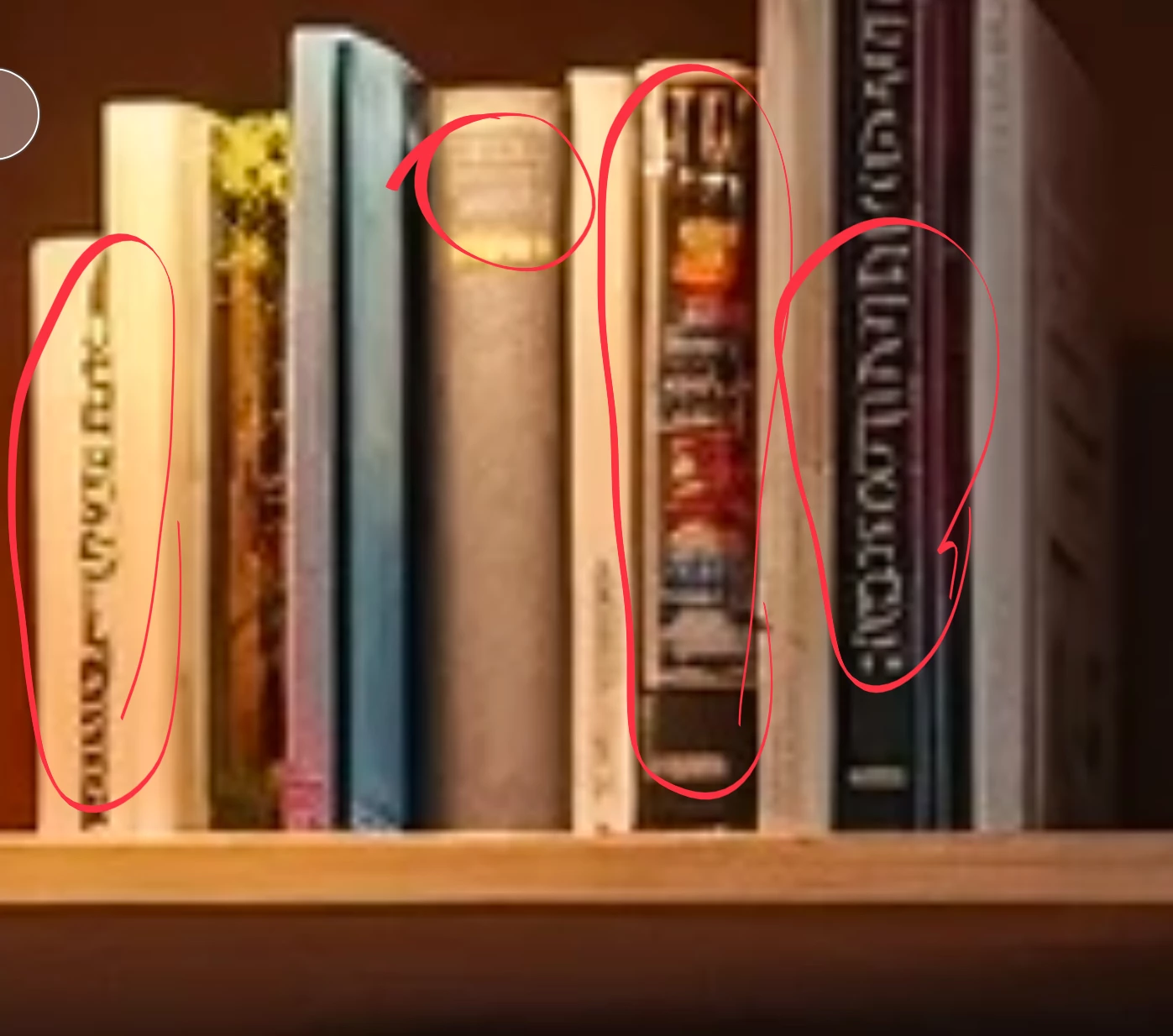
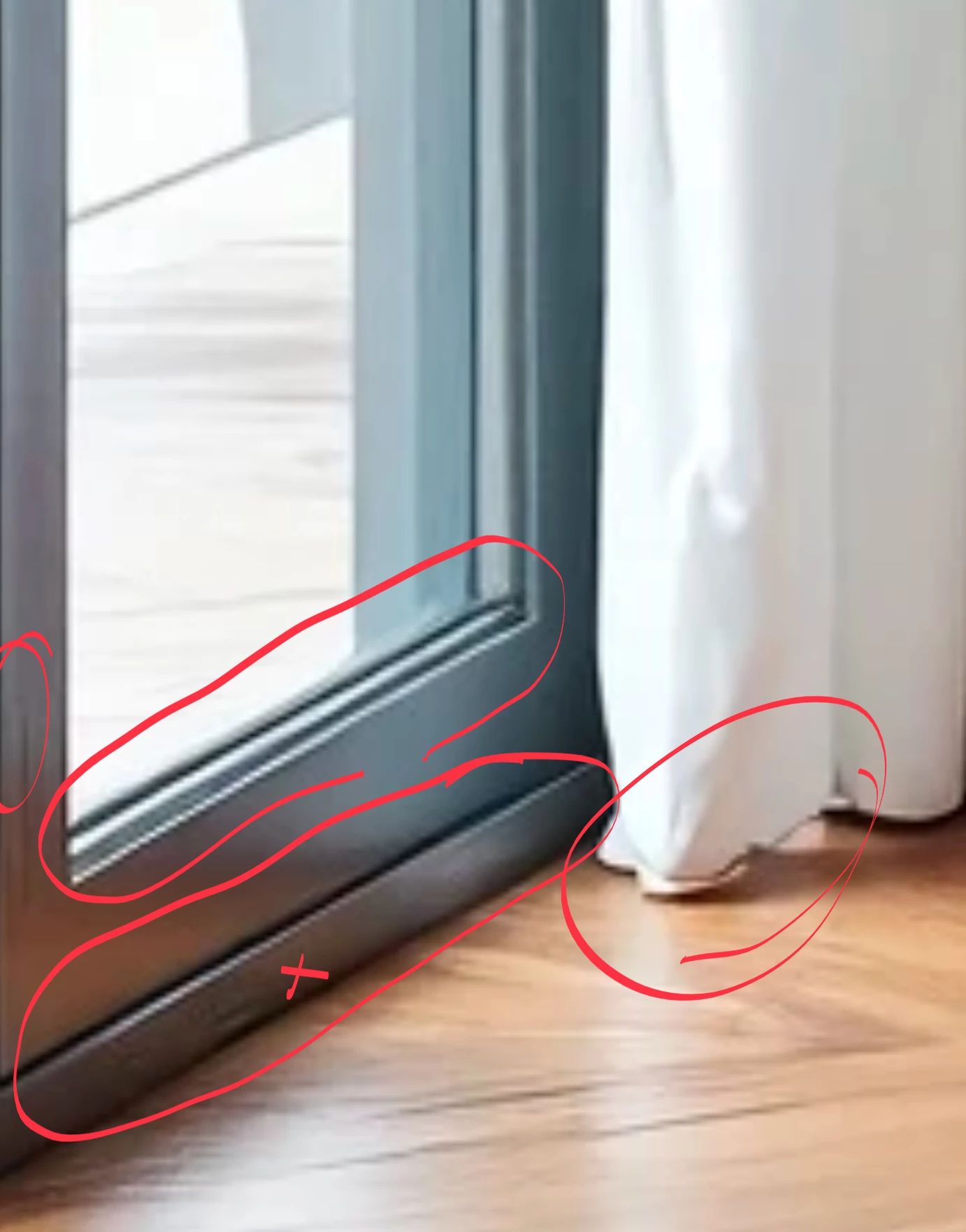
They are much too small for submission. But even so, you see some rendering issues: 

The Window door exposes aliasing the books scripture is nonsense. Ther are still other errors in the assets. 

8 replies

Nancy OShea
Community Expert
Community Expert
February 13, 2025

Every beginner thinks that AI generates perfect images.  It doesn't.  AI makes many, many mistakes with details, geometry, rendering and objects that just don't make sense in the real world.  


As a Stock Contributor, your job is to find all the mistakes and fix them manually or discard the image and start over.


Stock customers expect commercial quality images for use in professional projects. Good enough is not going to sell.  If it does sell and customers complain about poor quality, that will come back to bite you.


Nancy O'Shea— Product User & Community Expert
Abambo
Community Expert
AbamboCommunity ExpertCorrect answer
Community Expert
January 15, 2025

They are much too small for submission. But even so, you see some rendering issues: 

The Window door exposes aliasing the books scripture is nonsense. Ther are still other errors in the assets. 

ABAMBO | Hard- and Software Engineer | Photographer
KaweeraAuthor
Known Participant
February 14, 2025

Well noted. Thanks

RALPH_L
Community Expert
Community Expert
January 14, 2025

I believe there are rendering errors that will cause a rejection.


KaweeraAuthor
Known Participant
January 16, 2025

Well noted. Thanks.

jacquelingphoto2017
Community Expert
Community Expert
January 14, 2025

Hi @Kaweera ,

I believe they are too cool. If you zoom in and look closely you'll see that they are slightly blue.  I also find that the edges do not remain smooth when I zoom in on the images.

You'll find issues easier if you zoom in on your files at 200% and inspect them thoroughly.

Best wishes

Jacquelin

KaweeraAuthor
Known Participant
January 15, 2025

Thanks. Well noted.

jacquelingphoto2017
Community Expert
Community Expert
February 9, 2025

You are welcome @Kaweera 

Best wishes

Jacquelin

Jill_C
Community Expert
Community Expert
January 14, 2025

The coffee table is missing a leg in the second image.

Jill C., Forum Volunteer
Worker404
Inspiring
January 14, 2025

I think the image just needs a good upscaling.

"Fixing errors is also a must".

daniellei4510
Community Expert
Community Expert
January 14, 2025

I don't know if a moderator would reject this image on the basis of the things I pointed out, but they are issues I personally would fix before submitting. Also, these are pngs. Be sure to submit them as jpgs as required.

Adobe Community Expert | If you can't fix it, hide it; if you can't hide it, delete it.
Legend
January 14, 2025

Sometimes it seems like I'm not seeing all posts ... did you point the thins out in this thread ...?

daniellei4510
Community Expert
Community Expert
January 14, 2025

My bad. I apparently forgot to include the asset.

Adobe Community Expert | If you can't fix it, hide it; if you can't hide it, delete it.
Worker404
Inspiring
January 14, 2025

How large are your images in pixels?

Legend
January 14, 2025

They look ok as far as I can see, but others might find fault. but anyway ... I can't enlarge the pictures enough. There's a bit about the curtains above – do the books have titles? Are the handles on the cabinets uniform?