


authentic_intuition16B8
Inspiring
June 20, 2022
Answered

colour difference showing between Ai image and exported save for web jpeg
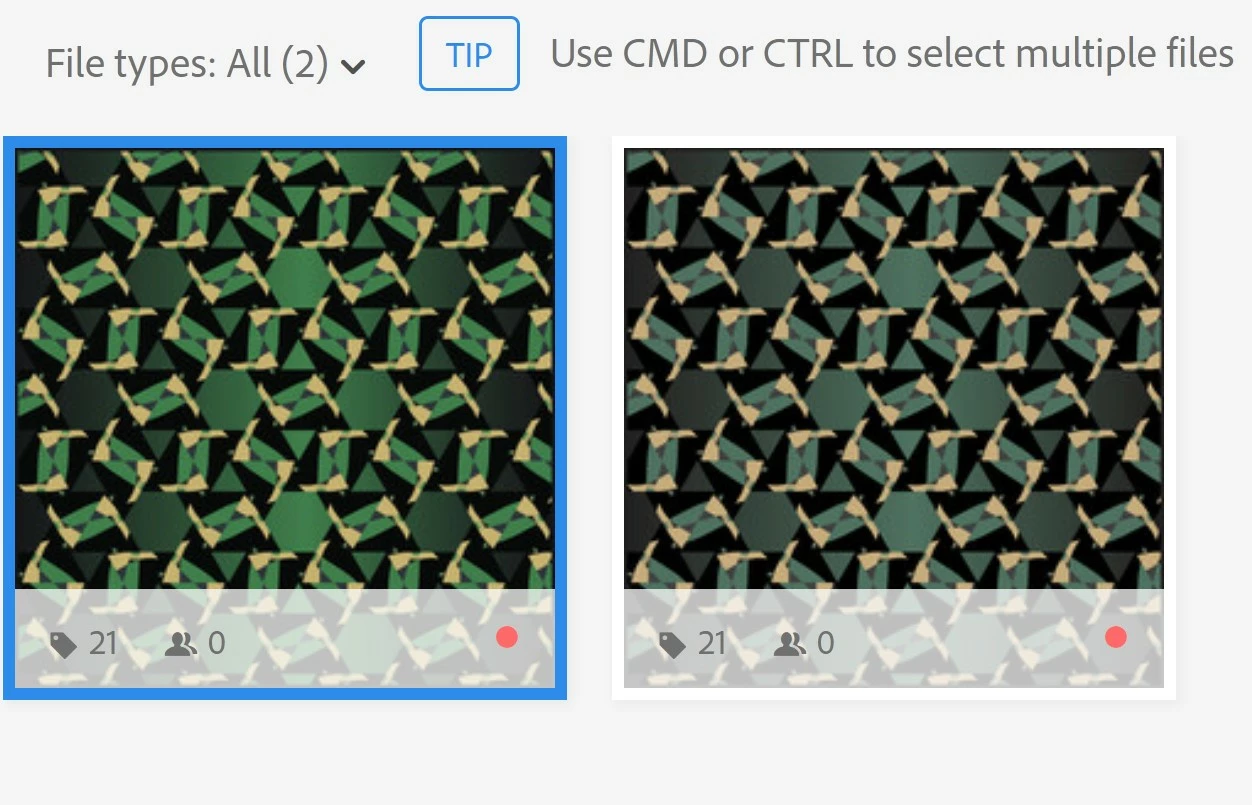
I've used the same process for all my other files and haven't had this problem.  I've checked my colour profile settings always using the standard RGB.  

This topic is closed to new replies. Start a new post to keep the conversation going.
Abambo
AbamboCorrect answer
Community Expert
September 3, 2023
quote

You should generate the preview on your own and submit a zip file, with both, the ai and the jpeg preview. Letting Adobe generate the preview, astonishly creates a colour change.


By @Abambo

Just as an update: Adobe now generates the previews on their own in all cases, and the JPEG preview in the ZIP file gets ignored. This solves 2 problems:

  • Some contributors were uploading the incorrect preview by error or on purpose, which caused people to be misled into making a purchase.
  • Adobe can generate a PNG (with a transparent background) and a JPEG from a single Adobe Illustrator file, making the asset more versatile.

The colour shift problem has been addressed. So your asset should show correct colours in all cases.

ABAMBO | Hard- and Software Engineer | Photographer

10 replies

Legend
June 21, 2022

Right. The colors on the previews from EPS-files are terrible at Adobe Stock.

Translate
Abambo
Community Expert
Community Expert
June 21, 2022
quote

Right. The colors on the previews from EPS-files are terrible at Adobe Stock.


By @oleschwander

Same solution: Create the JPEG preview, put both in a zip and upload.

Translate
ABAMBO | Hard- and Software Engineer | Photographer
Abambo
Community Expert
Community Expert
June 20, 2022

You should generate the preview on your own and submit a zip file, with both, the ai and the jpeg preview. Letting Adobe generate the preview, astonishly creates a colour change.

Translate
ABAMBO | Hard- and Software Engineer | Photographer
authentic_intuition16B8
Inspiring
June 20, 2022

Will do  - many thanks for the tip

Translate
authentic_intuition16B8
Inspiring
June 20, 2022

Dell is updating my graphics driver so I'm hoping this may fix the problem. 

Translate
Nancy OShea
Community Expert
Community Expert
June 20, 2022

It's important to color calibrate your display.


Translate
Nancy O'Shea— Product User & Community Expert
