Participant
April 8, 2018
Answered

Could use some constructive criticism

  • April 8, 2018
  • 2 replies
  • 438 views

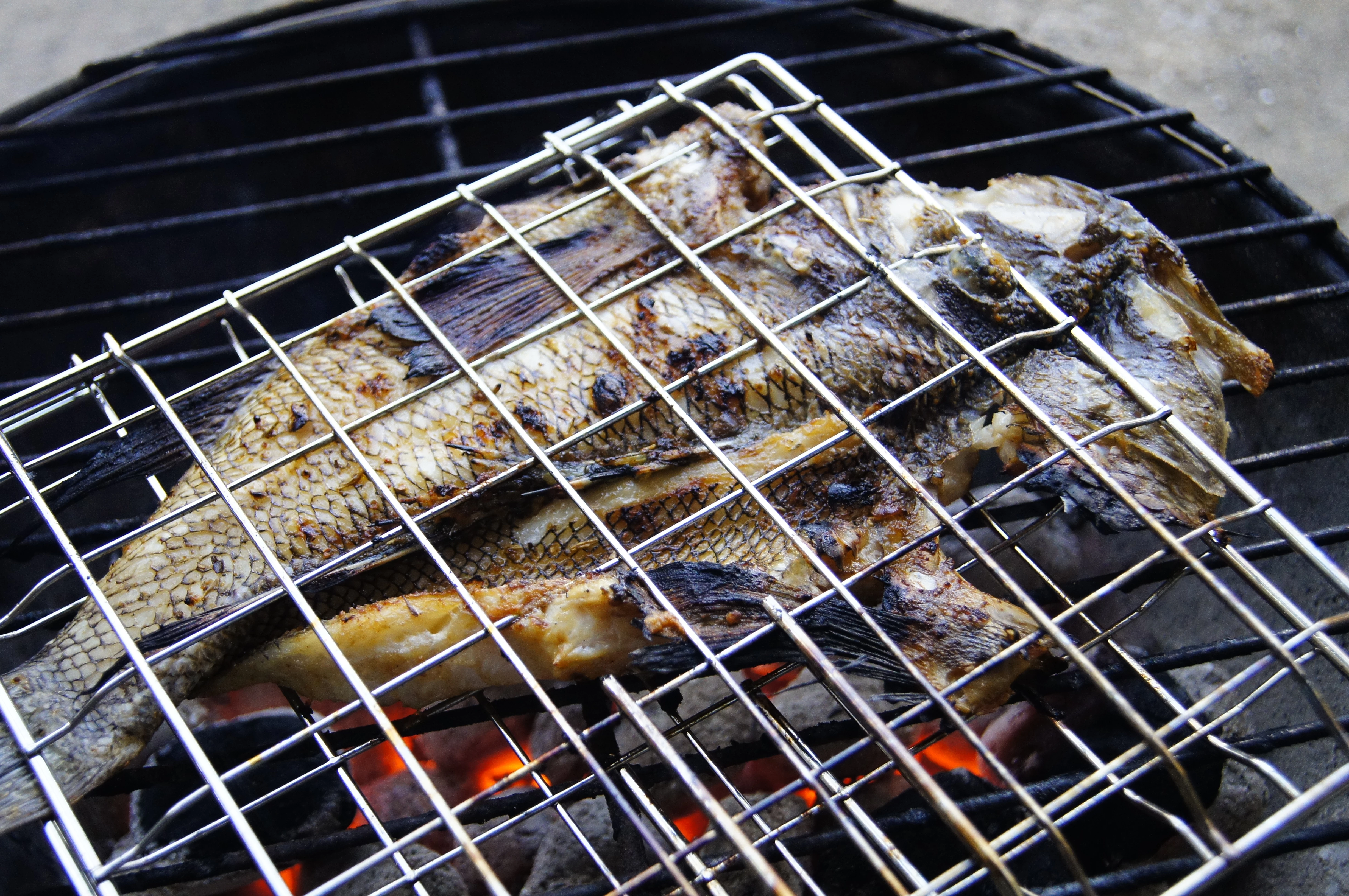
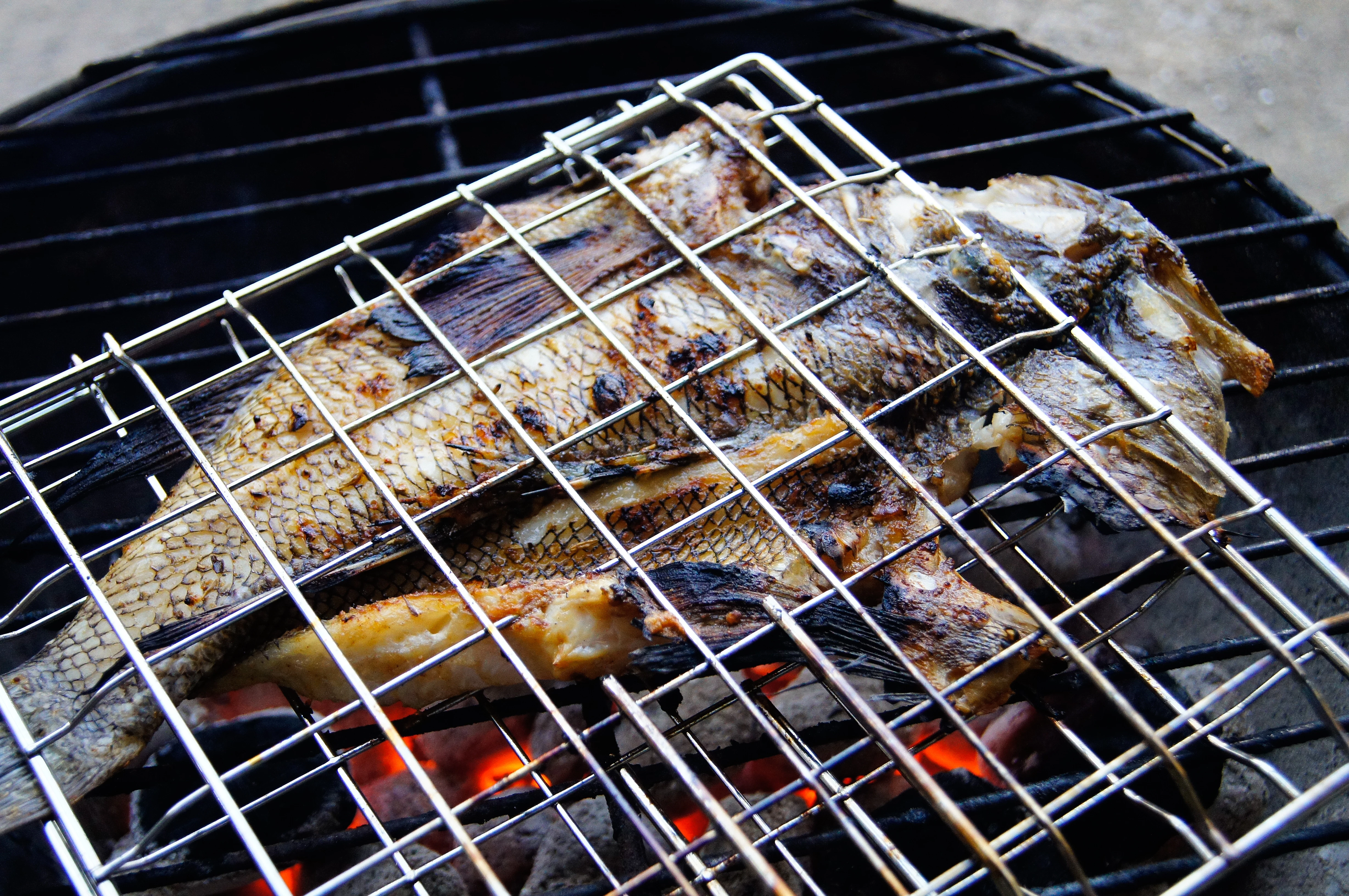
I'm on the fence on this photo, particularly concerning sharpness.  I have a bad habit of over-thinking and over-analyzing and could use a fresh set of eyes.

Before sharpening....
After sharpening....

This topic has been closed for replies.
Correct answer joanH

Not a great deal of difference but I happen to prefer the after photo. However, both photos have a couple of bothersome spots. In the upper right fish head, I see white spots that might need a little graying and the high point lines of the griller are blurred. Try to keep all edges of the subjects sharp. Perhaps you can select this area and sharpen a bit more. Caution, don't overdo it. You have to satisfy yourself and Adobe guidelines then let it go. Best regards. JH

2 replies

Ricky336
Community Expert
Community Expert
April 9, 2018

The top of the grill is out of focus - that may be a problem with the reviewers, and I think you have introduced some noise/grain with the sharpening - so it may get rejected for artifacts; even in your first shot there is some noise.

Looking at your Camera specifics, you've shot this at ISO 1250, which is really too high for stock photos. So, that explains your noise issues. Always remember to view photos at 100% as these kinds of details become a lot more noticeable with this magnification.

I don't know how this camera handles noise, but you should try to keep your ISO as low as possible.

Participant
April 22, 2018

I didn't even think about the ISO!  I usually let the camera set it, but now i'll make sure to check it first.  Thanks!

joanH
joanHCorrect answer
Inspiring
April 8, 2018

Not a great deal of difference but I happen to prefer the after photo. However, both photos have a couple of bothersome spots. In the upper right fish head, I see white spots that might need a little graying and the high point lines of the griller are blurred. Try to keep all edges of the subjects sharp. Perhaps you can select this area and sharpen a bit more. Caution, don't overdo it. You have to satisfy yourself and Adobe guidelines then let it go. Best regards. JH