Participating Frequently
July 21, 2026
Answered

Elephant Sunset Photo Rejection

  • July 21, 2026
  • 7 replies
  • 127 views

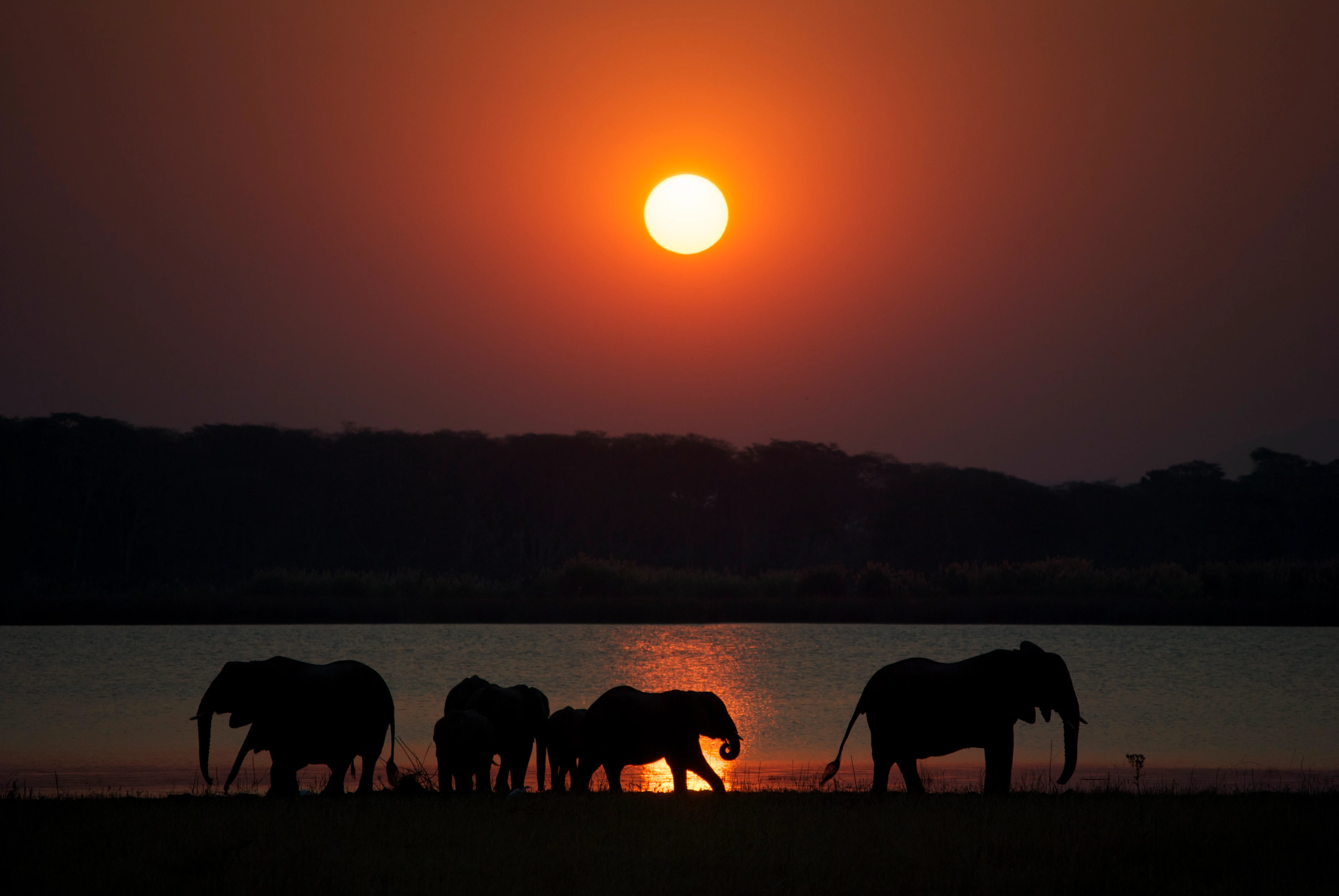
Hi all, this image was rejected for "Quality Issues," while a different elephant photo from the same trip and camera was accepted. I'd appreciate any technical feedback on what you think Adobe may have objected to. Is it noise, banding, softness, or something else? This is straight out of the camera and hasn’t been run through LR or PS so there’s no AI denoise or sharpening being done. Do you think there’s anything I can/should do to it to get it accepted? Let me know if you need any more information. Appreciate your feedback. Thanks.

 

    Correct answer daniellei4510

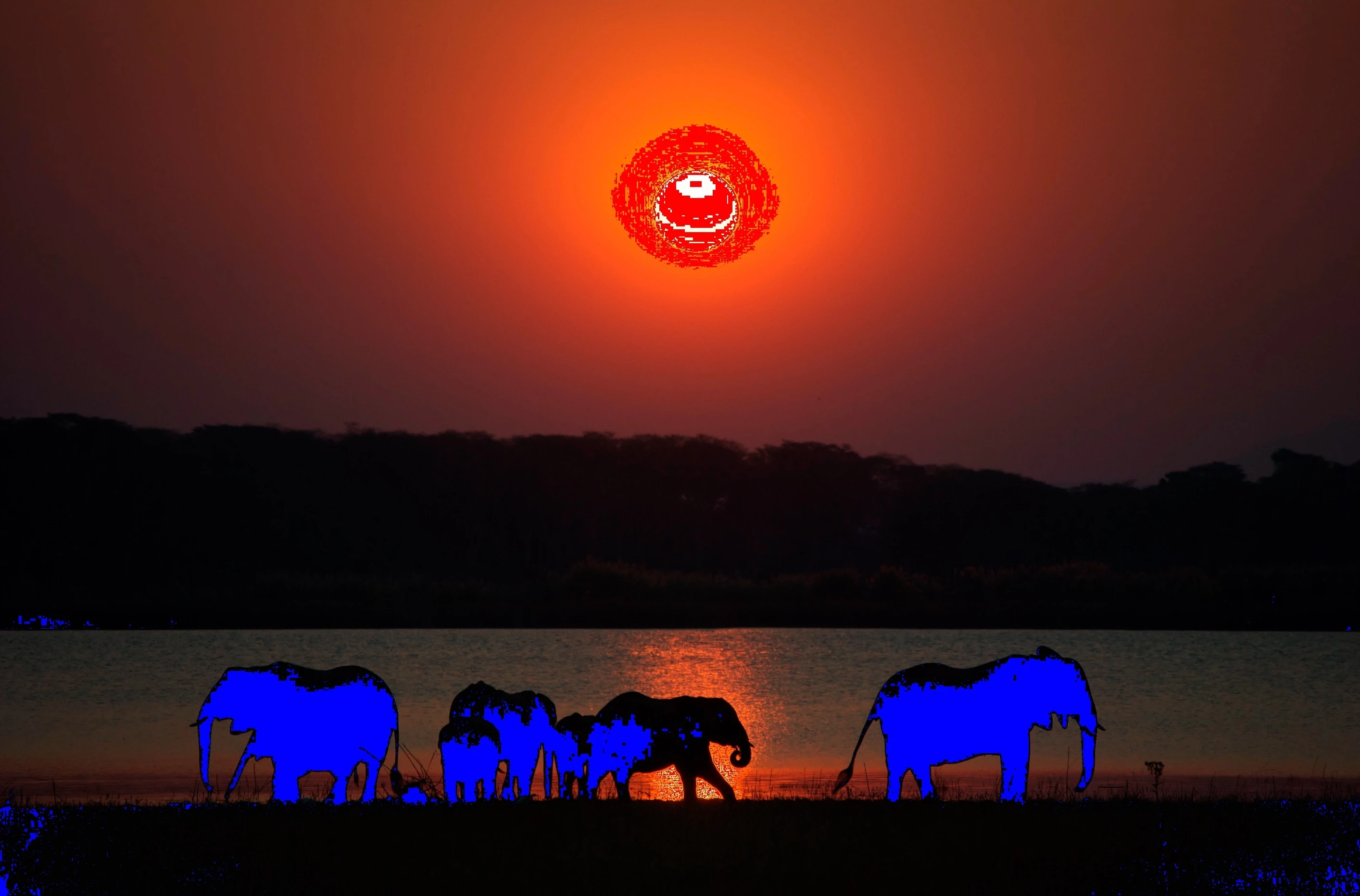
    Check is against your histogram. Were this to be purchased for print, the blacks would be too dark for most inks and no paper bright enough for the highlights. 


    7 replies

    Jill_C
    Community Expert
    Community Expert
    July 22, 2026

    Same camera / same trip doesn’t mean same results. Zoom in and you’ll see artifacts in the sky including banding, spots and noise. The sun is a large blownout spot and the blacks are too dark.

    Jill C., Forum Volunteer
    daniellei4510
    Community Expert
    Community Expert
    July 21, 2026

    The only think I’d adjust is the sun. Still on the bright side. But I’d say it’s worth a second try at this point.


    Adobe Community Expert | If you aren't submitting your assets in sRGB, you probably didn't read the rules.
    alimeadorAuthor
    Participating Frequently
    July 22, 2026

    Ok. I’ll adjust a bit more. I’ll resubmit and see what happens. If not, it’s all good! Thanks so much again.

    daniellei4510
    Community Expert
    Community Expert
    July 22, 2026

    Good luck! To be honest, Adobe’s quality standards...as even many veteran contributors will tell you...have increased dramatically over the past few months and rejections are arguably more common than they used to be, especially when it comes to similar content rejections as well as quality issues.

    Adobe Community Expert | If you aren't submitting your assets in sRGB, you probably didn't read the rules.
    Nancy OShea
    Community Expert
    Community Expert
    July 21, 2026

    For comparison, this is what you’re competing with in Stock inventory.

    https://stock.adobe.com/search?k=elephant+sunset


    Good luck.


    Nancy O'Shea— Product User & Community Expert
    Nancy OShea
    Community Expert
    Community Expert
    July 21, 2026

    Too dark, too noisy. Not enough details.

    Unsuitable for commercial use. 


    Read your Contributor User Guide for details about what’s required. Start with the 4-part section on Photo Submission Requirements:

    https://helpx.adobe.com/stock/contributor/submit-your-content/submit-photos/photo-submission-overview.html


    Hope that helps.


    Nancy O'Shea— Product User & Community Expert
    jodij28273193
    Inspiring
    July 21, 2026

    Regular Photoshop can make this picture correct if you know how to use Photoshop’s tools. Beautiful picture. I have something like that in my slides, but no one ever scanned the slides well enough.

    ZALEZPHOTO
    Legend
    July 21, 2026

    Jodi, look in your town which lab has a Fuji Frontier or Noritsu scanner. Both give you amazing color and detail and not break the bank… unless you have too many photos and you’ll end up spending a fortune.

    A young photographer I mentor and insists in shooting film recently bought a 35mm Plustek OpticFilm 8200i Ai Film Scanner and he loves it. The price is $500 which by all pro standards is cheap.

    I am struggling myself what to do… I still have a slide projector I can’t even get myself to throw away, if you or anyone wants it I’ll send it to you, just pay for the shipping :)

    Cheers!

    ZALEZPHOTO
    ZALEZPHOTO
    Legend
    July 21, 2026

    Great Shot!  Are you saying you submitted the photo with zero editing? That is crazy to me, a shot like this deserves love. I don’t know what you edit with, I would 100% choose Photoshop Camera Raw to selectively edit this one.

    If you need more guidance don’t hesitate to ask, or DM me if you prefer.

    Cheers! 

    ZALEZPHOTO
    alimeadorAuthor
    Participating Frequently
    July 21, 2026

    Haha yes straight off the memory card onto an external hard drive 15 years ago, never went through post processing! Pretty unbelievable right! It’s always been my favorite image from the trip. I usually edit in Lightroom. I actually don’t even have the RAW file for this image, only the JPEG. I think it was only my second year with my camera and I didn’t even know the difference then.

    ZALEZPHOTO
    Legend
    July 21, 2026

    The cost of learning can be painful.

    Which camera did you shoot this with and did you shoot at max resolution?

    I still like the shot, and I would try.

    Send me a DM, I have some ideas, if the photo improves, you can repost it here, see what the experts think, and re upload.

    🌞📸💛

    ZALEZPHOTO
    daniellei4510
    Community Expert
    daniellei4510Community ExpertCorrect answer
    Community Expert
    July 21, 2026

    Check is against your histogram. Were this to be purchased for print, the blacks would be too dark for most inks and no paper bright enough for the highlights. 


    Adobe Community Expert | If you aren't submitting your assets in sRGB, you probably didn't read the rules.
    alimeadorAuthor
    Participating Frequently
    July 21, 2026

    Ok yep that makes sense. I didn’t bother running it through post because I wanted to see what kind of images get accepted/rejected before spending more time. Given that this image is 15 years old and I don’t have the RAW file for it I probably can’t recover enough of the info in the shadows or highlights for this to be an acceptable file. Thanks so much!

    daniellei4510
    Community Expert
    Community Expert
    July 21, 2026

    It’s a nice image. Still might be worth a second shot, since assets can be submitted twice if corrections are made. I opened the sky a bit too much in this example, but there is some detail in the trees. 


    Adobe Community Expert | If you aren't submitting your assets in sRGB, you probably didn't read the rules.